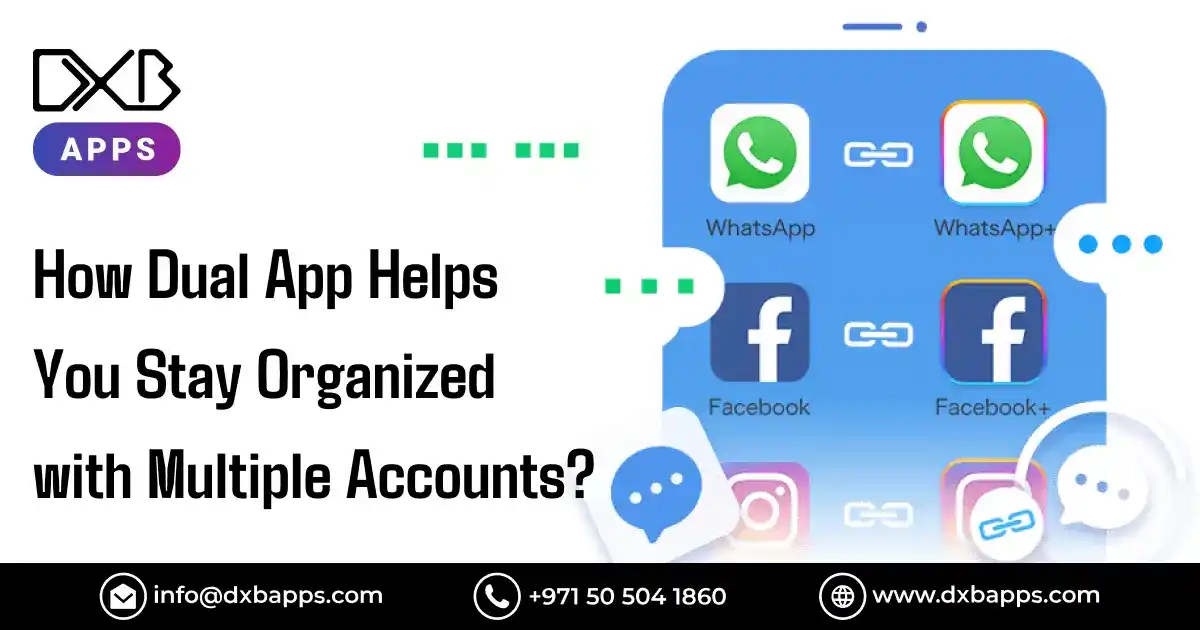
In a world where digital accounts are essential for both work and personal life, managing multiple accounts on a single device can often feel like a chaotic balancing act. Whether you’re handling two different social media profiles, managing personal and professional communication, or using multiple accounts for gaming or shopping, constantly logging in and out can be time-consuming and frustrating. That’s where Dual App technology comes to the rescue.
A Dual App, also known as a clone app, allows you to run two instances of the same app on your device simultaneously. This means you can maintain separate accounts for various platforms without having to log out or switch back and forth. Imagine managing your work email while staying connected with your personal account, or handling two different social media profiles at the same time.
In this blog, we’ll explore how the Dual Space App can transform the way you stay organized, with a look at its practical uses, benefits, and how to get started.
What is a Dual App and How Does it Work?
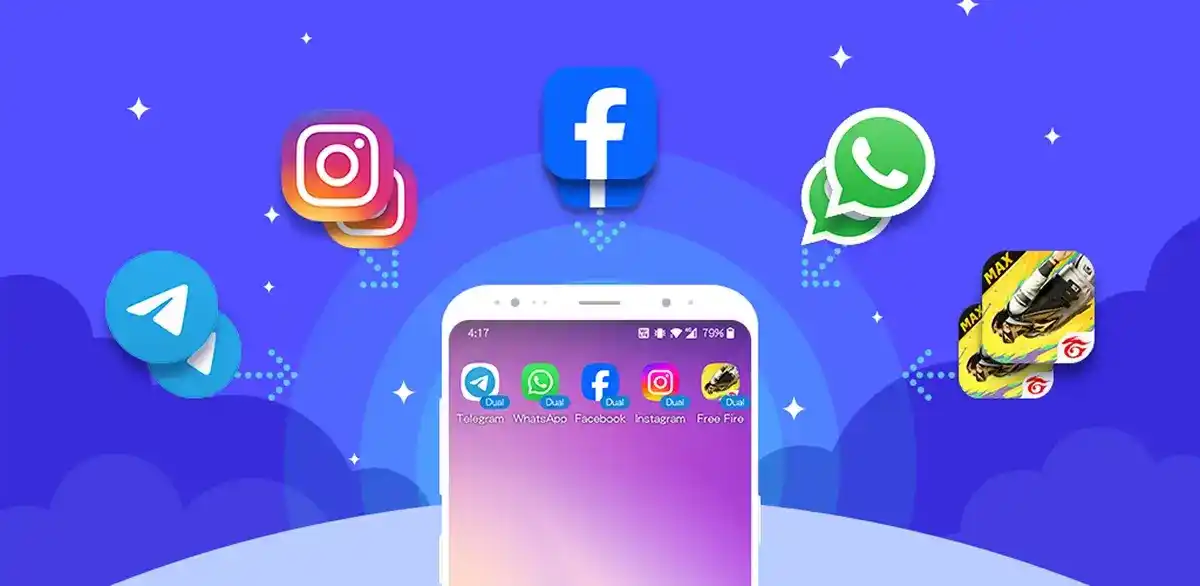
A Dual App (also known as App Cloning or Parallel App) enables users to operate two independent instances of the same application on a single device. The dual space app allows for the use of multiple accounts, such as work and personal WhatsApp or gaming profiles, each with its own data, notifications, and settings.
The Dual App Clone is typically supported by built-in phone capabilities or third-party apps. It works by creating a duplicate version or a virtualized environment in which the second instance of the app operates, ensuring that its data remains isolated from the original instance.
How does it work?
System-Level Cloning: Many Android manufacturers, such as Samsung and Xiaomi, integrate this feature directly into their phones' operating systems or launchers. By navigating to Settings > Apps > Dual Apps (or a similar option), users can select an app to clone (e.g., WhatsApp, Facebook). A new, distinct app icon appears, often with a small badge, allowing separate logins for each instance.
Third-Party Apps: For devices without built-in cloning features, third-party apps like Dual Space (available on Google Play) or Dual Space: Parallel Dual Apps (on the App Store) create a virtual, isolated environment for running cloned apps.
App-Level Support: Certain apps, such as WhatsApp, offer their own built-in feature for adding a second account directly within the app's settings, eliminating the need for external cloning tools.
Understanding the Technology Behind a Dual App Clone
A Dual App Clone works by creating a virtual environment within your device, allowing you to run two instances of the same app simultaneously. The technology behind this involves:
- App Cloning: The process of duplicating an app to run two separate accounts on a single device.
- Sandboxing: This isolates the cloned app from the original, ensuring both instances run independently without any data interference.
- Security: The clone app ensures data privacy by preventing crossover between the two accounts.
With the clone app, you can easily manage multiple profiles on platforms like WhatsApp, Facebook, or Instagram, all without needing to log out.
How Does Dual App Work on Different Mobile Devices?
The Dual App or Dual Space App functions across various mobile devices, allowing users to manage multiple accounts efficiently. Key features of how it works include:
- Android Devices: Many Android phones come with a built-in feature to clone apps, or you can use third-party apps to enable the Dual App function.
- iOS Devices: While iOS doesn’t natively support app cloning, third-party apps and device-specific features (like App Clips) can still help manage multiple accounts.
- Cross-Platform: The Dual App feature works seamlessly across both operating systems, allowing users to keep their accounts organized without switching between mobile devices.
This flexibility makes it ideal for personal and professional use, regardless of the mobile device.
How to Set Up a Dual App for Multiple Accounts?
Setting up a Dual App for managing multiple accounts is simple and quick. Follow these steps:
- Choose an App Cloning Tool: Select a dual space app or Dual App feature from your phone’s settings or download a third-party app (such as Parallel Space or Dual Apps).
- Select the App to Clone: Open the app cloning tool and choose the app you want to duplicate (e.g., WhatsApp, Facebook, Instagram).
- Log into Your Second Account: Once the app is cloned, you can log into a different account on the cloned version.
- Manage Accounts Simultaneously: Both accounts will run independently, allowing you to receive notifications and interact with both at the same time.
This easy setup helps you maintain multiple profiles, whether for social media, gaming, or work.
Planning to Develop a Mobile App for Your Business?
DXB APPS builds secure, scalable mobile apps for Android, iOS, and cross-platform solutions, tailored to your business goals.
Get a Free ConsultationFeatures of An Advanced Dual App
The best Dual Apps provide smooth multi-account management by running app clones in isolated environments for enhanced privacy. They offer fast switching between accounts, support for a wide range of apps (social media, games), and features like app locking, icon and name customization, and minimal system impact for efficient use of work and personal accounts on a single device.
Key features include secure, independent data storage, no-root functionality, stable performance, and broad compatibility with various Android systems.
Core Features
- Multi-Account Support: Log into multiple accounts (WhatsApp, Facebook, games) at once, without the need to log out.
- Isolated Environments: Cloned apps operate separately, ensuring independent data and notifications.
- Fast Switching: Switch quickly between the original and cloned apps for smooth multitasking.
- Privacy & Security: Hide cloned apps, use app locks, and maintain data isolation for added privacy.
- Lightweight & Stable: Optimized for performance, ensuring your phone runs smoothly without slowdowns.
- Broad Compatibility: Works seamlessly with most Android devices and popular apps.
Advanced Features
- Customization: Personalize cloned apps with custom icons, names, and even run apps in secret browser modes.
- No Root Required: Use the app without the need to root your device, making it accessible to most users.
- Independent Connectivity: Manage network and data access individually for each cloned app.
Top Benefits of Using Dual App for Multiple Accounts
Using Dual Apps for multiple accounts provides numerous advantages, especially for individuals who need to manage both personal and professional commitments seamlessly. This feature, available either natively on some phones or through third-party apps, creates independent instances of the same application on a single device. Here's a detailed breakdown of its benefits:
Key Benefits
Seamless Account Management
Dual apps allow users to manage two separate social media accounts for the same app at the same time without the inconvenience of logging in and out repeatedly. This is especially useful for apps like WhatsApp, Facebook, and Instagram, where users might have both a personal and a professional account.
Separation of Work and Personal Life
With Dual Apps, you can easily maintain distinct profiles for work and personal communication. For example, you could keep your personal WhatsApp account separate from your work WhatsApp, ensuring that notifications, messages, and data are kept distinct. This separation helps organize your life and reduces the stress of mixing work and personal communications.
Enhanced Efficiency
Dual apps allow users to switch between accounts with just a tap, which saves time and increases productivity. This feature is particularly helpful for people who manage multiple accounts for different roles, such as social media managers, e-commerce operators, or freelancers handling various clients.
Privacy and Data Isolation
Each cloned app runs in its own "sandbox environment," ensuring that data from the original app and the cloned app remain separate. This means that your work-related information doesn't mix with your personal data, providing an added layer of security and privacy. For users concerned about protecting sensitive data, the Dual App in Samsung offers peace of mind.
Convenience and Cost Savings
With Dual App functionality, you no longer need to carry two separate phones to manage two different accounts, especially when using dual-SIM phones. This functionality eliminates the hassle of juggling multiple devices and helps streamline your life. It also reduces the need to purchase additional devices for personal and work communications.
Gaming Advantages
Gamers can benefit greatly from Dual Apps by running two instances of the same game. This allows them to manage multiple accounts simultaneously, which is useful for resource management, leveling up in different accounts, or experimenting with different strategies.
Customizable Notifications
Dual apps allow users to set distinct notification preferences for each account. For instance, you can customize the sound or vibration pattern for work-related WhatsApp messages versus personal ones, making it easier to distinguish between the two without needing to open the app.
Benefits of a Dual WhatsApp App for Users with Multiple Numbers
For users with two different phone numbers (e.g., one for work and one for personal use), the dual WhatsApp app feature is incredibly beneficial. It allows them to have both accounts on a single device, eliminating the need to carry two phones, multiple numbers, or constantly switch between devices.
Keep Work and Personal Conversations Separate
A Dual WhatsApp app ensures that work-related chats are separated from personal ones. This helps maintain a professional boundary and keeps your personal conversations private, reducing the risk of accidentally sharing information across accounts.
Dual SIM Phone Compatibility
If you have a dual-SIM phone, you can use the dual WhatsApp feature to link each SIM card to its respective WhatsApp account. This makes managing multiple numbers more efficient and avoids the hassle of manually switching between accounts.
No Need for Additional Devices
Users can save money and space by not having to buy and carry an additional phone for their second WhatsApp number. Whether it’s for business or personal use, both accounts can run smoothly on one device, making it ideal for people on the go.
Clone app functionality, especially for WhatsApp, offers practical work life benefits like improved organization, privacy, and convenience for users with multiple accounts. It’s a game-changer for managing separate personas or maintaining a clear work-life balance.
Take Your Business to the Next Level with a Leading App Development Company in Dubai
Take your business to the next level with DXB APPS, a trusted mobile app development company in Dubai, UAE. Create strong mobile apps that engage and convert your audience.
Get a Free ConsultationHow Dual Apps Simplify Mobile Usage and Enhance Productivity on Your Smartphone?
Dual apps allow you to run two separate instances of the same app simultaneously, offering significant benefits for mobile users. Available through built-in phone features or third-party apps, this clone app helps streamline tasks and improve productivity.
Key Benefits:
Simultaneous Account Management
Manage two different accounts on the same app without constantly logging in and out, saving time and effort.
Separation of Personal and Work Life
Keep personal and professional accounts distinct, such as using separate WhatsApp profiles for professional and personal mobile usage, reducing distractions, and maintaining organization.
Improved Efficiency
Quickly switch between accounts with a tap, boosting productivity for users managing multiple roles or business accounts.
Convenience for Dual SIM Users
Dual App Clone allows users with dual SIM cards to manage both numbers on a single device, eliminating the need for multiple phones.
Enhanced Privacy and Security
Each app instance operates separately, ensuring that work and personal use remain secure and isolated.
Ideal for Gaming
Run two game accounts simultaneously, optimizing resource management and testing different strategies.
Customizable Notifications
Different notification settings for each app instance help distinguish between personal and work-related messages, keeping you focused.
Reduced Device Clutter
Carrying only one device to manage all accounts reduces physical clutter and makes staying organized easier.
How Dual Apps Enhance Productivity?
Streamlined Workflows
Dual apps easily manage multiple tasks and accounts without switching between devices or logging in repeatedly.
Time-Saving
Stay logged into both accounts, saving time and boosting efficiency, especially for those in customer service or sales.
Better Multitasking
Switch between personal and work accounts seamlessly, increasing productivity without losing focus.
Mobile app developers in Dubai are increasingly integrating Dual App functionality into their solutions, allowing users to manage multiple accounts on a single device.
Whether for work and personal use or managing separate gaming profiles, mobile app development in Dubai leverages this feature to provide a seamless experience. With the rise of mobile app development, this feature is becoming essential for those who need to stay organized and efficient across different platforms and services.
How to Use Dual App on iPhone?
Managing multiple accounts on your iPhone can be made easier with the Dual App feature, even though Apple doesn’t offer a built-in option like Android. Here’s how to set up Dual Apps on iPhone and troubleshoot common issues that may arise.
Is Dual App Available for iPhone Users?
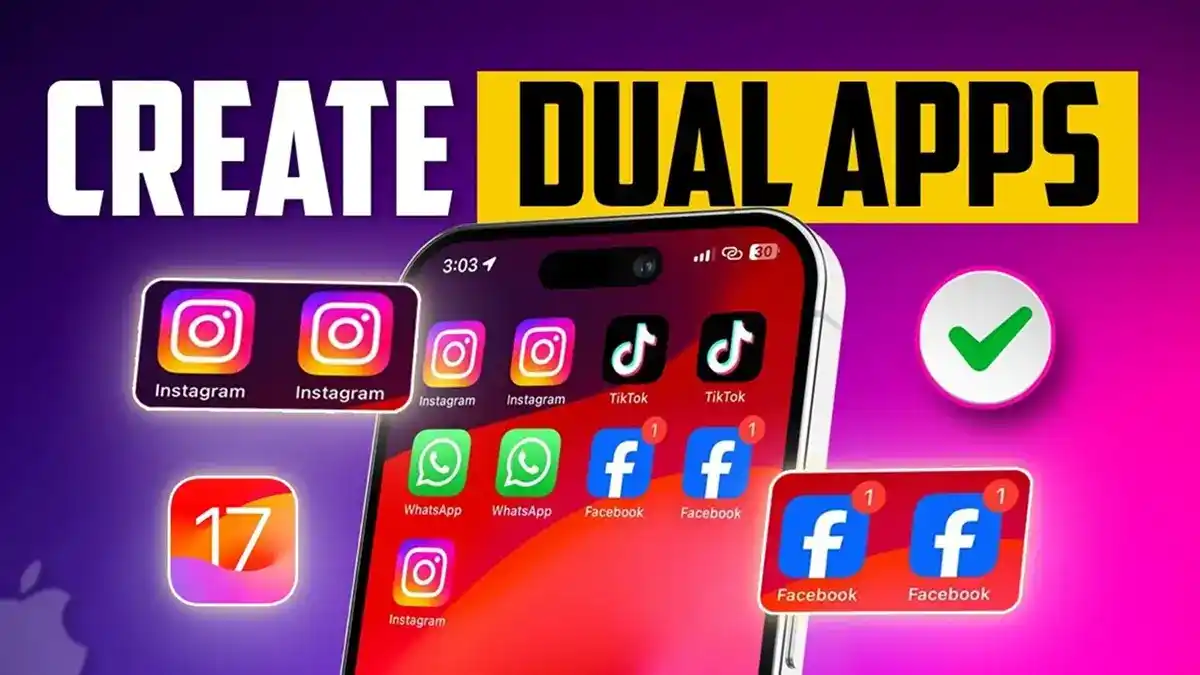
- While Dual Apps for iPhone are not natively supported by iOS, there are still several ways to set up multiple accounts on the same device.
- iPhone Dual App setup can be done through apps' built-in features or third-party tools, although it’s not as seamless as on Android.
- Some apps like WhatsApp, Instagram, and Twitter allow users to log into multiple accounts within the same app.
- For other apps that don’t support multi-account functionality, a third-party clone app for iPhone services may help.
Step-by-Step Guide to Setting Up Dual Apps on iPhone
Using Built-In App Features (For Supported Apps):
WhatsApp: Open WhatsApp, go to Settings > Account > Add Account to add a second WhatsApp number.
Instagram & Twitter: These apps allow adding multiple accounts directly within the app. Tap your profile icon > Settings > Add Account and log in to your second account.
Using Safari’s Web Version (For Web-Based Apps):
Many social media apps like Instagram and Facebook can be used in a web browser. Open Safari, go to the website (e.g., Instagram.com), and log in to your second account while keeping the app open for your primary account.
Using Third-Party Apps (Dual Space for iPhone):
Install a third-party app like Dual Space or App Cloner (available on the App Store).
Open the app and select the app you want to clone.
Follow the instructions to create a duplicate version of the app, allowing you to use two accounts simultaneously.
Troubleshooting Common Issues with Dual Apps on iPhone
App Not Allowing Multiple Accounts:
Some apps don’t support Dual Apps for iPhone natively. In this case, using a third-party clone app for iPhone services can help, but make sure the app is compatible with cloning.
Notifications Not Syncing Correctly:
When using Dual Apps on iPhone, you might notice that notifications from the cloned app don’t appear as expected. Ensure that notifications are enabled for the app and check the settings in iPhone > Settings > Notifications.
Login Issues with Multiple Accounts:
If you’re having trouble logging into both accounts, it could be due to the app’s restrictions or issues with third-party cloning apps. Ensure that the app supports multiple accounts and that the cloned version works as intended.
Performance or Lag:
If your iPhone is experiencing lag or performance issues when using Dual Apps, try limiting the number of apps running simultaneously or use the built-in multi-account features instead of third-party cloning apps, as they may consume more resources.
Setting up Dual Apps on iPhone is possible with the right approach, whether using built-in features for supported apps, third-party cloning tools, or the web version of certain apps. With a few easy steps, you can keep your work and personal accounts organized and accessible without the need for multiple devices. If issues arise, checking app settings, notifications, and using compatible tools can help you resolve common problems quickly.
How to Use Dual App on Samsung?
Samsung devices come with a built-in Dual App feature that allows you to use two separate instances of the same app on one device. This feature is perfect for managing multiple accounts, such as using two WhatsApp accounts or having separate personal and work profiles. Here’s how to set up Dual Apps in Samsung and troubleshoot common issues.
Using Samsung’s Native Dual App Feature
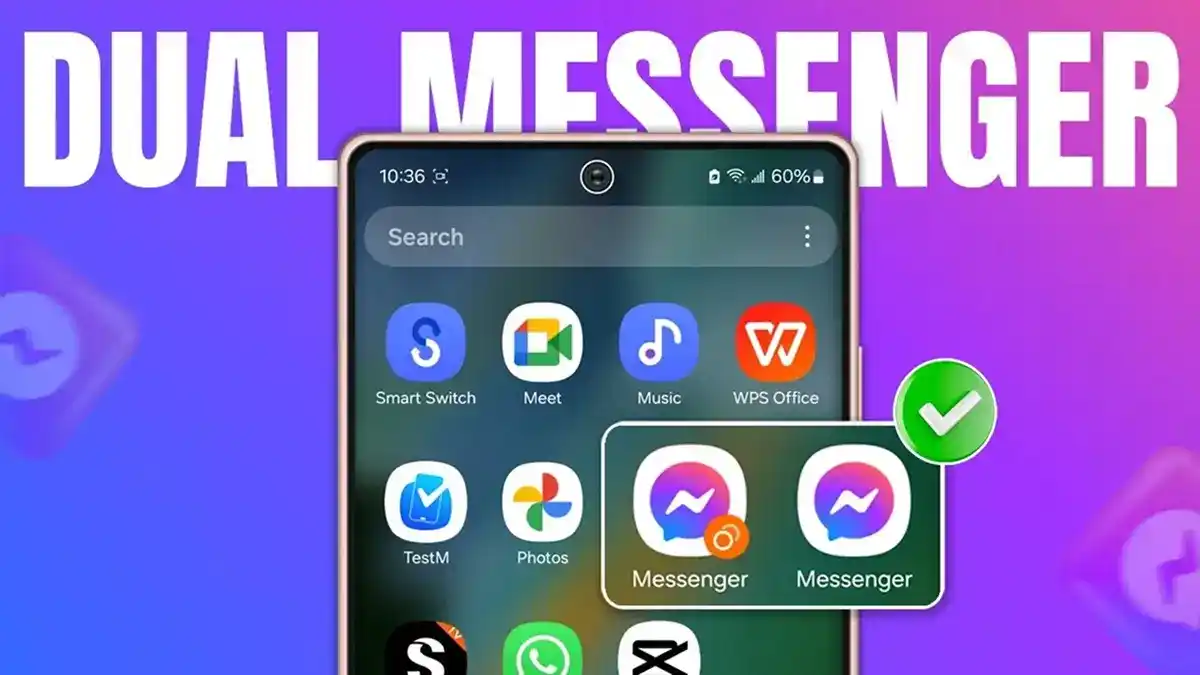
- Samsung provides a native feature called Dual Messenger, which allows you to clone certain apps and run two separate instances simultaneously.
- This feature works on a variety of apps like WhatsApp, Facebook, Messenger, and more.
- The Samsung Dual App feature helps you maintain separate accounts for both personal and work use, all from the same device.
- To use Dual Messenger on Samsung, you don’t need to install third-party apps.
- The built-in feature simplifies the process by allowing you to set up and manage two versions of supported apps with ease.
Step-by-Step Guide to Setting Up Dual App on Samsung
Open Settings:
- Go to your Settings app on your Samsung device.
Find Dual Messenger:
- Scroll down and select Advanced features.
- Tap Dual Messenger.
Select Apps to Clone:
- You’ll see a list of supported apps. Toggle the switch next to the app you want to clone, such as WhatsApp, Facebook, Messenger, etc.
- Samsung will prompt you to install the cloned version of the app if you haven’t done so already.
Set Up the Second Account:
Once the cloned app is installed, you can set up the second account by logging in with different credentials. For example, log into a second WhatsApp account using your other phone number.
Access the Dual App:
You will now see a new icon for the cloned app on your home screen. It will usually have a small icon badge (e.g., two icons stacked) to differentiate it from the original app.
Common Issues and How to Fix Dual App Problems on Samsung
App Not Showing in Dual Messenger:
- Some apps might not support Dual App on Samsung by default. To troubleshoot, ensure the app is compatible with Samsung’s Dual Messenger feature. If not, consider using a third-party dual space app from the Google Play Store.
Cloned App Not Working Properly:
- If the cloned version of the app isn’t working correctly, try restarting your Samsung device. Make sure both the original and cloned apps are updated to the latest version from the Samsung Galaxy Store or Google Play.
Notifications Not Syncing:
- If you’re not receiving notifications from the cloned app, go to Settings > Notifications > select the app and ensure that notifications are enabled. Also, check Battery settings to ensure the app isn’t restricted in the background.
Account Login Issues:
- Sometimes, logging into the second account might cause issues. Ensure that the app allows multiple logins. For apps like WhatsApp, Messenger, or Facebook, you may need to verify a second number or account.
Performance or Lag:
- Running multiple apps simultaneously can sometimes cause performance issues. To resolve this, try clearing the cache of both the original and cloned apps by going to Settings > Apps > select the app > Storage > Clear Cache.
Dual App Not Responding:
- If the Dual App stops responding or crashes, try reinstalling the app or using the App’s Repair feature available in Samsung’s Device Care settings.
Using Dual Apps in Samsung is a simple and efficient way to manage multiple accounts on a single device, thanks to the built-in Samsung Dual App setup. With Dual Messenger, you can clone compatible apps like WhatsApp, Facebook, and more. If you encounter issues, ensure your apps are updated, check notification settings, and troubleshoot using the methods above. For unsupported apps, consider using a dual-space Samsung app for additional functionality.
Step-by-Step Process to Build a Dual App
Building a Dual App involves a detailed process from defining the app’s purpose to launching and maintaining it. Here’s a step-by-step guide to the Dual App development process.
Step 1 - Define the Purpose and Requirements of the Dual App
The first step in how to develop a Dual App is to clearly define its purpose. Understand why users need the app to run multiple accounts, such as for social media, messaging, or gaming. Identify key features like multi-account support, the ability to manage separate data, and account switching. Define app requirements, including supported platforms (Android/iOS), the number of accounts to be handled, and performance expectations.
Step 2 - Choose a Development Approach and Technology Stack
When deciding on a Dual App technology stack, choose between native or cross-platform development. Native apps (iOS or Android-specific) offer better performance, while cross-platform development tools (e.g., React Native, Flutter) allow you to create apps for both platforms simultaneously. Consider technologies like cloud storage for data management, database solutions for data isolation, and encryption protocols for security.

Step 3 - Design the User Interface (UI) and User Experience (UX)
A crucial part of Dual App UI/UX design is ensuring that users can easily switch between accounts and interact with the app. Design a custom UI that clearly differentiates between accounts, perhaps using different themes or account-specific icons. Keep the experience intuitive by simplifying navigation, ensuring minimal steps for account switching, and providing visual cues for users to identify each account’s data and notifications.
Step 4 - Develop the Core Features of the Dual App
The core features of a Dual App should include multi-account support, allowing users to sign in to multiple accounts. Focus on features like account switching, secure data storage, and notifications that are isolated for each account. Optimize for seamless performance, ensuring that the cloned apps function independently without causing conflicts or data leaks. Implement background processes and memory management to prevent lag.
Step 5 - Implement Security Features and Privacy Measures
Security is critical in Dual App security to protect user data. Implement data encryption for all stored and transmitted information. Features like app locking, biometric authentication (e.g., fingerprint or face ID), and data isolation will prevent unauthorized access to sensitive data. Ensure that each account’s data is kept separate, with strong privacy measures in place to prevent cross-account data leakage.
Step 6 - Testing and Debugging
Thorough Dual App testing is essential to ensure the app works as expected. Conduct bug fixing for common issues such as crashes during account switching, data corruption, or notification failures. Perform mobile app QA testing on different devices and OS versions to check for compatibility. Test under various conditions, including network fluctuations, low battery, and multiple app instances, to ensure stability.
Step 7 - Launch and Deployment
Once the app is fully developed and tested, move on to the Dual App deployment phase. Submit the app to the mobile app stores (Google Play, Apple App Store) following their guidelines. Ensure the app meets all the store requirements, including privacy policies, data handling, and app size limits. Prepare for app launch by marketing the app, creating an announcement strategy, and ensuring a smooth release.
Step 8 - Ongoing Maintenance and Updates
Post-launch, Dual App maintenance is essential to keep the app functional and secure. Regularly release mobile app updates to fix bugs, improve performance, and add new features. Monitor user feedback to identify areas for improvement and ensure the app remains compatible with OS updates. Implement app improvements based on user requests and new technological advancements.
How Much Does It Cost to Develop a Dual App? A Detailed Breakdown
The cost to develop a Dual App depends on several factors, such as the features required, the platform (iOS or Android), and the complexity of the app. Generally, a Dual App allows users to manage multiple accounts on a single device. The costs vary depending on the level of functionality:
- Basic Dual Apps focus on essential features like multi-account support and account switching.
- Advanced Dual Apps add additional features such as custom UI/UX, security features, and cloud integration.
- Enterprise-level Dual Apps include advanced capabilities like scalability, AI integrations, and integration with enterprise systems.
The Dual App development cost is directly influenced by the features and complexity of the app.
Basic Cost to Develop a Dual App
For a basic Dual App, the development will cover essential features like:
- Multi-account support (e.g., managing two WhatsApp accounts or multiple social media profiles).
- Account switching seamlessly between the primary and cloned apps.
- Basic data storage and notifications management.
These features are ideal for personal use or smaller-scale applications and do not require heavy customizations or complex integrations.
Cost Estimate:
-
$10,000 - $25,000
This cost range includes basic development for a Dual App that works with one platform (either iOS or Android) and does not have advanced security features or cross-platform support.
Advanced Dual App Development Costs
Advanced Dual App development includes:
- Custom UI/UX design for a unique user experience.
- Security features such as data encryption, biometric authentication, app locks, and two-factor authentication.
- Cloud storage integration to manage isolated data for each account.
- Cross-platform development (for both iOS and Android).
- Performance optimization for smoother operation on various devices.
These advanced features ensure that the app not only runs multiple accounts but also provides enhanced security, better user experience, and compatibility across platforms.
Cost Estimate:
-
$25,000 - $50,000
This cost range applies to apps with advanced functionalities and custom designs. The price is influenced by the complexity of the features and cross-platform development needs.
Premium or Enterprise-Level Dual App Development
Enterprise-level Dual App development includes high-end features required for large-scale operations and businesses:
- Scalability for managing a large number of users and high volumes of data.
- AI/ML integrations for personalized user experiences, smarter notifications, and advanced data processing.
- Multiple app support to manage accounts from various apps, not just one.
- Integration with enterprise-level databases and third-party services.
- High-level security measures to protect sensitive user data.
- Continuous updates and maintenance to ensure the app’s long-term viability and compatibility with the latest OS versions.
This level of app development is suited for businesses or organizations that require high performance, secure data handling, and scalability.
Cost Estimate:
-
$50,000 - $100,000+
This cost reflects the high-end features and advanced integrations necessary for enterprise-grade apps. The complexity, scalability, and ongoing support increase the cost significantly, making it ideal for large organizations or enterprises.
| Development Level | Description | Cost Estimate ($) |
|---|---|---|
| Basic Dual App | Essential features like multi-account support, account switching, basic data storage, and notifications management. | $10,000 - $25,000 |
| Advanced Dual App | Advanced features include custom UI/UX, security features (data encryption, app lock), cloud storage integration, and cross-platform support. | $25,000 - $50,000 |
| Enterprise-Level Dual App | Enterprise-level features like scalability, AI/ML integration, multiple app support, high-volume data handling, and enterprise database integrations. | $50,000+ (up to $100,000+) |
Technology stack used to build Dual App
A Dual App is designed to either run natively on both iOS and Android or to create two instances of the same app on a single device. This typically falls under the category of cross-platform or hybrid app development. The choice of technology stack plays a critical role in how efficiently a Dual App can be developed, deployed, and maintained.
Common Technology Stacks for Building Dual Apps
Cross-Platform Frameworks
These frameworks allow developers to write the code once and deploy it on both iOS and Android, maximizing code reuse and saving development time
| Framework | Description |
|---|---|
| Flutter | Developed by Google, Flutter uses Dart to create natively compiled apps from a single codebase, ensuring high performance and fast development for both platforms. |
| React Native | Backed by Facebook, it uses JavaScript/TypeScript and the React framework, allowing apps to behave like native apps with a shared codebase for both iOS and Android. |
| Xamarin | An open-source platform using C# and the .NET framework, Xamarin allows developers to share a significant portion of code across platforms. |
| Ionic | Uses HTML, CSS, and JavaScript to build Progressive Web Apps (PWAs) and hybrid mobile apps, and integrates with Angular or React for a dynamic development process. |
Core Architectural Components
Regardless of the framework chosen, the overall technology stack for building Dual Apps generally includes the following layers:
| Component | Description | Technologies Used |
|---|---|---|
| Frontend (UI/UX) | The part of the app that users interact with. Includes the user interface and user experience design. | Flutter, React Native, Ionic |
| Backend | The server-side logic, data processing, and application logic. | Node.js, Python (Django/FastAPI), Java (Spring Boot) |
| Database | Manages and stores data, including user data and app configurations. | Firebase, MySQL, PostgreSQL, MongoDB |
| Cloud Services/Hosting | Provides infrastructure to host the backend and data. | AWS (Amazon Web Services), GCP (Google Cloud Platform), Azure |
| DevOps & Integrations | Tools for continuous integration and deployment (CI/CD), analytics, and third-party API integrations. | Jenkins, GitHub Actions, Google Analytics, Mixpanel, Stripe, etc. |
The best tech stack for building a Dual App largely depends on the project's specific requirements, the budget, timeline, and the development team's expertise. Whether you choose a cross-platform framework like Flutter, React Native, Xamarin, or Ionic, it’s essential to ensure the stack aligns with your goals for performance, scalability, and ease of maintenance.
How DXB APPS Builds the Best Mobile Apps in Saudi Arabia and the UAE?
DXB Apps has earned a reputation as a leader in mobile app development Dubai, providing high-quality app solutions for businesses across both UAE and Saudi Arabia. As experienced mobile app developers, we are committed to crafting innovative apps that meet the unique needs of each market. Here’s how we stand out:
- Our expertise in mobile app development Dubai makes us the leading app developers in the region.
- We focus on creating UAE mobile apps that offer seamless user experiences and cutting-edge features.
We prioritize building high-quality mobile apps tailored specifically for the Saudi Arabian market. - From concept to delivery, we ensure that each app meets the highest standards in performance and functionality.
Our portfolio of mobile app projects across the UAE and Saudi Arabia showcases our ability to deliver top-tier solutions. - We have completed numerous projects for local businesses, providing them with impactful mobile experiences.
Conclusion
Dual apps, or clone apps, are a powerful tool to enhance your productivity by allowing you to run multiple accounts on the same device. This capability helps you stay organized and efficient, as it allows you to separate personal and professional tasks without the need to constantly log in and out of different accounts. With Dual Apps, you can take control of your digital life, keeping everything neatly compartmentalized. This is particularly useful for managing different work and personal profiles without the hassle of switching between apps or devices.
Moreover, Dual Apps are an excellent solution for time management, as they allow you to multitask seamlessly across multiple accounts. Whether you're managing multiple email addresses, social media profiles, or apps, you can optimize your workflow and save valuable time. With everything available at your fingertips, there’s no need to toggle between apps constantly, making it easier to stay on top of your commitments.
Ready to Launch? Build a Seamless, Scalable Mobile App with DXB APPS!
Build your dream app with DXB APPS and go live on iOS and Android effortlessly. We specialize in creating intuitive, scalable mobile apps that enhance user experience, increase engagement, and grow your business.
Get Your Free ConsultationFaqs
How Do I Install Dual Apps on My Phone?
To set up Dual Apps, either use your phone's built-in feature (Settings > Apps > Dual Apps/Dual Messenger) for supported apps like WhatsApp or Facebook, or install a third-party app like Parallel Space from the Play Store. This allows you to clone virtually any app and manage multiple accounts, keeping their data and notifications separate.
Can I Use Dual Apps for All Social Media Accounts?
You can use Dual Apps or cloning apps like Dual Space or Parallel Space on Android, and similar features on iOS, to run multiple accounts (personal/work) for apps like WhatsApp, Instagram, and Facebook. Some phone manufacturers also offer a built-in "Dual Messenger" for select apps.
Are Dual Apps Secure?
Dual apps can be secure when using built-in features (like Samsung's Secure Folder) or trusted apps from official stores (like Parallel Space). However, third-party clones may pose risks, such as data tracking or theft. Always check permissions, read reviews, and choose official tools for safer multi-account management.
How to Create a WhatsApp Dual App?
To create a dual WhatsApp account on one phone, use your Android phone's built-in App Clone/Dual Apps feature (such as Samsung's Dual Messenger or Xiaomi's Dual Apps) in Settings. This will allow you to duplicate WhatsApp and set it up with a second number.
Where is Dual App in Settings?
Your phone's Dual App feature is typically located in Settings > Apps or Settings > Advanced Features, under names like "Dual apps," "App cloner," or "Dual Messenger." It lets you clone apps like WhatsApp or Facebook for separate accounts. The exact path may vary by brand (Xiaomi, Samsung, Vivo, etc.), so check app-related settings to find it.
What is the Purpose of Dual Apps?
The purpose of Dual Apps (or App Cloning) is to run two separate instances of the same app on one device, allowing you to use multiple accounts (e.g., personal and work) simultaneously for apps like WhatsApp, Facebook, or games. This eliminates the need to log in and out, keeping data and notifications separate for better organization and privacy.
What is the Benefit of Using Dual Apps?
The main benefit of Dual Apps (or App Cloning) is running two separate accounts of the same app (like WhatsApp, Facebook, or games) on one phone, keeping work and personal lives separate. It offers convenience, better organization, and distinct notifications for each account without needing two devices.