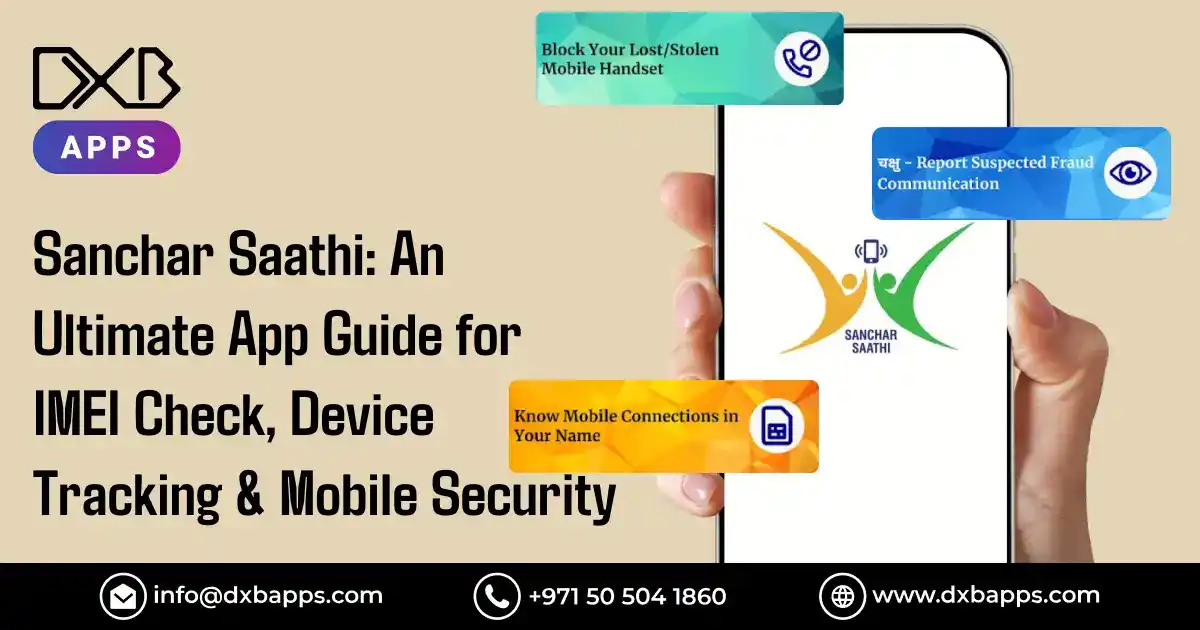
Mobile phone stealing plus fake registrations are growing problems nowadays. To tackle these issues, India introduced Sanchar Saathi, a broad effort focused on public needs. Instead of just reacting, this system lets people check if phones are genuine or report lost ones easily. Also, it supports better control over personal telecom access through simple tools.
The Sanchar Saathi app improves safety against phone scams. Its strong tools, like checking device IDs, confirming connections via TAFCop, or locking lost phones, change how people use mobile protection. While offering real-time checks, it simplifies access without relying on complex steps. Because it works directly with telecom systems, users gain faster control over their devices.
Mobile security data shows serious issues:
More than 2.4 million cellphones are recorded missing each year in India
"Digital security begins with awareness and the right tools. Sanchar Saathi empowers every citizen to take control of their mobile device security." - Department of Telecommunications, India
What is the Sanchar Saathi App?
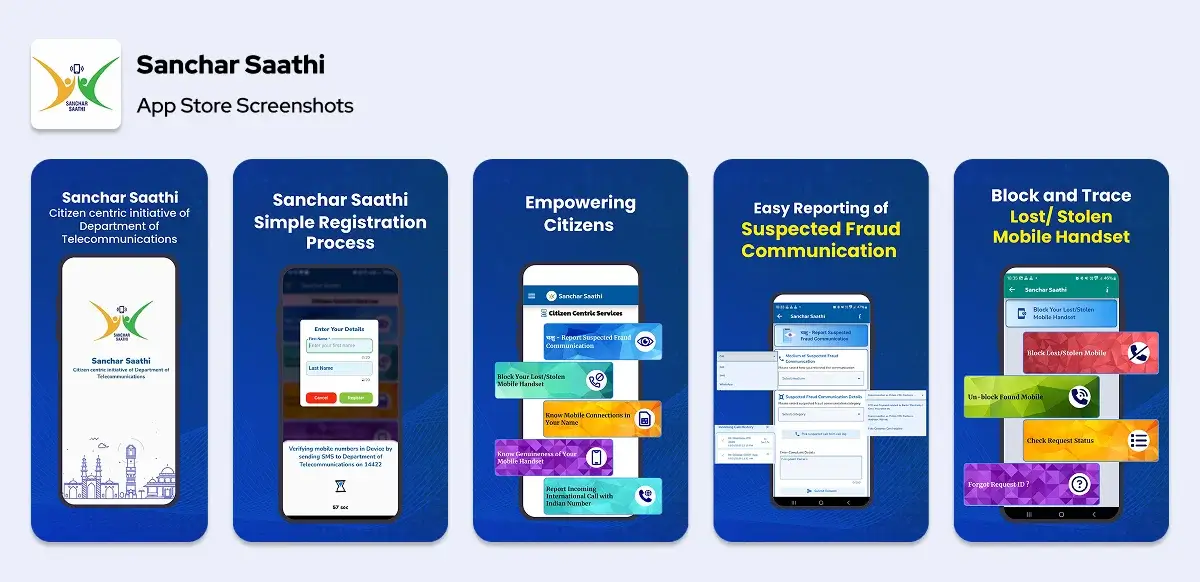
Sanchar Sahti is an app and website made by the government for mobile safety and checks. It was started by the Telecom Department to offer several tools in a single place. This helps people manage their phones more securely. Services are available to all users easily through one system.
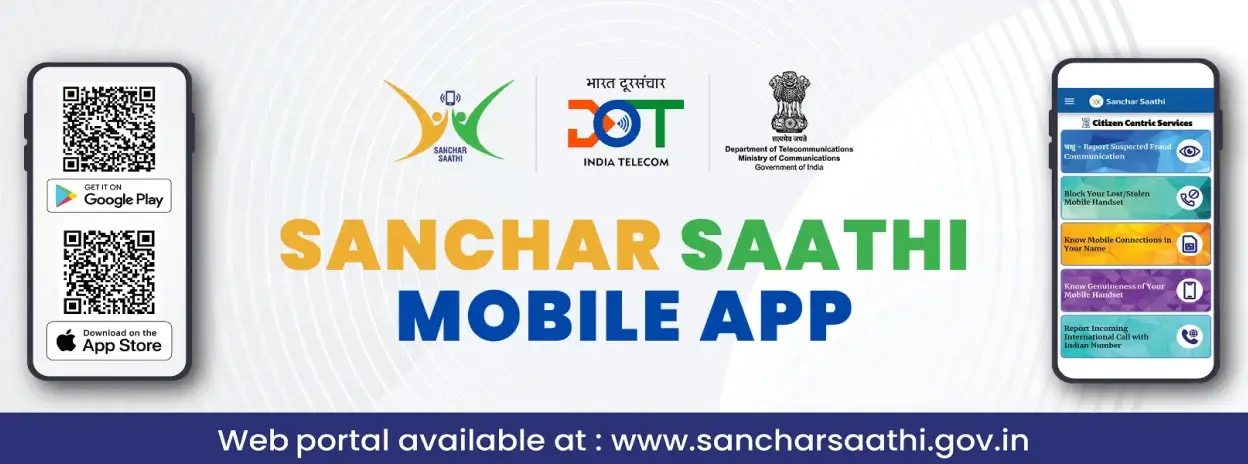
The platform lets users confirm if a device is genuine using an IMEI check, also allowing them to see which SIMs are linked to their identity while reporting missing phones for deactivation. By connecting directly with carrier systems, the Sanchar Saathi portal supports instant updates and immediate responses to safety issues.
Key Features of Sanchar Saathi App
CEIR - Central Equipment Identity Register
The Sanchar Saathi CEIR tool lets people report missing phones so they can be blocked nationwide. When a phone is reported, its IMEI is added to a blocklist, making it work nowhere on Indian networks. Because these devices lose value fast, stealing them becomes far less appealing.
TAFCOP - Telecom Analytics for Fraud Management
TAFCOP lets people see how many phone lines are linked to their name at every network provider. Through the Tafcop site, one might spot fake registrations made with copied IDs. If found, these unapproved links can be reported for removal via the tafcop consumer portal user platform.
IMEI Verification System
The IMEI check tool helps buyers confirm if a phone is real or fake ahead of buying. Using the tafcop portal, people type in the 15-digit code to get immediate feedback on legitimacy straight from maker records.
Know Your Mobile Connections
This function shows all mobile links tied to a person's account in one place. While viewing, individuals notice carrier names, activation timelines, or region details per line, making it easier to spot unknown services fast. Each entry updates automatically without delays.
Device Blocking and Tracking
Users may report missing gadgets via the phone's mobile IMEI tracking app feature, triggering instant lock steps. This setup works with every carrier to disable the device on all networks, stopping misuse by others.
Fraudulent phone lines make up around 30% of digital crimes across the country, while also contributing significantly to online threats; yet remaining a top concern for authorities
User-Friendly Interface
The platform is built for ease of access, featuring straightforward menus along with language options that include widely spoken Indian tongues. Each service comes with guided processes instead of complex steps. Instructions are direct, so even those new to digital tools can move through tasks smoothly.

How to Use the Sanchar Saathi App?
Step 1: Download and Installation
Go to the official government website or use your phone's app shop to get the Sanchar Saathi app download file. For Android, find it on Google Play; alternatively, iPhone users may visit the responsive online portal for full features.
Step 2: Registration Process
Start the app, then begin sign-up using your phone number. After that, a code is sent to confirm it. Once received, fill in personal info needed for verification.
Step 3: Verify Mobile Connections via TAFCOP
Go to the Tafcop website area, then pick "Know Your Mobile Connections." After that, type in your ID number to see every connection linked to you. Check through the results, spot anything unfamiliar or not approved. If there's an unknown line, plan to remove it.
Step 4: Perform IMEI Check
Start the IMEI check tool, then input your phone's 15-digit code, get it by typing #06#. It pulls data from maker records, giving quick feedback on whether the device is genuine.
Step 5: Report Lost or Stolen Device
Go to the CEIR part under Sanchar Saathi CEIR. Use your phone's IMEI, buy info, or a police report ID. Send the request, this stops use on every network in one to two days.
Top Alternatives of the Sanchar Saathi App
1. Find My Device (Google)
Google's built-in tool tracks Android phones using live GPS data. With a browser, people may wipe, secure, or sound alerts on lost gadgets from afar.
IMEI tracking cuts phone theft nearly by half where used
2. Find My iPhone (Apple)
Apple's broad security system tracks device position, enables distant lock features, or erases information on iOS gadgets through smooth iCloud linking.
3. Prey Anti-Theft
Prey works on multiple systems, like Windows, macOS, Linux, Android, or iOS, with tools that track lost mobile phone across them. It delivers clear location updates while allowing users to lock lost equipment from a distance.
4. Cerberus Anti-Theft
Cerberus secures Android devices using smart tools like hidden camera triggers, sound capture, or notifications when a SIM is swapped, all running discreetly.
5. Avast Anti-Theft
Avast offers full mobile safety, featuring anti-theft functions alongside malware defense. It includes privacy options combined with remote lock support. Location tracking is also built in.
6. Lookout Mobile Security
Lookout offers security against theft along with safeguards from viruses plus tools that watch for identity misuse. The upgraded version gives warnings if your device is stolen, tracks where it's been, or sends a distress signal when needed.
7. Kaspersky Mobile Security
Kaspersky provides solid mobile safety through anti-theft tools, virus checks, while ensuring personal data stays secure via remote lock features alongside real-time location monitoring.
8. McAfee Mobile Security
McAfee delivers solid mobile security through layered defenses that include theft prevention alongside speed improvements, featuring location tracking supported by seamless data backups.
9. Norton Mobile Security
Norton offers full mobile safety through anti-theft features, threat blocking, also network checks, includes location tracking plus lock-from-afar options.
10. Where's My Droid
Where's My Droid helps locate Android devices using GPS tracking, also includes loud alerts that catch attention; works silently when needed to recover lost phones.
Business Model of Sanchar Saathi App
Sanchar Sahti functions as a publicly supported service, not a profit-driven venture. While offering full access to mobile safety tools, it remains free for all users. Instead of revenue models, financial backing arrives via telecom department funds. Because the goal is user safeguarding, resources target community benefit without cost barriers.
Tech Stack Used to Build Sanchar Saathi
Frontend Development
React Native enables apps across platforms, delivering uniform experiences through shared codebases while maintaining native performance via bridge architecture linking JavaScript threads to platform-specific modules. Angular builds web portals with flexible layouts. A foundation that supports mobile-focused layout strategies through adaptive techniques.
Backend Infrastructure
Java Spring Boot managing robust server-side application logic and API development. Node.js handling real-time data processing and concurrent user requests. Oracle Database holds device sign-up details, keeps IMEI logs safe, also secures personal user data. PostgreSQL handles relational information, such as user details or authentication records.
Security and Integration
OAuth 2.0 alongside JWT tokens provide safe verification methods. SSL/TLS encryption protecting data transmission between users and servers. API Gateway handles connections to telecom operators' systems while linking with government databases. Aadhaar API allows identity checks using India's biometric data via secure digital access.
Additional Technologies
Storing common data in Redis to speed up responses. Apache Kafka processing high-volume data streams from multiple telecom operators. Elasticsearch enables quick searches within large data sets, using efficient indexing methods that improve retrieval speed while handling growing volumes smoothly. Docker or Kubernetes help achieve scalable, container-based setup.
Step-by-Step Process To Build An App Like Sanchar Saathi
Regulatory Compliance and Planning
Find out local rules on telecoms plus data privacy where you operate. Work with network providers to get into their systems. Talk to lawyers about safeguarding information and getting proper approval from users.
Database Architecture Design
Build a flexible database structure that supports massive device volumes. Use replication techniques alongside failover mechanisms to prevent information gaps. Apply optimized search methods for quick IMEI access while setting up sync routines across nodes.
Public records monitor more than 1.2 billion active phones, mainly to support safety efforts
Security Framework Implementation
Establish a layered defense system to safeguard private information. Use strong login methods, such as one-time codes or dual checks. Design secure coding rules for stored and moving data. Mobile App Development Dubai experts ensure data protection meets international standards.
User Interface Development
Design simple interfaces that suit both tech-savvy and less experienced users. Use language options including widely spoken local dialects. Arrange visuals logically so people can follow steps for confirmation and filing reports.
Integration and Testing
Set up API links to telecom networks along with manufacturer data sources. Run thorough checks using scenarios that mimic large numbers of simultaneous users. Check validation precision on different devices through targeted assessments. Carry out security tests by probing potential vulnerabilities.
Deployment and Monitoring
Set up systems on protected cloud networks that include backup locations across regions. Use oversight tools to watch performance while spotting possible risks, also ensure alerts are timely. Create clear steps for handling disruptions, along with ways users can get help when needed.

Cost to Develop An App Like Sanchar Saathi
Development expenses for state-level smartphone protection systems depend on size, functionalities, or compliance demands.
Key Cost Factors:
- Government-level security setup – strong encryption, layered verification processes, or adherence to official data safety rules
- Database setup – Systems that grow easily, managing huge amounts of data with instant updates or backup options
- Connecting telecoms involves complex setups, linking APIs across various providers while interfacing with police networks through separate channels
- Multilingual Support – Full adaptation into key local languages, using context-aware designs that connect naturally with users
A simple phone security app with the Sanchar Saathi app for iPhone or the Sanchar Saathi app for Android usually costs $40,000 up to $70,000. However, a full-scale system that connects multiple carriers might need funding from $100,000 to $200,000. Meanwhile, high-end corporate setups could go beyond $300,000 due to complex setup demands.
How Apps like Sanchar Saathi Make Money?
- Public programs such as Sanchar Sahti usually function as free services, no income is made directly from them. In contrast, private apps for phone safety use different ways to earn money.
- Subscription services use different price levels; some start at no cost while others need a monthly or yearly payment. Higher-level options give better location monitoring, automatic file storage offsite, also faster help when needed. Packages for several gadgets together appeal more to homes using many devices.
- In-app ads bring income via banners or promoted material from makers of security tools. Working together with insurers that sell gadget coverage leads to referral earnings.
- Selling licenses to businesses allows money flow by supplying rebranded software to telecoms and large firms needing tailored safety functions.
How DXB APPS Builds the Best Mobile Apps in Saudi Arabia and UAE?
DXB APPS is a top mobile application development Abu Dhabi company for the best apps serving clients throughout the Middle East. Besides innovation, we focus on reliable app technology tailored to local needs. Our expert mobile app developers build apps that are safe, flexible, and aligned with global benchmarks..
Our experience building secure apps includes knowing data privacy rules well, designing interfaces in multiple languages, also connecting them to public sector systems.
Conclusion
Sanchar Sahti shows tech helping people stay safe on mobiles. Its broad range of functions tackles stolen devices while reducing fake sign-ups, reflecting official support for user rights. With tools like IMEI checks at Sanchar Saathi CEIR or identity confirmation using tafcop site, it delivers key protections for today's connected world.
FAQs
1. What will the Sanchar Saathi app do?
The Sanchar Saathi app offers full mobile protection features. It checks device legitimacy using IMEI validation. For spotting fake links, it uses TAFCOP-based network confirmation instead. When phones go missing or get stolen, users can enable lock via Sanchar Saathi CEIR. This way, unauthorized access is reduced effectively.
2. How to block lost phone online?
Go to the Sanchar Saathi website, open the CEIR part. Put in your phone's IMEI code, add buy info along with police report number, send the block application. It works across all networks to disable the gadget in one or two days.
3. How to file lost phone complaint online?
Go to the official Sanchar Saathi website, then pick the CEIR section to report a missing phone. Enter your IMEI code, phone specs, and buying info. If you have one, attach the police FIR document before sending it in. This will start the process to block the device on every network.
4. How to use Sanchar Saathi app for lost phone?
Get the Sanchar Saathi app from trusted sites, then sign up with your phone number. Move to the CEIR part, click on 'Report Lost/Stolen Device'. Input your gadget's IMEI code; fill in required info. Send the block application to track lost mobile phone progress of your report.