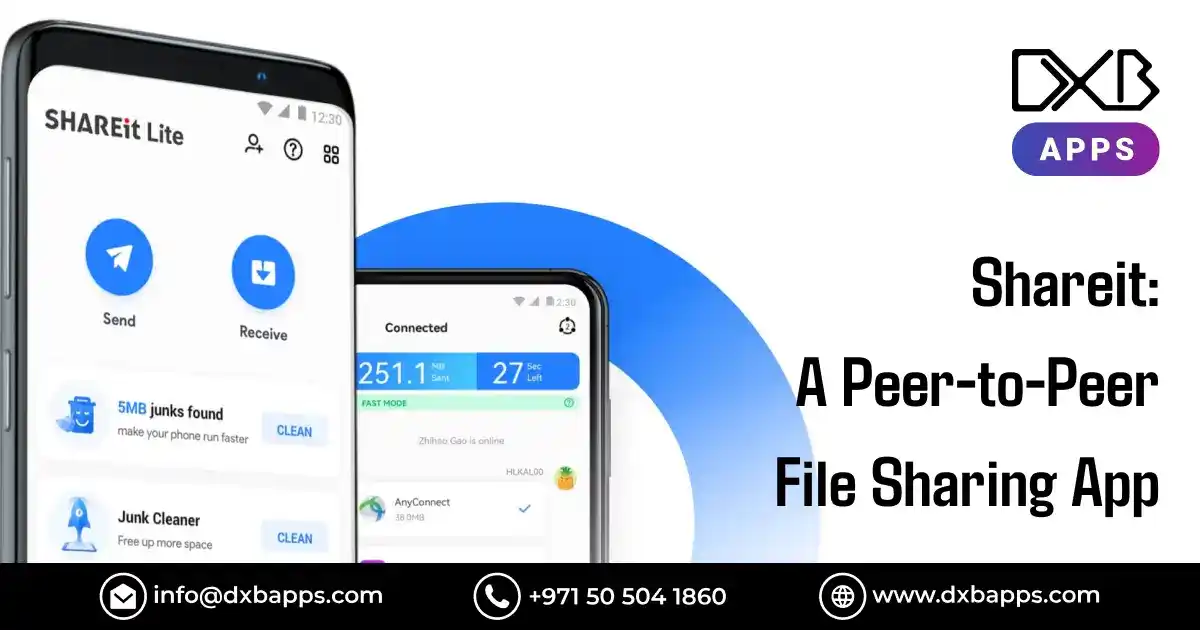
In today's fast-paced, digital world, sharing files between devices has become a necessity for personal and professional growth. Whether you're sending photos, videos, documents, or apps, the need for fast and seamless file transfer is universal. One app that has garnered widespread attention in the realm of peer-to-peer file sharing is Shareit. Originally designed to simplify file transfers between mobile devices, Shareit has evolved into one of the most popular file-sharing apps globally, boasting millions of downloads and a dedicated user base.
What makes Shareit stand out from the multitude of file-sharing apps is its ability to enable rapid transfers without requiring an internet connection or complicated setup. Using Wi-Fi Direct technology, Shareit allows users to send files at speeds much faster than traditional Bluetooth transfers, all while ensuring no data is lost in the process. It’s a game-changer for anyone needing to transfer large files quickly and efficiently.
This guide is your comprehensive resource for understanding Shareit, from its features to tips for optimizing its use. Whether you're a tech enthusiast, a business professional, or an everyday user, this guide is designed to make Shareit a more powerful app in your digital toolbox.
Shareit App: A Statistical Snapshot
- Shareit has been installed by over 2.4 billion users globally, making it one of the most widely downloaded apps in the world.
- The app is available in over 150 countries and regions, with strong user adoption across Asia, the Middle East, and Africa.
- It consistently ranks among the top utility apps on global app stores, especially in the Tools category on Google Play.
- Shareit has tens of millions of active users in specific regions, such as 40 million in the Philippines and 20 million in South Africa.
- The app enables seamless cross-platform file transfers between Android, iOS, Windows, and PCs, offering broad device compatibility.
- Shareit achieved the milestone of 1 billion users within a few years of its launch, solidifying its position as a leading file-sharing app.
What is ShareIT?
Shareit is a free, peer-to-peer file-sharing application that allows users to send files between mobile devices or computers without the need for an internet connection. It uses a unique method called Wi-Fi Direct, which creates a direct connection between two devices, allowing them to share files quickly and efficiently, even over large distances. You can easily find the Shareit app download on the official app stores or trusted third-party websites for quick installation.
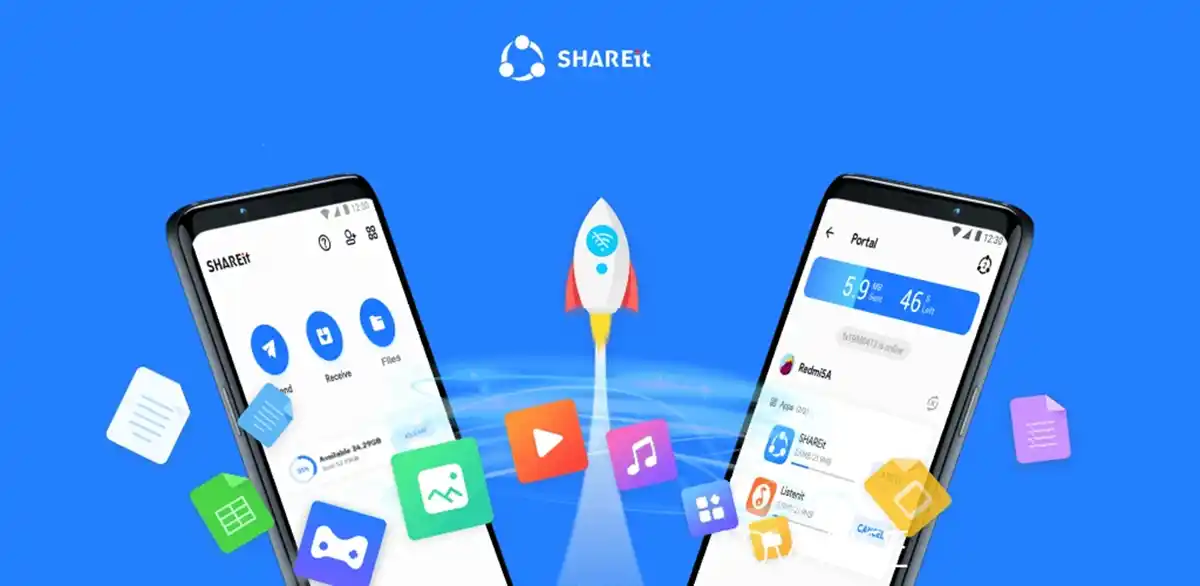
With the Shareit app, you can transfer various types of files, such as photos, videos, music, apps, and even entire folders, across multiple platforms, including Android, iOS, and Windows. Unlike traditional file-sharing methods like Bluetooth or cloud storage services, Shareit allows for high-speed transfers that are up to 200 times faster than Bluetooth, making it an ideal solution for users who frequently share large files.
Why Develop an App like Shareit?
The growing global demand for high-speed, cost-effective data exchange presents a unique business opportunity. With ShareIT's 1.8 billion global users, the market remains ripe for new entrants who can address existing security and user experience flaws.
Core Reasons for Shareit App Development
- High Market Demand: File sharing is an everyday necessity for billions of mobile users, especially in emerging markets like India and Africa, where internet data is expensive, and connectivity can be unstable.
- Technological Advantage: By leveraging Wi-Fi Direct technology, transfer speeds can be up to 200 times faster than Bluetooth (up to 20 Mbps), without needing an internet connection.
- Monetization Potential: High traffic volumes present significant revenue opportunities through targeted in-app ads, premium subscriptions, and integrated entertainment ecosystems, such as music and video streaming.
- Cross-Platform Accessibility: A cross-platform app that bridges Android, iOS, Windows, and macOS creates a frictionless experience for modern users, broadening the potential user base.
Key Strategic Opportunities 2026
- Addressing Security Flaws: ShareIT has faced criticism for vulnerabilities like remote code execution and data leaks. A secure-first alternative, featuring end-to-end encryption, could attract users dissatisfied with the original app.
- Minimizing "Bloatware": Many users are frustrated with the ads and cluttered interface of existing apps. A lightweight alternative with a clean, user-friendly design would be highly appealing.
- Localization: Tailoring the app for specific regions, such as India or Africa, and integrating with local payment systems like M-Pesa, could offer significant growth potential in these markets.
Key Features of Shareit App
Shareit stands out as a leading app for ultra-fast, offline file sharing across multiple devices and platforms. It supports a wide range of file types, including large files like apps, photos, videos, and documents. Additionally, SHAREit offers integrated tools for content discovery, such as music and videos, alongside extra functionalities like file management, phone cloning, and a built-in media player.
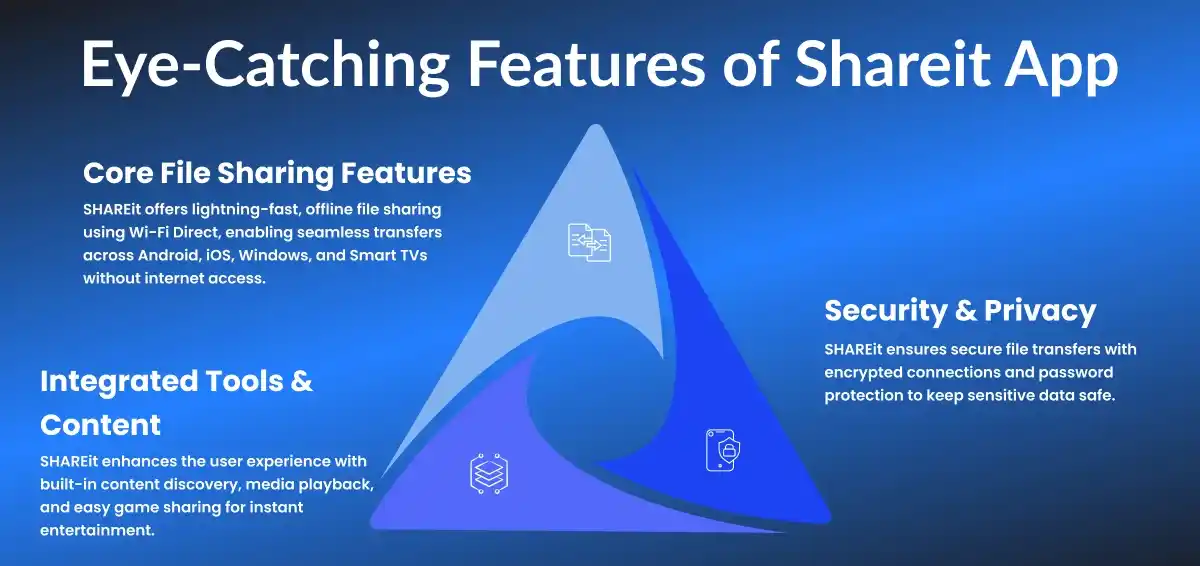
Core File Sharing Features
Lightning-Fast Speeds: Shareit leverages Wi-Fi Direct technology, providing file transfer speeds up to 200 times faster than Bluetooth, ensuring quick and efficient sharing of even large files.
No Internet Required: Shareit works offline by directly connecting devices. This eliminates the need for internet access, helping users save on mobile data costs and making the app highly useful in areas with unstable or expensive internet connectivity.
Cross-Platform: Shareit allows seamless file transfers between Android, iOS, Windows PCs, and even Smart TVs, bridging the gap between different operating systems and devices.
All File Types Supported: The app supports a variety of file types, including apps, games, photos, videos, music, and large documents, making it versatile for all types of content sharing.
No Size Limits: Unlike many file-sharing platforms, SHAREit allows users to transfer files of any size without imposing restrictions, making it perfect for transferring large videos, high-quality images, or app files.
Integrated Tools & Content
Content Discovery: Shareit offers a built-in player for music and videos, making it easy for users to discover and enjoy content without leaving the app. Users can also discover trending content, ensuring a more engaging experience.
Phone Clone: Shareit simplifies the process of transferring data from an old phone to a new one, including contacts, apps, media files, and more. This tool is invaluable for users upgrading their devices, ensuring that all their important data is moved quickly and securely.
File Manager: The app comes with a file manager that allows users to organize, move, delete, and manage their files across devices. This feature helps users maintain better control over their digital content.
Game Transfer: Shareit enables users to transfer large games and their associated resource files for immediate play, making it easier to share and install games without the hassle of re-downloading or additional setup.
Security & Privacy
Secure Connections: Shareit ensures secure file transfers by encrypting data during the transfer process. This protection prevents unauthorized access to personal or sensitive data, providing peace of mind to users.
Password Protection: Shareit allows users to set passwords on specific files, adding an extra layer of security to sensitive content. This feature helps users protect important documents or media from unauthorized access.
Safebox: The Safebox feature lets users hide and encrypt private photos, videos, and other files. This ensures that personal data remains secure and inaccessible to others, even if the device is lost or stolen.
Why Choose Shareit Over Other File Sharing Apps?
Shareit is a powerful, fast, and user-friendly file-sharing app that stands out from its competitors. Let’s explore why it’s the preferred choice over Bluetooth, cloud services, and other peer-to-peer apps.
Shareit vs. Bluetooth
- Speed: Bluetooth is slow, especially for large files. Shareit, using Wi-Fi Direct, is up to 200 times faster.
- Range: Bluetooth’s range is limited to 30 feet. Shareit offers greater flexibility, depending on network conditions.
- Compatibility: Shareit connects easily across devices (Android, iOS, Windows, Mac), while Bluetooth requires device-specific pairing.
Shareit offers faster speeds, greater range, and seamless compatibility over Bluetooth.
Shareit vs. Cloud Services (e.g., Google Drive, iCloud)
- Data Limits: Cloud services often require upgrades for extra storage. Shareit has no data limitations.
- Privacy Concerns: Cloud transfers the risk of data breaches. Shareit’s direct device-to-device transfer keeps data private.
- Internet Dependency: Cloud services need internet access; Shareit works offline, perfect for areas with limited connectivity.
Shareit offers privacy, unlimited transfers, and offline capability, unlike cloud services.
Shareit vs. Other Peer-to-Peer Apps (e.g., Xender, Zapya)
- Speed: Shareit’s Wi-Fi Direct technology is faster than Xender and Zapya.
- Usability: Shareit has an easy, intuitive interface, while other apps may be more complicated.
- Compatibility: Shareit supports more devices (Android, iOS, Windows, Mac) than competitors.
Shareit outperforms other peer-to-peer apps in speed, usability, and cross-platform compatibility.
| Criteria | Shareit | Bluetooth | Cloud Services (e.g., Google Drive, iCloud) | Other Peer-to-Peer Apps (e.g., Xender, Zapya) |
|---|---|---|---|---|
| Speed | Up to 200x faster using Wi-Fi Direct | Slow, especially for large files | Slower upload/download speeds due to internet dependency | Generally slower than Shareit |
| Range | Greater flexibility depending on network conditions | Limited to 30 feet (10 meters) | Dependent on internet availability | Similar to Shareit, but may vary by app |
| Compatibility | Cross-platform (Android, iOS, Windows, Mac) | Device-specific pairing required | Limited to devices with internet access | Limited to Android and iOS, with fewer cross-platform options |
| Data Limits | No data limits | No data limits | Often requires premium plans for extra storage | No data limits, similar to Shareit |
| Privacy | Direct device-to-device transfer, keeping data private | Data may be exposed to unauthorized access | Data stored on cloud servers, privacy concerns | Similar privacy concerns to Shareit |
| Internet Dependency | Works offline | Works offline | Requires a stable internet connection | May require internet for some functions |
| Usability | Simple, user-friendly interface | Requires device pairing, complex in some cases | Complex, requires managing cloud storage | May have a steeper learning curve |
How to Use Shareit for Seamless File Sharing?
Step-by-Step Guide to Installing Shareit
Shareit is a user-friendly app that allows for fast, offline file transfers across devices. Follow these simple steps to Shareit download and installation on your Android, iOS, or desktop device.
You can download the Shareit APK from trusted third-party websites if it's not available on your device’s app store. After completing the Shareit app install, you can begin sending and receiving files without the need for an internet connection.
On Android:
- Open the Google Play Store.
- Search for "Shareit."
- Tap "Install."
- Once installed, open the app and grant the necessary permissions.
On iOS:
- Go to the App Store.
- Search for "Shareit."
- Tap "Get" to download.
- Open the app and set up your preferences.
The SHAREit download is available on both Android and iOS app stores, making it easy to share files across devices.
On Desktop (Windows/Mac):
- Visit the official Shareit website.
- Download the installer for your operating system.
- Run the installer and follow the on-screen instructions.
- Open the app and connect your device to begin transferring files.
Ensure to get the latest version through a secure Shareit APK download to avoid compatibility or security issues. If you're looking to transfer files between your phone and PC, the Shareit app download for PC is a quick and efficient option.
Planning to Develop a Mobile App for Your Business?
DXB APPS builds secure, scalable mobile apps for Android, iOS, and cross-platform solutions, tailored to your business goals.
Get a Free ConsultationSending Files with Shareit
Sending files with Shareit is quick and easy. Whether you're sharing photos, videos, or apps, these steps will walk you through the process of selecting, connecting, and transferring files between devices.
- Open the Shareit app on both the sender and receiver devices.
- On the sender device, tap "Send" and select the files (photos, videos, apps) you want to send.
- On the receiver device, tap "Receive."
- Connect the devices: Shareit will automatically search for nearby devices. Tap on the receiver device's name once it appears.
- The sender will see a prompt to confirm the transfer. Tap "Send" to initiate the process.
- Once the transfer is complete, the files will be accessible on the receiver device.
You can try Shareit Lite for faster file transfers with a smaller app size, perfect for devices with limited storage.
Receiving Files with Shareit
Receiving files through Shareit is just as easy as sending them. These steps will help you to receive files from another device and troubleshoot any issues that might arise during the transfer process.
- Open Shareit on your device and tap "Receive."
- Ensure your device’s Wi-Fi is enabled and you’re connected to the same network as the sender device.
- When the sender device initiates the transfer, accept the transfer on your screen.
- The file will automatically begin transferring. Once complete, you'll see a notification and can view the received files in your Shareit gallery or designated file folder.
Troubleshooting Tips:
- Ensure both devices have Wi-Fi enabled.
- Restart the app or devices if the transfer fails.
- Check that the sender device is close enough for a stable connection.
Tips for Optimizing File Transfers
To ensure your file transfers are fast and seamless, here are a few simple tips to optimize your Shareit experience and avoid interruptions during the transfer process.
- Keep devices close: For the best transfer speeds, ensure both devices are within proximity.
- Avoid interruptions: Avoid using other apps or services that might interfere with the transfer process.
- Stable Wi-Fi connection: Ensure both devices have a stable Wi-Fi connection to prevent delays or disconnections.
Top Shareit Alternatives
Here are some Shareit alternatives for you to have a look:
Xender
Xender is a file-sharing app that supports Android, iOS, and computers. It uses Wi-Fi Direct for fast transfers but generally has slower speeds compared to Shareit, especially with large files. While both apps are easy to use, Xender's interface is straightforward, but Shareit offers a more streamlined experience with fewer interruptions.
Zapya
Zapya enables cross-platform file sharing between Android, iOS, and Windows. It supports group sharing but typically lags behind Shareit in transfer speed, especially for larger files. While both apps are cross-platform, Shareit has broader compatibility, including support for Windows and Mac, making it more versatile.
Send Anywhere
Send Anywhere is a cloud-based app that offers end-to-end encryption for secure transfers. It allows file sharing across Android, iOS, Windows, and Mac, but has a 10GB limit on free transfers. Shareit, in contrast, has no size limits and allows faster, offline transfers, making it ideal for large file sharing without relying on the internet.
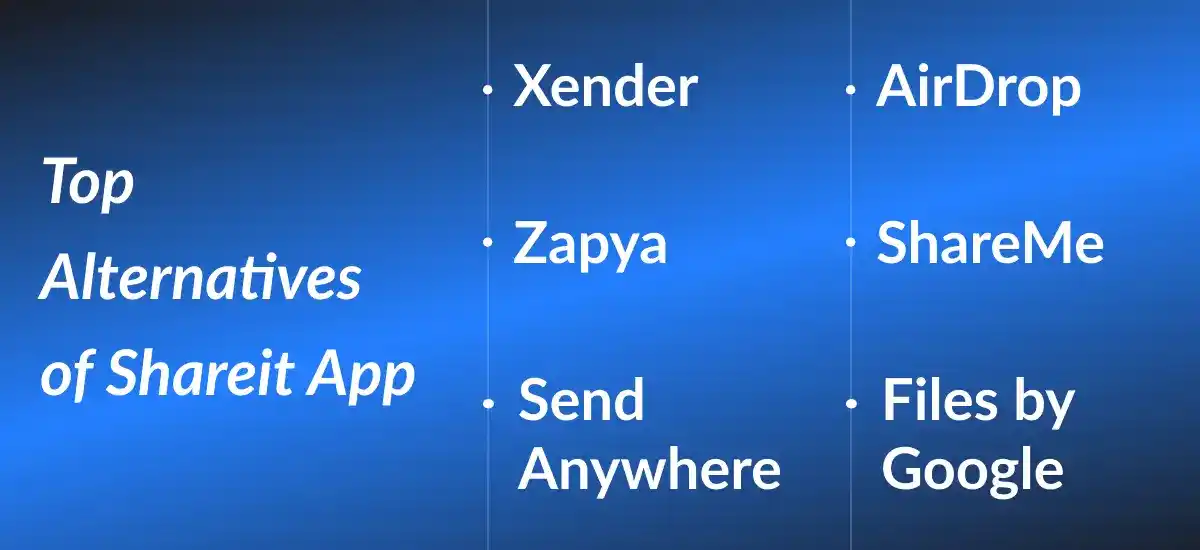
AirDrop (for Apple Users)
AirDrop is exclusive to Apple devices and offers fast, secure transfers within the Apple ecosystem. However, it's limited to Apple users, while Shareit works across platforms, including Android and desktop devices. AirDrop’s convenience within Apple’s ecosystem is great, but Shareit is more versatile for cross-platform transfers.
ShareMe
ShareMe, Xiaomi’s file-sharing app, works similarly to Shareit using Wi-Fi Direct. However, it’s limited to Xiaomi devices and lacks the broader cross-platform support that Shareit offers. While fast and easy to use, ShareMe’s functionality is confined to Android, making Shareit a better choice for diverse device compatibility.
Files by Google
Files by Google is primarily a file manager that also supports offline file sharing. It’s useful for organizing files and sharing smaller items, but tends to be slower and less intuitive than Shareit when transferring larger files. While both apps offer offline file transfers, Shareit provides faster speeds and a more focused sharing experience.
Troubleshooting Common Shareit Issues
Common Shareit issues, such as slow transfers, connection problems, file limitations, and crashes, can usually be resolved by ensuring both devices have the latest app versions, a stable Wi-Fi connection, and restarting the devices. Here are some ways to troubleshoot common Shareit issues:
File transfers can be slow or stuck due to device incompatibility, Wi-Fi interference, or large file sizes.
- Ensure both devices are on compatible app versions.
- Minimize Wi-Fi interference by moving closer to the router or disabling other devices on the same network.
- Split large files into smaller parts for faster transfers.
- Restart the devices and check for app updates to fix performance issues.
If devices aren’t connecting, try the following troubleshooting steps:
- Ensure Wi-Fi is enabled and both devices are connected to the same network or set for direct device-to-device transfer.
- Restart both devices to refresh the connection.
- Move devices closer to each other and avoid network interference.
- Reset network settings or reinstall the app if the connection issue persists.
Shareit may have file size or type limitations:
- Extremely large files may take longer to transfer or cause issues if the network is unstable.
- Some file types may not be supported (e.g., system files or specific apps).
- Compress large files or convert them to supported formats.
- Check for app updates to fix any file-related issues.
If the app crashes or freezes during use, try these steps:
- Reinstall the app to fix corrupt files or outdated versions.
- Clear the app’s cache to free up storage and improve performance.
- Update the app to the latest version to resolve bugs and stability issues.
- Restart your device or check for system updates if the app continues to crash.
Get the SHAREit app download for mobile from the official app stores to enjoy seamless file transfers across platforms.
How to Develop an App Like ShareIt?
Developing an app like ShareIt involves several key steps, from understanding core features to post-launch updates. Here’s a breakdown of the development process:
Understanding the Concept and Core Features
To create an app like ShareIt, focus on its core functionalities: fast file transfer, cross-platform compatibility (Android, iOS, Windows), offline sharing via Wi-Fi Direct, and an easy-to-use interface. Your app should enable seamless file sharing with minimal data usage and no need for an internet connection.
Market Research & Competitor Analysis
Conduct thorough market research to understand your target audience, the most popular file-sharing methods, and your competitors, including ShareIt, Xender, and AirDrop. Analyze their strengths, weaknesses, and user feedback to identify areas where your app can excel.
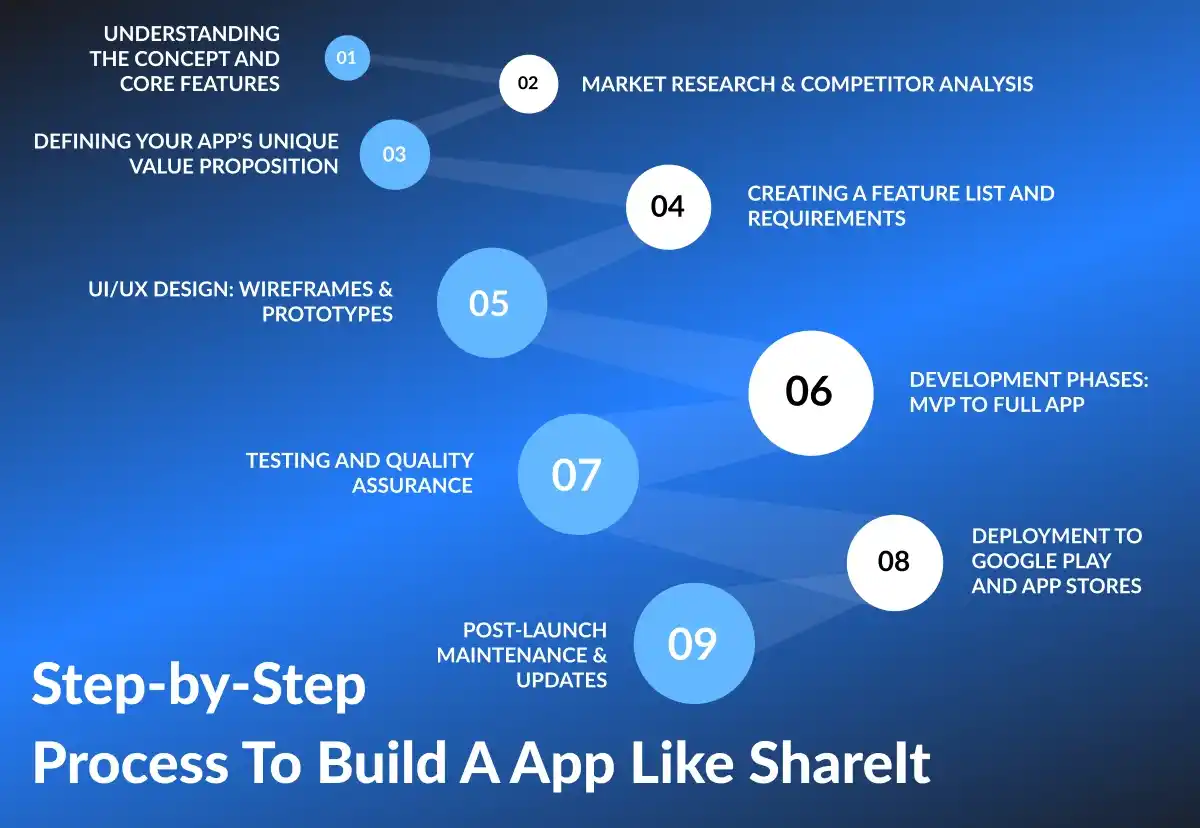
Defining Your App’s Unique Value Proposition
To stand out in the competitive file-sharing space, define your app’s unique selling points. Whether it's faster transfer speeds, enhanced security, better cross-platform compatibility, or additional features like media sharing or cloud backups, make sure your app addresses a gap in the market.
Creating a Feature List and Requirements
Based on your research, create a comprehensive list of features your app will offer. This includes file types supported, transfer speeds, user interface preferences, privacy settings, and more. Ensure your app meets the needs of users while staying scalable for future updates.
UI/UX Design: Wireframes & Prototypes
Design wireframes and prototypes to map out the user experience. Focus on making the interface intuitive, with simple navigation for both experienced and novice users. Ensure the design is consistent across all platforms to offer a seamless experience on Android, iOS, and desktops.
Development Phases: MVP to Full App
Start by developing a Minimum Viable Product (MVP) with essential features like file sharing, device discovery, and speed optimization. Once the MVP is tested and refined, gradually add more features and enhance performance for the full app release.
Testing and Quality Assurance
Thoroughly test your app for bugs, glitches, and performance issues across different devices and platforms. Perform user acceptance testing (UAT) to ensure the app’s functionality meets expectations and resolves any issues before launch.
Deployment to Google Play and App Stores
Once testing is complete and any bugs are fixed, deploy your app to the Google Play Store, Apple App Store, or other platforms. Follow each platform’s guidelines for app submission, including metadata, descriptions, and screenshots.
Post-Launch Maintenance & Updates
After launch, continuously monitor the app’s performance, fix bugs, and release updates to improve features, security, and compatibility. Regular updates will keep your app relevant and provide users with a better experience over time.
Tech Stack Used to Build an App Like ShareIt
Developing an app like ShareIt requires choosing the right technologies for various components of the app. Here’s an overview of the tech stack used in building such an app:
Mobile App Frameworks (Native vs Cross-Platform)
When deciding on mobile app frameworks, you can choose between native development (using Java/Kotlin for Android, Swift for iOS) for optimal performance or cross-platform frameworks like Flutter or React Native for faster development across both Android and iOS.
Frontend Technologies
For the user interface (UI), Flutter or React Native can be used to ensure a smooth experience across platforms. If building natively, the Android SDK and iOS SDK are essential for developing the frontend components. Tools like Figma or Adobe XD can be used for UI/UX design and prototyping.
Backend & Server Technologies
The backend of the app handles user authentication, file storage, and transfer management. Node.js, Ruby on Rails, or Java Spring Boot are popular choices for scalable backends. For real-time communication, WebSocket or Socket.IO can be used for quick, reliable data transfer.
Real-Time Data Transfer Protocols
To enable fast, direct file transfer between devices, technologies like Wi-Fi Direct, Bluetooth, or NFC are commonly used. For server-based transfers, HTTP or FTP protocols can be used, while WebRTC offers peer-to-peer communication capabilities.
Database Choices
For storing user data, preferences, and file metadata, databases like MongoDB, PostgreSQL, or MySQL are widely used. Firebase or Supabase can be considered for real-time data syncing, especially for apps with frequent user interactions.
Cloud Infrastructure & Hosting Services
AWS, Google Cloud, and Microsoft Azure offer cloud services to handle scalable infrastructure. You can use AWS S3 for file storage and AWS EC2 or Google Cloud Compute for hosting the backend services.
Security Tools & Encryption
For secure file transfers and user data protection, SSL/TLS encryption should be used for communication. AES (Advanced Encryption Standard) can encrypt files during transfer. Additionally, implementing OAuth for user authentication and JWT (JSON Web Tokens) for secure sessions is crucial.
Analytics & Performance Monitoring Tools
To track app usage and performance, integrate Google Analytics or Firebase Analytics. For real-time monitoring of app crashes and performance, use Sentry, New Relic, or Crashlytics to ensure smooth user experiences and quick bug fixes.
Need a Mobile App to Grow Your Business Digitally?
Transform your ideas into powerful mobile applications for Android, iOS, and hybrid platforms with DXB APPS.
Get Your Free ConsultationCost to Build an App Like ShareIt
Building an app like ShareIt involves several cost factors that depend on the features, platforms, and development process. Here's an overview of what influences the development cost.
Factors Influencing Development Cost
- App Complexity: More complex features like real-time file sharing, encryption, and cross-platform compatibility increase development costs.
- Platform Choice: Developing for iOS, Android, or both affects the cost. Cross-platform development may be cheaper than building separate native apps.
- Design Requirements: Custom UI/UX designs or advanced animations can raise costs. The more detailed the design, the more expensive the app development.
- Backend Infrastructure: The choice of cloud services, database, and real-time data protocols influences costs. Scalable backend services add to the expense.
- Developer Location: Developer rates vary based on location. Developers in regions like North America or Western Europe are typically more expensive than those in Asia or Eastern Europe.
Basic Level App
A basic app will include essential features such as file transfer, a basic user interface, and limited backend functionality. It will focus on providing core features like device connection and file-sharing capabilities.
Estimated Cost: $20,500–$40,000
Advanced Level App
An advanced app will include additional features such as real-time transfer, better user interface, cross-platform support (iOS, Android), and integration with cloud services. It may also include more sophisticated backend services, data security, and enhanced user experience.
Estimated Cost: $50,000–$100,000
Enterprise Level App
An enterprise-level app will feature full scalability, robust security, integration with multiple platforms (iOS, Android, Web), advanced features such as multi-user file-sharing, cloud storage, encryption, analytics, and real-time data synchronization. The backend will be more complex with enterprise-level infrastructure to support large user bases and high-volume transactions.
Estimated Cost: $95,000–$185,000+
| Level | Estimated Cost |
|---|---|
| Basic Level App | $20,500 - $40,000 |
| Advanced Level App | $50,000 - $100,000 |
| Enterprise Level App | $95,000 - $185,000+ |
Why Choose DXB Apps for Mobile App Development in the UAE?
DXB APPS stands out as a leading Mobile App Development Company in UAE, known for crafting innovative and high-performing mobile applications. With expertise in mobile app development Abu Dhabi, the company leverages cutting-edge technology to build apps that meet the diverse needs of businesses and consumers.
From concept to execution, DXB APPS focuses on user-centric designs, seamless functionality, and robust performance to ensure that each app provides an exceptional experience. The team of expert app developers and designers collaborates to deliver tailored mobile app development Dubai solutions, making us the go-to choice for businesses seeking top-tier mobile app development in the UAE.
Conclusion
In conclusion, Shareit has established itself as one of the most efficient and reliable peer-to-peer file sharing apps in the market. With its ability to transfer large files at lightning-fast speeds using Wi-Fi Direct technology, Shareit ensures a seamless experience for users. Unlike traditional methods that rely on mobile data or internet connections, the Shareit app allows for offline transfers, making it a cost-effective solution, especially in areas with limited internet connectivity. Its cross-platform compatibility, supporting devices ranging from Android and iOS to PCs and even smart TVs, ensures broad accessibility.
Beyond its basic file-sharing capabilities, Shareit also offers integrated tools for content discovery, phone cloning, and file management, enhancing its value to users. The app’s emphasis on security with password protection and encryption ensures that data remains safe throughout the transfer process.
Want to build a game-changing on-demand app?
Partner with DXB APPS to create a scalable, high-performance solution tailored to your business needs.
Get Your Free ConsultationFAQs
Is the Shareit app safe?
Shareit is generally safe for file transfers, but older versions have had security vulnerabilities that could expose your data. It's important to keep the app updated and avoid sharing sensitive information. Always use the latest version from official sources for added security.
How to download Shareit on a laptop?
To download SHAREit on a laptop, visit the official SHAREit website and select the Windows version for download. Once the setup file is downloaded, open it to begin the installation process and follow the on-screen instructions to complete the setup. After installation, you can launch SHAREit on your laptop and start transferring files.
How to transfer photos from Android to iPhone using Shareit?
To transfer photos from Android to iPhone using SHAREit, install the app on both devices. Open the app, tap "Send" on Android and "Receive" on iPhone. Select the photos on Android, scan the QR code on iPhone, and the photos will be transferred. Once done, you can find the photos in the iPhone’s gallery.