What if you are at a music festival with thousands of people around you, but there’s no cell service? Or imagine a total internet blackout that leaves you completely disconnected. How would you communicate with friends or stay in touch with loved ones? In the world of traditional messaging apps, this is a real problem. These apps rely on centralized servers that can fail, become overloaded, or even get hacked, leaving you without a way to connect when you need it most.
That’s where Bitchat comes in. It’s a game-changer in the world of messaging, offering a decentralized solution that doesn't rely on any central server. By utilizing peer-to-peer technology, Bitchat enables you to chat freely and securely, regardless of your location.
In this guide, we’ll walk you through everything you need to know about Bitchat, how it works, why it's the future of communication, and how you can use it to stay connected.
What is the Bitchat App?
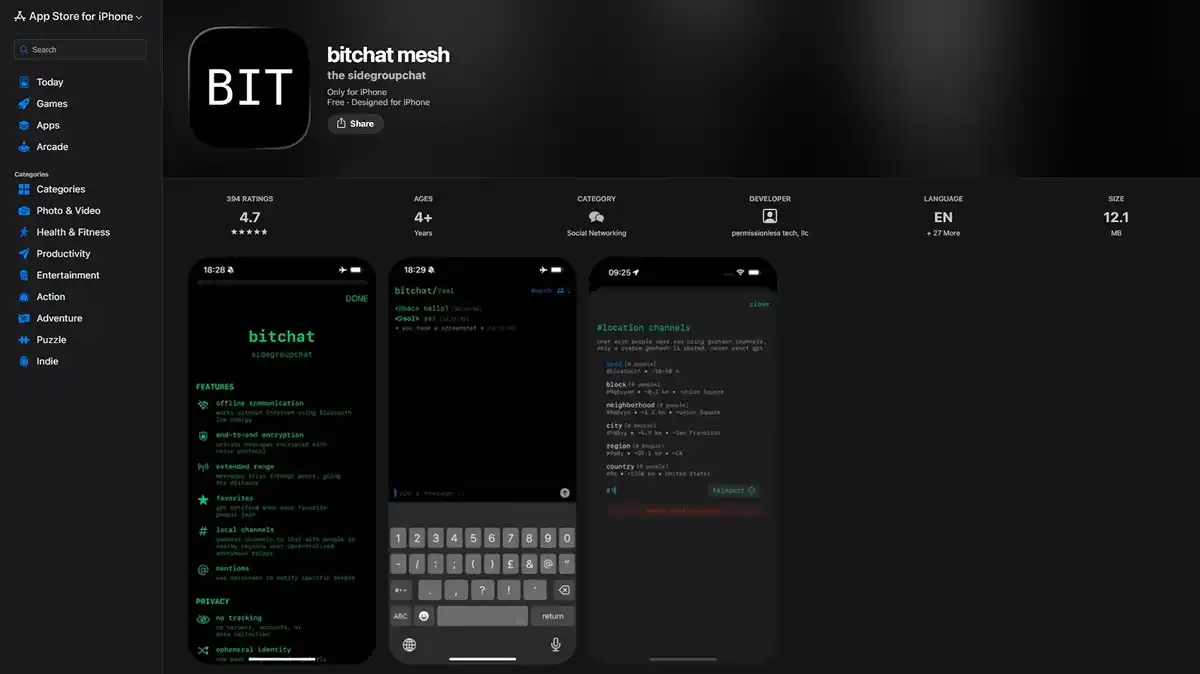
Bitchat app is a decentralized, peer-to-peer messaging app developed by Jack Dorsey that leverages Bluetooth mesh networking to enable offline communication. This means users can chat locally without needing the internet, servers, or phone numbers, making it perfect for events, emergencies, or those seeking enhanced privacy.
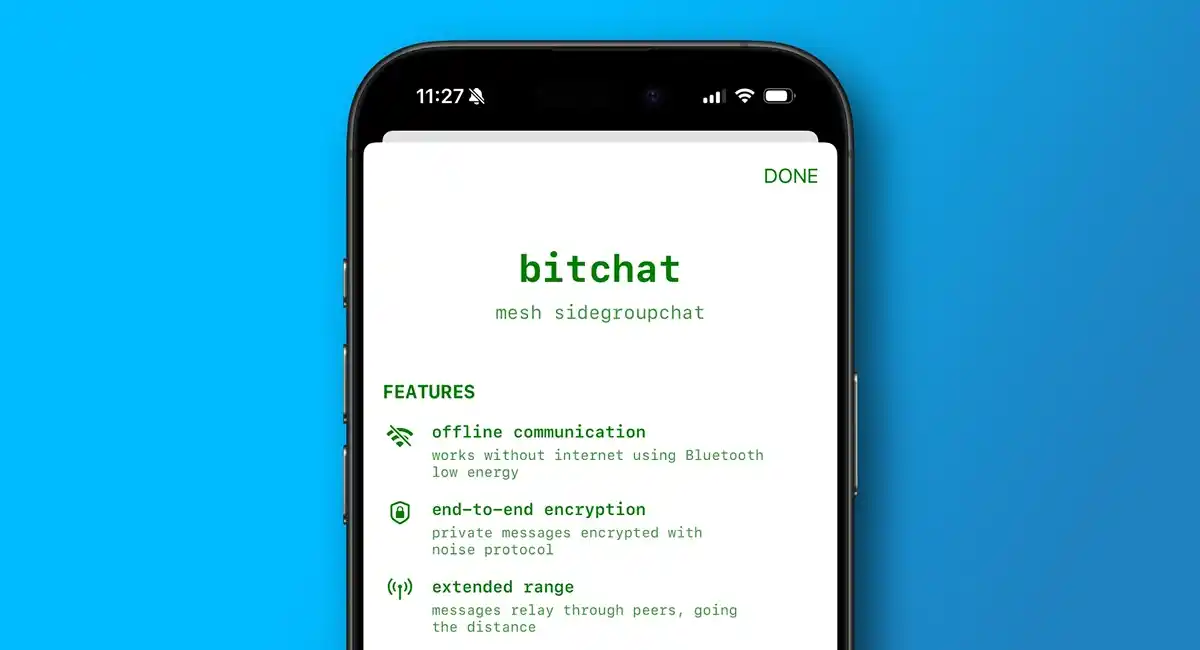
As an open-source platform, Bitchat ensures encrypted private messages and public channels. Its unique system relays messages between nearby devices to extend its range, with each device acting as both a client and a server.
Key Highlights:
- Infrastructure Independent: Works during internet blackouts, natural disasters, or in remote areas.
- No Accounts Required: No phone numbers, emails, or SIM cards needed.
- Privacy-First: Features end-to-end encryption (E2EE) and a serverless architecture.
- IRC Vibes: Uses classic command-line style interactions for channel management.
Key Features Of Bitchat App
To have a seamless experience, it is essential to understand the unique features that make the Bitchat app different from others.
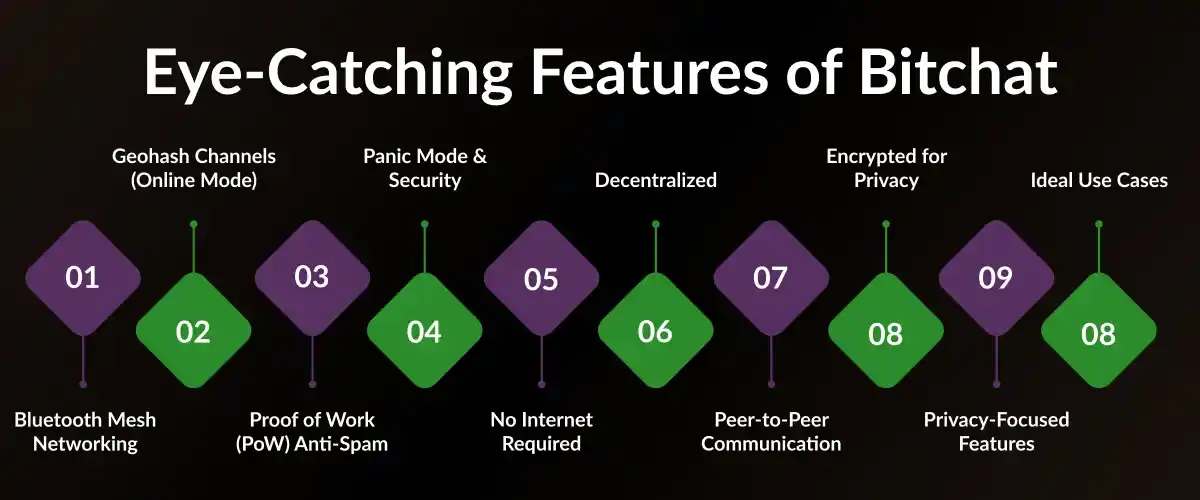
1. Bluetooth Mesh Networking
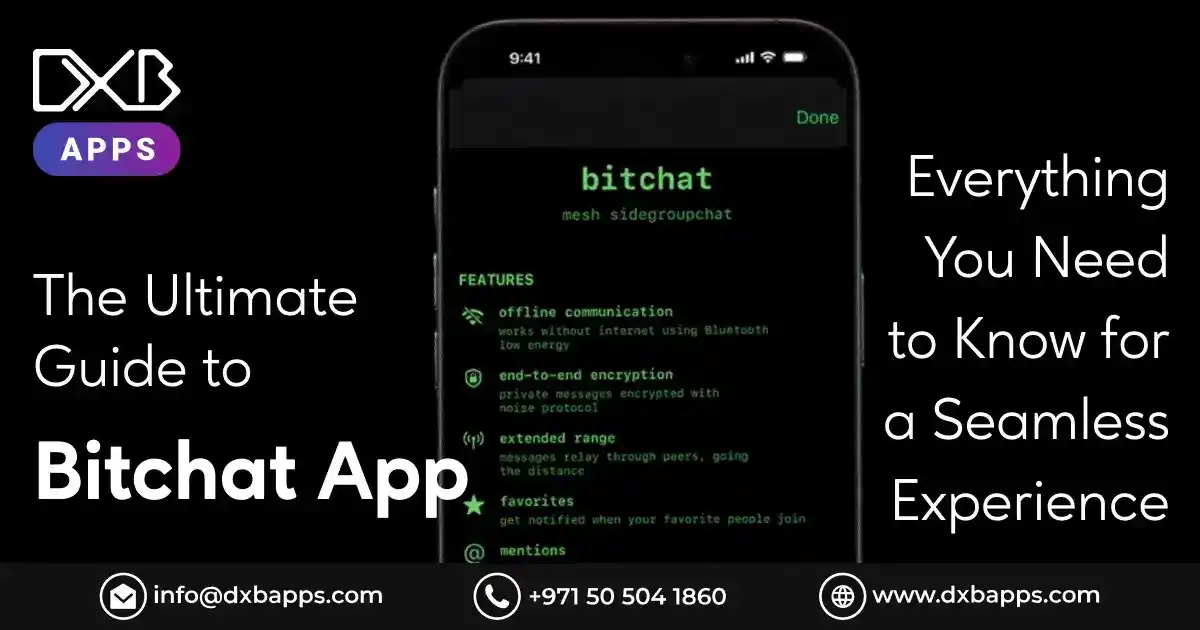
Bitchat’s communication system is built on Bluetooth Mesh Networking, allowing messages to travel through up to 7 hops. This means your message can reach someone far beyond your immediate Bluetooth range (around 300 meters), as long as there are other Bitchat users in between. This mesh network allows for greater range and reliability, ensuring you can stay connected even in large crowds or remote areas.
2. Geohash Channels (Online Mode)
In addition to offline mesh communication, Bitchat offers Geohash Channels for online connectivity. Utilizing the Nostr protocol, this feature allows you to connect with people in specific geographic areas, provided you have an internet connection. You can "teleport" between different geohashes to explore conversations in other cities, expanding your ability to interact with a global community in real-time.
3. Proof of Work (PoW) Anti-Spam
To protect users from spam and unwanted messages, Bitchat integrates a Proof of Work (PoW) system. This mechanism requires users to solve a computational challenge to send messages. By adjusting your PoW setting, you can filter out low-effort automated messages. For example, if your PoW setting is set to 16, you won’t receive messages from users who have a lower setting, ensuring that conversations remain relevant and free of spam.
4. Panic Mode & Security
Bitchat places a strong emphasis on security with several features built directly into the app interface to protect your privacy:
- Triple-Tap Wipe: If you feel your privacy is at risk, you can instantly erase all messages and stored data by tapping the Bitchat logo three times. This provides a quick way to delete sensitive information if needed.
- Screenshot Notifications: Bitchat will notify you if someone takes a screenshot of your conversation, providing an additional layer of transparency and security.
- Cover Traffic: To help protect users from network analysis, Bitchat can generate "fake" encrypted traffic, confusing anyone attempting to monitor or analyze the communication patterns within the network. This helps safeguard your privacy and prevent third-party surveillance.
5. No Internet Required
Bitchat operates without the need for an internet connection, enabling direct communication between devices via Bluetooth. This allows users to create ad-hoc, local networks wherever they are, making it perfect for situations where the internet is unavailable or unreliable, such as remote locations, crowded events, or emergencies.
6. Decentralized
One of Bitchat’s core features is its decentralized nature; there are no central servers involved. This means that communication happens directly between devices, making the app highly resistant to censorship, government surveillance, and centralized control. Users maintain complete autonomy over their messages and interactions, without the risk of being blocked or monitored by third-party servers.
7. Peer-to-Peer Communication
Bitchat uses a peer-to-peer (P2P) model, where each device not only sends messages but also relays them to other devices, extending the network’s reach. This mesh networking approach helps ensure that even if some devices are out of range, messages can still be transmitted through the connected devices, creating a resilient and flexible communication network.
8. Encrypted for Privacy
Bitchat takes user privacy seriously by offering strong encryption to protect private conversations. Using advanced cryptography methods like Curve25519 and AES-GCM ensures that messages remain secure and confidential. While private chats are fully encrypted, public channels are less secure, providing a balanced approach to privacy depending on the nature of the conversation.
9. Privacy-Focused Features
Unlike traditional messaging apps, Bitchat doesn’t require registration, track your activity, or show ads. It is designed with privacy at its core, ensuring that your personal information remains private and your conversations stay secure. Additionally, Bitchat offers features like "panic mode," which allows users to quickly erase all stored data in case of emergency or if they feel their privacy is compromised.
10. Ideal Use Cases
Bitchat is especially useful in situations where traditional communication channels are unavailable. Whether you're flying on a plane, attending a large event with poor network coverage, dealing with a disaster recovery situation, or simply in an area with limited connectivity, Bitchat allows you to stay connected without relying on the internet or centralized infrastructure.
How Bitchat Actually Works?
Bitchat operates through Bluetooth Low Energy (BLE) mesh networking, a technology that allows messages to travel from phone to phone without needing an internet connection or centralized servers. Here's a step-by-step breakdown of how it works:
1. Message Sending and Relay
When you send a message, instead of uploading it to a server, your phone encrypts the message and passes it on to nearby phones using Bluetooth. These phones then forward the message to other nearby devices, creating a chain of communication. Think of it like a "human chain" passing a note; your message gets relayed from phone to phone until it reaches its destination.
2. Hopping Through the Crowd
If your friend is on the other side of a crowded festival, your message will hop from phone to phone through the crowd until it reaches them. Bitchat can route messages through up to 7 devices (max 7 hops), extending the communication range well beyond the usual Bluetooth range of 30 meters. This allows your message to travel even in large, densely packed environments.
3. Store-and-Forward Architecture
Bitchat uses a store-and-forward system to ensure messages get through, even when recipients are temporarily offline. If the recipient's phone isn’t online, the message will be cached on nearby devices until the recipient reconnects to the mesh. Once their phone is back online, the message will be automatically delivered.
4. Offline Communication
This store-and-forward system makes Bitchat ideal for situations where people might be out of range or have dead phones. Nearby devices will hold on to the message until the recipient reconnects, ensuring that you can always reach someone, even if they are temporarily disconnected from the network.
This decentralized system allows for reliable communication in environments with no internet, making Bitchat a perfect solution for crowded events, festivals, or emergencies.
Planning to Build a High-Quality Mobile App for Your Business?
DXB APPS is an leading mobile app development company in Dubai, UAE delivering secure, scalable, and performance-driven solutions for Android, iOS, and cross-platform apps. Our expert developers works closely with you to align every app with your business objectives and industry standards.
Get a Free ConsultationHow to Download and Install Bitchat?
Bitchat can be easily downloaded and installed on both Android and iOS devices. Here’s a step-by-step guide for both platforms:
For Android Devices
From Google Play Store:
- Open the Google Play Store on your Android device.
- In the search bar, type "Bitchat" and hit search.
- Tap on the Bitchat app and click Install to download it directly from the Play Store.
From APK (If Not Available on Play Store):
If Bitchat isn't available on the Google Play Store, you can download the APK from trusted sites like GitHub or Aptoide.
Before installing the APK, you'll need to enable Install from Unknown Sources:
- Go to your phone's Settings > Security.
- Toggle on Install from Unknown Sources to allow apps to be installed outside the Play Store.
- Download the Bitchat APK file from a trusted source.
- Once downloaded, open the file and follow the on-screen instructions to install the app.
For iOS Devices
From Apple App Store:
- Open the Apple App Store on your iOS device.
- In the search bar, type "Bitchat" and select the app.
- Tap Install to download and install the app directly from the App Store.
Once installed, you can start chatting through Bluetooth mesh networking without needing an internet connection. Enjoy seamless offline communication!
How to Set Up Bitchat? Step-by-Step
Setting up Bitchat varies slightly between iOS and Android devices due to their different operating systems. Here's a detailed guide for both platforms:
For iOS Users
1. Join the Beta Program
Currently, Bitchat is often distributed via Apple TestFlight. To join the beta, you'll need a public link to the TestFlight program. Once you have the link, simply click on it to be added to the beta group.
2. Grant Permissions
- Upon first launching Bitchat iOS, the app will prompt you to grant necessary permissions. You must enable Bluetooth to ensure the app can communicate with nearby devices.
- Additionally, you’ll be asked to allow Critical Alerts, which is necessary for receiving important messages and notifications even when the app is in the background.
3. Set Up Your Identity
- After you open the app, Bitchat will assign you a random nickname and Peer ID for anonymity. You can change your nickname at any time.
- Keep in mind that your identity is ephemeral unless you choose to save your keys. If you want to maintain your identity across sessions, you’ll need to back up your keys.

For Android Users
1. Download the APK
Since Bitchat Android might not be available on the Google Play Store, you can download the official Bitchat APK from the official GitHub repository. Ensure you are downloading from a trusted source to avoid security risks.
2. Enable Location Services
To enable Bluetooth LE scanning, Location Permissions need to be granted. This is a system requirement for Bluetooth mesh networks to work correctly. Note: Bitchat does not track your GPS location, but location access is required for the Bluetooth functionality to scan and communicate with nearby devices.
3. Exclude from Battery Optimization
To ensure Bitchat can continue to function in the background and relay messages when needed, go to your phone's Battery Settings and exclude Bitchat from any Battery Optimization features. This allows the app to run smoothly, even when your screen is off or the app is running in the background.
With a seamless Bitchat download process, you can start enjoying voice and video calls on your mobile device within minutes.
What includes Bitchat’s Interface?
Bitchat’s interface is designed to be simple, intuitive, and focused on decentralized communication. Here's a concise guide to its key features:
1. Home Screen and Navigation Basics
- Dashboard: Upon opening the app, the Home Screen displays all active chats and groups.
- Navigation Bar: Use the bar at the bottom or top to switch between Chats, Contacts, and Settings.
- Notifications: New messages appear at the top of the screen, keeping you updated.
2. The Chat Interface: Sending Texts, Media, and Files
- Text Messages: Tap New Chat, select a contact or group, type, and hit Send.
- Media/Files: Tap the attachment icon to send photos, videos, or documents.
- Emojis/Stickers: Use the emoji icon to enhance your messages.
3. Group Chats: Creating and Managing Groups
- Create a Group: Tap Create Bitchat group chat, name it, and add members.
- Group Management: Admins can add/remove members and adjust group settings via the group name at the top.
- Mute Groups: Mute notifications for active groups through group settings.
4. Personal Settings: Customization Options
- Nickname: Change your nickname anytime in Settings.
- Privacy/Security: Control message access and enable end-to-end encryption and Panic Mode.
- Appearance: Customize the theme and fonts, and back up peer keys for a persistent identity.
5. Hidden Features: Advanced Tips
- Panic Mode: Quickly erase data by triple-tapping the Bitchat logo.
- Relay Messages: Enable Relay Messages to help extend the mesh network.
- Geohash Channels: "Teleport" to different cities to explore local conversations when online.
These features make Bitchat a robust, decentralized communication tool with advanced privacy and customization options.
Planning to Build a High-Performance, AI-Driven Software Solution for Your Business?
At DXB APPS, we turn ideas into smart, reliable apps. Our AI-powered solutions are fast, secure, and built to grow with your business making a real impact for your users and your bottom line.
Get a Free ConsultationBitchat App Security and Privacy Features
No Personal Data: Bitchat doesn’t require phone numbers, emails, or account sign-ups, ensuring complete anonymity for users.
End-to-End Encryption: Messages are protected with strong encryption algorithms like Curve25519 and AES-GCM, ensuring only the sender and receiver can read them.
Decentralized Mesh Network: Bitchat operates offline via Bluetooth mesh, relaying messages between nearby devices, bypassing the need for the internet or central servers.
Censorship Resistance: With no central server, Bitchat is resistant to censorship and remains functional even during outages or in restrictive environments.
Forward Secrecy: Even if long-term keys are compromised, previous messages remain secure, as each session uses a new encryption key.
Deniability: Bitchat is designed to make it difficult to prove who sent a message, ensuring users can maintain plausible deniability.
Advanced Obfuscation: Features like dummy messaging and timing delays are used to disguise communication patterns and further protect privacy.
Emergency Wipe: A Panic Mode allows users to instantly erase all local data, ensuring that sensitive information can be quickly wiped in an emergency.
Top Alternative for Bitchat App
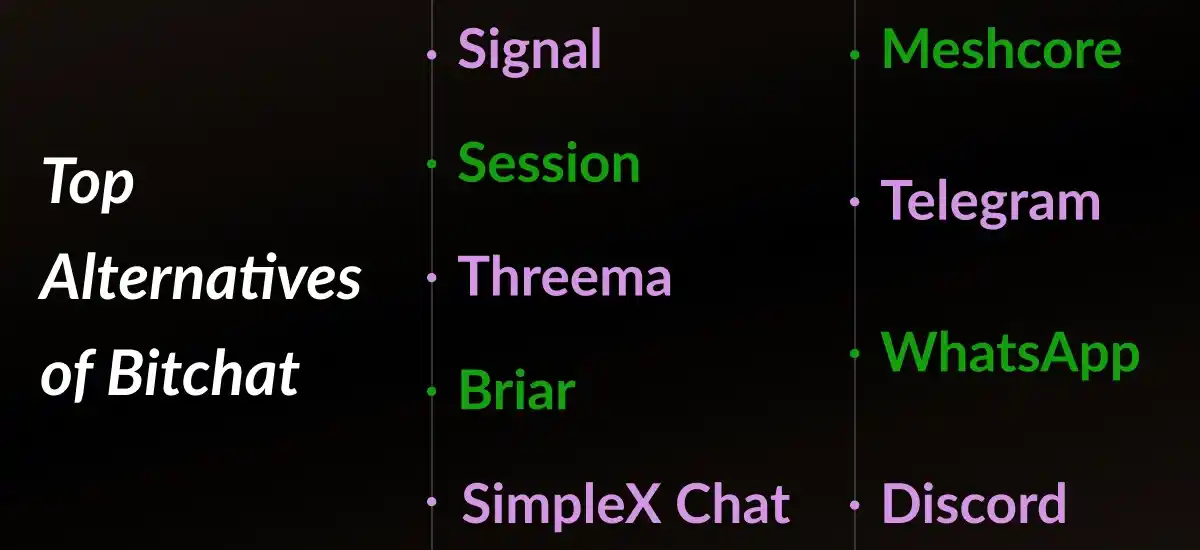
Here are the top alternatives to the Bitchat messaging app
Signal
Signal is a highly secure, open-source messaging app that offers end-to-end encryption for text messages, voice, and video calls. It focuses on privacy, does not store any metadata, and is popular among users who prioritize data security and anonymity.
Session: Session is a privacy-focused, decentralized messaging platform built on blockchain technology. Unlike traditional apps, Session doesn’t require phone numbers or emails and routes messages through multiple nodes, ensuring complete anonymity and bypassing centralized servers.
Threema
Threema is a secure messaging app that places strong emphasis on privacy. Threema does not require a phone number or email to register, and it offers end-to-end encryption for all communication, including text, voice calls, and file sharing. It is known for its user-centric approach to data security.
Briar
Briar is a decentralized messaging app that does not rely on the internet. It uses peer-to-peer connections over Wi-Fi or Bluetooth, allowing users to chat offline. Briar offers end-to-end encryption and is designed to resist censorship, making it ideal for users in areas with restricted internet access.
SimpleX Chat
SimpleX Chat is a privacy-focused, decentralized chat platform that emphasizes anonymity. It uses a unique system where messages are stored locally on the user’s device and are not exposed to any third-party server, ensuring that there are no traces or metadata linked to conversations.
Meshcore
Meshcore is a messaging platform designed to work on a mesh network. It allows users to communicate without the need for traditional internet infrastructure, making it useful in remote or emergency. Meshcore focuses on decentralized communication, ensuring user privacy and security.
Telegram
Telegram is a popular cloud-based messaging app that offers end-to-end encryption for private chats and powerful features like large group chats, channels, bots, and file sharing. Known for its speed, Telegram allows users to access messages across devices and has gained a large user base due to its versatile features.
WhatsApp is one of the most widely used messaging apps globally. WhatsApp provides encrypted text, voice, and video messaging. It is owned by Facebook (Meta) and is integrated into users' phone numbers, making it easy to connect with contacts. Its user-friendly interface and broad adoption make it a popular choice for personal and professional use.
Discord
Discord is originally designed for gamers, Discord has evolved into a versatile communication platform for all types of communities. It offers voice, video, and text messaging, with the ability to create servers, organize discussions into channels, and manage community features. Its ease of use, bots, and integrations have made it a go-to for online communities and social groups.
| App Name | Key Features | Privacy & Security | Ideal For |
| Bitchat | Decentralized, offline messaging using Bluetooth; no personal data required; end-to-end encryption. | Strong encryption (Curve25519, AES-GCM), no personal data, and censorship resistance. | Privacy-conscious users, people in restricted environments. |
| Signal | End-to-end encryption for text, voice, and video calls; open-source; doesn’t store metadata. | High privacy focus, no data retention, open-source. | Privacy-conscious users, activists, journalists. |
| Session | Decentralized, blockchain-based; does not require phone numbers or emails. | Complete anonymity, uses multiple nodes for routing messages, no central server. | Users seeking complete anonymity. |
| Threema | Secure messaging; no phone number or email needed; offers text, voice calls, file sharing. | End-to-end encryption, no personal info required for registration. | Users who value privacy without phone registration. |
| Briar | Peer-to-peer messaging works offline via Wi-Fi/Bluetooth; a decentralized network. | End-to-end encryption, resistance to censorship, and offline communication. | Users in areas with restricted internet or censorship. |
| SimpleX Chat | Decentralized; stores messages locally on the device; avoids metadata tracking. | Focus on anonymity and privacy; messages are not exposed to any third-party server. | Anonymity-focused users. |
| Meshcore | Works on a mesh network; no need for internet. | Decentralized communication focuses on privacy, and operates offline. | Remote areas or emergency communication. |
| Telegram | Cloud-based; supports group chats, channels, bots; offers file sharing and access across devices. | End-to-end encryption for private chats; cloud storage. | General users, businesses, large communities. |
| Text, voice, and video messaging; integrates with phone contacts. | End-to-end encryption for messages, owned by Meta (Facebook). | Personal and professional communication. | |
| Discord | Voice, text, and video communication; community servers; bot integration; multi-platform support. | Supports encryption for communications, but centralized servers. | Online communities, gamers, social groups. |
Troubleshooting Common Bitchat App Issues
Troubleshooting issues with the Bitchat app primarily involves managing connectivity issues related to its reliance on Bluetooth mesh networking and addressing limitations inherent in its design. The app is an open-source, local-first messenger designed for offline communication, which means traditional fixes for internet-based apps may not apply.
Here are common troubleshooting steps and known limitations:
Connectivity & Functionality Issues
Grant Permissions: Ensure Bluetooth and GPS permissions are enabled on both devices.
Disable Battery Optimization: Prevent the app from being restricted in the background by disabling battery optimization.
Restart Devices & App: Force-close the app and restart both devices to fix temporary glitches.
Verify Devices: Bitchat only works on physical devices, not emulators.
Check Range: Ensure devices are within Bluetooth range for the mesh network to function.
Manual Pairing: Try pairing devices manually through Bluetooth settings if needed.
Known Limitations
Message Delivery: Delivery is probabilistic; messages may fail if no relay path exists.
Bandwidth: Struggles with media due to Bluetooth’s limited bandwidth.
Battery Drain: Constant Bluetooth mesh networking can quickly drain the battery.
Identity & Security: Ephemeral keys mean user identity is not always verified; display names can be changed.
No Cloud Backup: Messages are stored locally, so losing your phone means losing message history.
These issues and limitations stem from the app's design and reliance on Bluetooth mesh networking.
Ready to Grow Your Business with a Powerful Mobile App Built for UAE and GCC Market?
Partner with DXB APPS to transform your idea into a fully functional mobile app, tailored for the UAE and GCC market, designed to grow your business and delight users.
Get a Free ConsultationStep-by-Step Guide to Building an App like Bitchat
1. Foundation: Planning and Research
Begin by defining the core purpose and feature set of your application. Essential features typically include real-time text messaging, user authentication, channels or group chats, and media sharing. Concurrently, select your technology stack. A common and efficient approach is to use a cross-platform framework like React Native or Flutter for the frontend, with a backend built on Node.js or Python. For real-time communication, you will integrate a solution like Socket.IO or a managed service such as PubNub.
2. Design: Crafting the User Experience
The design phase focuses on creating an intuitive and engaging interface. Using a tool like Figma, start with wireframes to map the user flow between key screens such as registration, chat lists, conversation threads, and user settings. The visual design should prioritize clarity and speed, ensuring the act of sending and receiving messages feels seamless and immediate.
3. Backend Development: Building the Engine
This phase involves constructing the server-side infrastructure. You will set up databases (e.g., PostgreSQL for structured data, Redis for caching), create robust user authentication (using JWT or OAuth), and develop RESTful APIs to handle profiles and chat management. The most critical component is implementing the real-time messaging server using WebSockets to facilitate instant message delivery and live status updates.
4. Frontend Development: Assembling the Interface
You convert the approved designs into a functional application. Develop the core screens and connect them to your backend APIs. Integrate the real-time messaging client to listen for and display incoming messages instantly. Implement interactive features such as typing indicators, read receipts, and smooth media uploads within the chat interface.
5. Testing and Security: Ensuring Reliability
Before launch, rigorous testing is essential. This includes functional testing of all features, load testing to simulate many concurrent users, and comprehensive security audits. Key security measures are encrypting data in transit (TLS) and at rest, validating all user inputs to prevent injection attacks, and ensuring secure authentication practices.
6. Deployment and Launch: Going Live
Deploy your backend application to a cloud provider like AWS or Google Cloud. Subsequently, submit your finalized mobile apps to the Apple App Store and Google Play Store, adhering to their respective guidelines. Post-launch, actively monitor performance metrics, address any emergent bugs, and prepare to collect user feedback for future iterations.
Tech Stack for an App Like Bitchat
Building a real-time chat app requires a layered approach. Here is a concise tech stack breakdown, categorized by function.
1. Frontend (Client Apps)
- Cross-Platform: React Native, Flutter (Recommended for MVP, single codebase for iOS & Android)
- Native: Swift (iOS), Kotlin (Android) (Best performance but more resource-intensive)
2. Backend (Server & Logic)
- Runtime/Framework: Node.js (Express.js), Python (Django/FastAPI), Go (Best for real-time apps)
- Managed Services: Firebase, Supabase (Fastest to launch, less long-term flexibility)
3. Real-Time Communication
- Core Protocol: WebSocket (Persistent, two-way communication)
- Libraries: Socket.IO (Node.js), Pusher, PubNub (Scalable managed services)
4. Database
- Primary DB: PostgreSQL, MySQL, Firestore (NoSQL for real-time sync)
- Caching: Redis (Session data, message queues, caching)
5. File & Media Storage
-
Object Storage: Amazon S3, Google Cloud Storage, Cloudinary (Secure file storage and media delivery)
6. User Authentication & Authorization
- Self-Managed: JWT, session-based auth
- Managed: Firebase Auth, Auth0 (Easy auth integration)
7. Push Notifications
- Platform-Specific: FCM (Android, cross-platform), APNs (iOS) (For background alerts)
8. Deployment & Infrastructure
- Cloud Providers: AWS, Google Cloud, Azure (Scalable virtual machines, serverless functions)
- Containerization: Docker (Packaging), Kubernetes (Scaling)
| Function | Technology/Service | Notes |
| Frontend (Client Apps) | Cross-Platform: React Native, Flutter | Recommended for MVP, single codebase for iOS & Android |
| Native: Swift (iOS), Kotlin (Android) | Best performance but more resource-intensive | |
| Backend (Server & Logic) | Runtime/Framework: Node.js (Express.js), Python (Django/FastAPI), Go | Best for real-time apps |
| Managed Services: Firebase, Supabase | Fastest to launch, less long-term flexibility | |
| Real-Time Communication | Core Protocol: WebSocket | Persistent, two-way communication |
| Libraries: Socket.IO (Node.js), Pusher, PubNub | Scalable managed services | |
| Database | Primary DB: PostgreSQL, MySQL, Firestore (NoSQL for real-time sync) | PostgreSQL/MySQL for structured data, Firestore for real-time sync |
| Caching: Redis | Session data, message queues, caching | |
| File & Media Storage | Object Storage: Amazon S3, Google Cloud Storage, Cloudinary | Secure file storage and media delivery |
| User Authentication & Auth | Self-Managed: JWT, session-based auth | Control over auth logic |
| Managed: Firebase Auth, Auth0 | Easy auth integration | |
| Push Notifications | Platform-Specific: FCM (Android, cross-platform), APNs (iOS) | For background alerts and notifications |
| Deployment & Infrastructure | Cloud Providers: AWS, Google Cloud, Azure | Scalable virtual machines, serverless functions |
| Containerization: Docker (Packaging), Kubernetes (Scaling) | Docker for packaging, Kubernetes for scaling (advanced needs) |
Cost to Build a Chat App Like Bitchat
Basic (MVP) - $20,000-$50,000
- Features: Core messaging, basic profiles, 1-on-1 and group chats, simple media sharing, push notifications.
- Team: Small outsourced team or solo developer.
- Time: 2-4 months.
- Tech: Cross-platform (React Native/Flutter), Firebase backend, basic UI.
- Best For: Validating an idea, small-scale launch, limited budget.
Standard (Full-Featured) - $50,000-$150,000
- Features: Advanced profiles, read receipts, voice messages, file sharing, search, moderation tools, richer UI/UX.
- Team: Mid-sized agency or dedicated in-house team (3-5 people).
- Time: 4-8 months.
- Tech: Custom backend (Node.js/Python), real-time engine (Socket.IO/Pusher), native or polished cross-platform apps.
- Best For: Market-ready product, startups seeking funding, and competitive features.
Enterprise (Scalable Platform) - $150,000-$500,000+
- Features: End-to-end encryption, video/voice calls (WebRTC), custom protocols, advanced admin panel, analytics, multi-platform apps (web, mobile, desktop), high-security compliance.
- Team: Full in-house team or specialized agency (5-10+ people).
- Time: 6-12+ months.
- Tech: Microservices architecture, scalable infrastructure (AWS/GCP/Azure), native iOS & Android, advanced DevOps.
- Best For: Large organizations, security-critical apps, platforms expecting high scale and custom needs.
| Plan | Cost Range |
| Basic (MVP) | $20,000 - $50,000 |
| Standard (Full-Featured) | $50,000 - $150,000 |
| Enterprise (Scalable Platform) | $150,000 - $500,000+ |
How DXB APPS Builds the Best Mobile Apps in the UAE?
DXB APPS is a leading mobile app development company in the UAE, known for creating high-quality, innovative mobile app development Abu Dhabi services that cater to a diverse range of industries. The company excels in building both cross-platform and native mobile app development Dubai solutions, ensuring that each app is designed to deliver seamless user experiences across iOS and Android devices.
The team of mobile app developers at DXB APPS follows a highly collaborative approach, working closely with clients to understand their specific business goals and user needs. We focus on user-centric designs that are intuitive and visually appealing, ensuring the apps are both functional and engaging. Moreover, DXB APPS prioritizes scalability, allowing the apps to grow and adapt as businesses evolve. DXB APPS excels in web development Dubai, creating dynamic websites that are both visually appealing and highly functional.
Conclusion
Bitchat is redefining the way we communicate by offering a decentralized, secure, and offline messaging experience. With its innovative Bluetooth mesh networking, end-to-end encryption, and strong focus on privacy, Bitchat ensures that your conversations remain safe and anonymous, free from the limitations of centralized systems. Whether you're at a crowded event, in a disaster zone, or simply looking for enhanced privacy, Bitchat empowers you to communicate without relying on the internet or central servers.
Its unique features, like Panic Mode, geohash channels, and advanced obfuscation, set it apart from traditional messaging apps, making it the ideal choice for those who value freedom, security, and privacy. As the app continues to evolve, Bitchat is poised to become an essential tool for anyone looking to stay connected in an increasingly digital world.
Want to launch a next-generation decentralized messaging app?
DXB APPS creates smart, high-performance apps designed and developed for the UAE and GCC, with security and user experience at the core.
Get a Free ConsultationFAQs
1. How do I download and install the Bitchat app?
To download the Bitchat app, simply go to the App Store (for iOS) or Google Play Store (for Android) and search for "Bitchat." Once you find the app, click "Install" and follow the prompts to complete the installation. After installation, create an account or log in with your existing credentials to get started.
2. Is Bitchat secure?
Yes, Bitchat is designed with security in mind. It uses end-to-end encryption for all messages and voice/video calls to ensure your conversations remain private. Additionally, Bitchat implements secure login methods, such as two-factor authentication, and complies with privacy standards to protect your data.
3. Can I use Bitchat for both personal and business communication?
Yes, Bitchat is versatile and can be used for both personal and professional communication. You can easily switch between personal chats and business-related discussions, making it ideal for keeping all your conversations in one place. It also offers features like file sharing, group chats, and voice/video calls, which are essential for both personal and business communication.