Imagine being stuck in traffic and instantly checking your home’s security feed with just a tap on your phone. Whether it’s confirming a delivery at your doorstep, making sure your kids arrived home safely, or simply getting peace of mind while you’re away, the EZVIZ App puts real-time security control right in your pocket.
Built for modern lifestyles, the EZVIZ App lets users view live camera footage, receive instant motion alerts, and manage multiple smart security devices from anywhere in the world. It transforms traditional surveillance into an always-connected experience, simple, responsive, and accessible even during the busiest moments of your day.
In this blog, we’ll explore what EZVIZ App is, its features, and how it works for seamless user experiences.
What is the EZVIZ App?
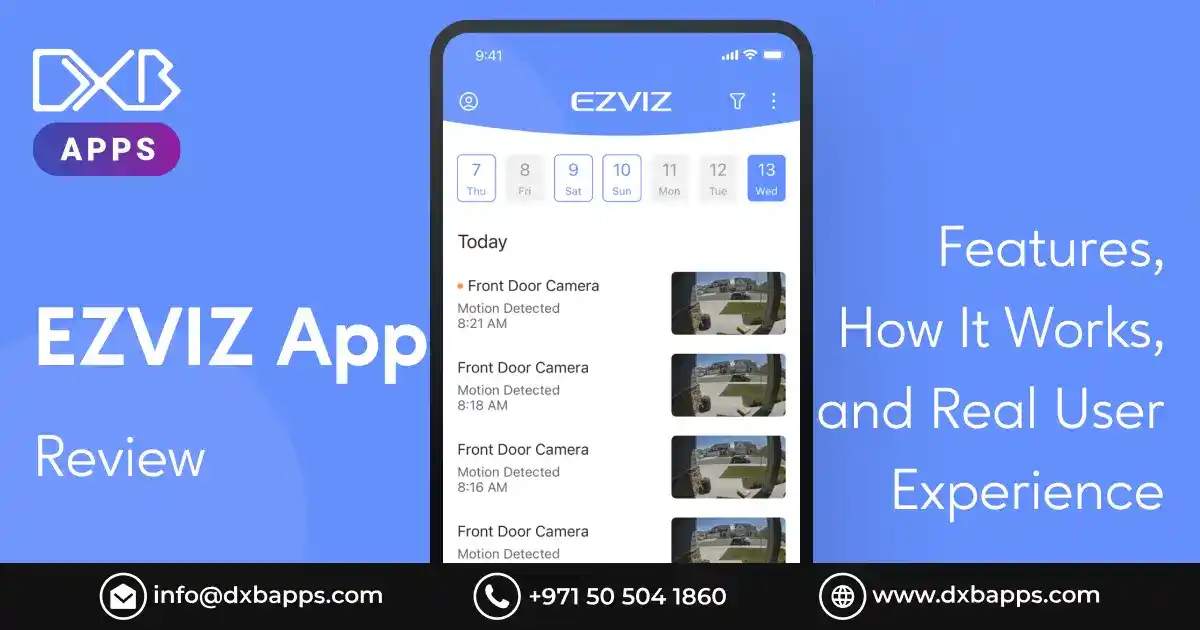
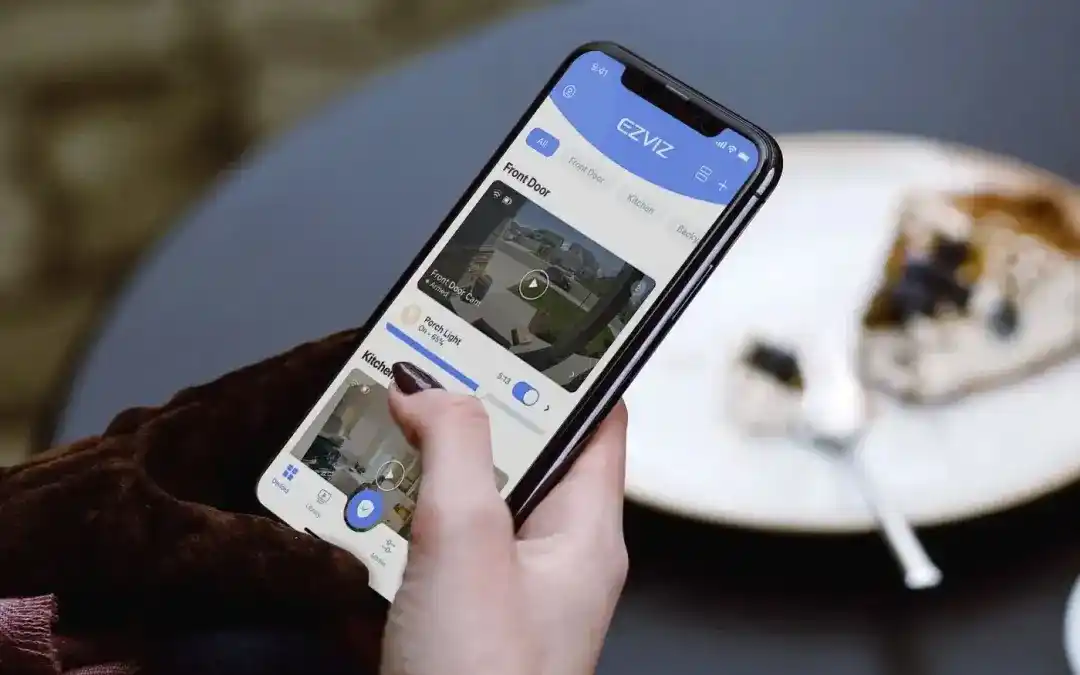
The EZVIZ App is a mobile control center for EZVIZ smart home security cameras and devices, allowing you to remotely view live HD feeds, get motion alerts, play back recordings (via SD card or CloudPlay), use two-way audio, customize detection zones, and manage settings from anywhere.
It serves as the hub to connect and control your entire EZVIZ ecosystem, offering features like device sharing and setting up smart routines for a seamless smart home experience.
Who Typically Uses the EZVIZ App Today?
The EZVIZ app is mainly used by adult homeowners, property managers, and small business owners who rely on EZVIZ smart security and home automation devices.
Key users and their primary reasons include:
- Homeowners and Families: Users rely on the app to monitor and protect their homes, check in on pets, and stay connected with family members through features such as live video, two-way audio, and instant alerts.
- Small Business Owners: The app supports business security needs by enabling owners to manage multiple cameras, monitor daily operations, and review footage remotely from a single interface.
- Property Managers: Users overseeing multiple properties can control and monitor several cameras across different locations. With support for up to 10 terminals accessing the same account, the app is well-suited for multi-property management.
- Remote Surveillance Users: Individuals who travel frequently or spend extended time away use the app to receive real-time motion alerts and view live camera feeds from anywhere in the world.
- Smart Home Enthusiasts: The app acts as a central hub for the EZVIZ ecosystem, allowing users to integrate and control smart devices such as security cameras, video doorbells, smart cleaners, and environmental sensors from one platform.
The Growing Demand for Remote Surveillance Solutions like EZVIZ
The demand for remote surveillance solutions continues to rise rapidly, supported by advances in artificial intelligence, cloud infrastructure, and next-generation connectivity such as 5G. Brands like EZVIZ are responding to this shift by delivering intelligent, easy-to-use, and highly connected security products that meet modern expectations for safety, convenience, and mobility.
Key Drivers Behind Market Growth
The growing emphasis on security across both digital and physical environments is accelerating adoption. Major factors driving this expansion include:
- Advanced Connectivity: Widespread smartphone adoption, combined with high-speed networks like 5G and Wi-Fi 6, enables instant remote access, smooth live streaming, and real-time alerts from virtually anywhere.
- Smart Home Compatibility: Consumers increasingly prefer surveillance systems that integrate seamlessly with smart home ecosystems, including voice assistants, smart locks, and lighting, allowing centralized control and automated responses.
- AI-Driven Intelligence: Artificial intelligence is shifting surveillance from basic video recording to intelligent monitoring. Capabilities such as human and vehicle detection, facial recognition, and behavioral analysis reduce false alerts while delivering meaningful, actionable insights.
- Cloud-Based Storage: Cloud platforms provide scalable storage, remote access, and secure off-site backups, offering greater reliability than traditional local storage, which can be damaged or lost.
- Cost Efficiency: Remote surveillance systems offer a practical alternative to on-site security personnel, delivering continuous monitoring without the recurring costs of staffing and infrastructure.
- Flexibility and Portability: Demand is growing for wireless, quick-install solutions such as solar-powered cameras and 4G-enabled devices. These options are ideal for temporary or remote locations like farms, warehouses, and construction sites where permanent infrastructure is impractical.
This combination of innovation, accessibility, and affordability continues to reshape how individuals and businesses approach security in a connected world.
Looking to Build a High-Quality Mobile App for Your Business?
DXB APPS is a trusted mobile app development company in the UAE, specializing in secure, scalable, and high-performance applications for Android, iOS, and cross-platform platforms. Our experienced developers collaborate closely with you to create solutions that align with your business goals, user needs, and industry best practices.
Get a Free ConsultationKey Features of the EZVIZ App
The EZVIZ App serves as a centralized control hub for EZVIZ smart home and security devices, allowing users to monitor, manage, and customize their systems from anywhere. Here are some advanced features of EZVIZ:
Core Features
Live View & Remote Control
Access real-time HD video streams from all connected cameras through a single dashboard. The app allows remote control of pan, tilt, and zoom functions, enabling you to adjust camera angles and monitor different areas instantly, no matter where you are.
Instant Alerts & AI Detection
Receive real-time push notifications whenever motion is detected. Advanced AI algorithms intelligently distinguish between humans, vehicles, and pets, significantly reducing false alarms caused by irrelevant movements such as shadows or passing objects.
Two-Way Audio
Communicate directly through your camera using built-in two-way audio. Speak with visitors, family members, or delivery personnel, or use it as a deterrent by addressing intruders remotely.
Video Playback
Easily rewind and review recorded footage at any time. Videos can be accessed from a local micro SD card or through the EZVIZ CloudPlay service, ensuring important moments are never missed.
Customization
Personalize your security setup by defining motion detection zones, adjusting sensitivity levels, and scheduling recording times. These settings allow the system to match your daily routine and security priorities.
Advanced Capabilities
AI Functions
Beyond basic motion detection, the app supports advanced AI features such as pet detection, voice activity detection (for sounds like crying babies or loud noises), and hand-wave recognition to trigger calls or alerts.
Smart Home Integration
Seamlessly integrates with popular smart home ecosystems, including Google Assistant and Amazon Alexa, enabling hands-free voice control and automation within your connected home.
Device Management
Quickly add new devices, manage existing ones, and securely share access with family members or trusted individuals, all from within the app.
Dashboard Customization
Organize your devices in a way that suits your preferences. Customize the dashboard layout for quicker access and a more intuitive monitoring experience.
Local Storage
Supports micro SD card storage for continuous or event-based recording, giving you direct access to footage without relying solely on the internet.
Cloud Storage
EZVIZ CloudPlay offers secure off-site video storage, protecting recordings from device damage or theft while allowing convenient playback anytime, anywhere.
Playback & Recording
The EZVIZ App allows users to easily access, rewind, and review recorded footage at any time. Recordings can be stored locally on a micro SD card or securely in the cloud via EZVIZ CloudPlay. Flexible recording modes, including continuous, scheduled, and motion-triggered recording, ensure important moments are always captured and easily retrievable.
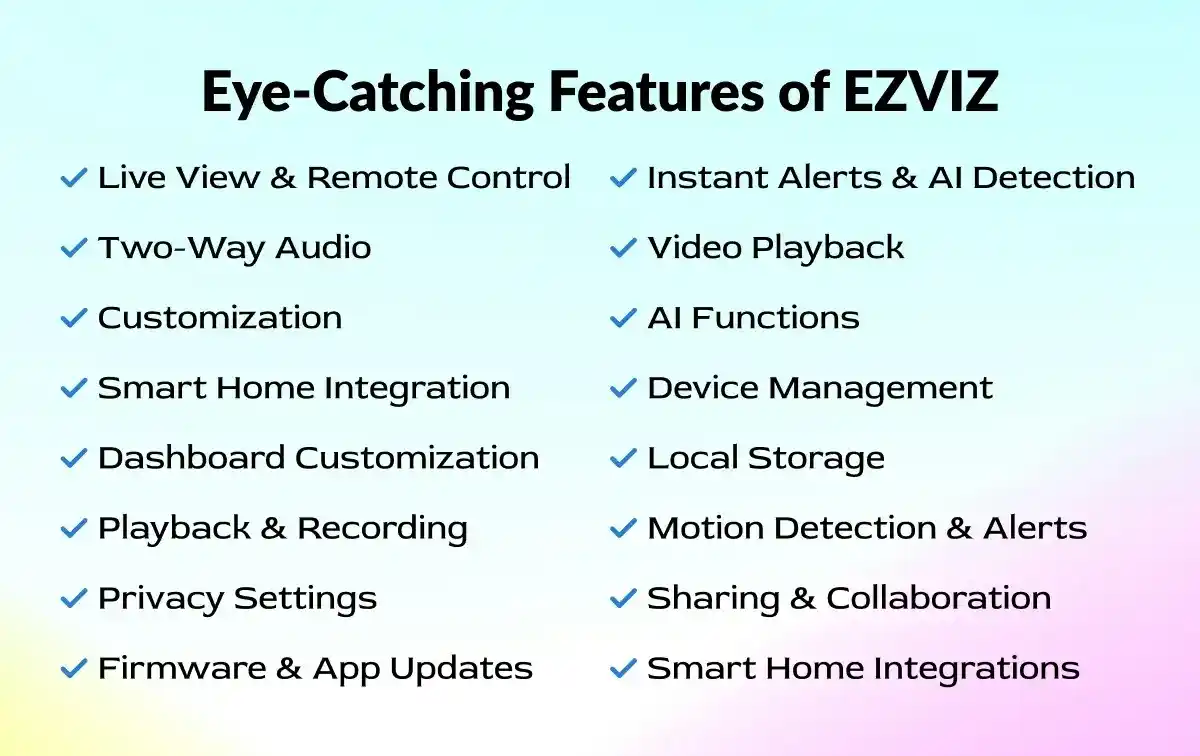
Motion Detection & Alerts
Advanced motion detection technology sends instant push notifications when activity is detected. Users can fine-tune detection sensitivity and define specific motion zones to focus on critical areas. AI-powered detection helps accurately identify people, vehicles, or pets, significantly reducing false alerts and improving response time.
Privacy Settings
The app offers robust privacy controls to protect user data and personal spaces. Features such as camera sleep mode, privacy masking, and encryption ensure that recordings remain secure and that monitoring is only active when desired. Users can temporarily disable cameras or restrict viewing access for added peace of mind.
Sharing & Collaboration
EZVIZ makes it simple to share device access with family members, friends, or trusted individuals. Shared users can be granted limited or full permissions, allowing collaborative monitoring while maintaining control over privacy and security settings.
Firmware & App Updates
Regular firmware and app updates keep EZVIZ devices running smoothly and securely. Updates deliver performance enhancements, new features, and security patches, ensuring compatibility with the latest technologies and long-term system reliability.
Smart Home Integrations
The EZVIZ App integrates seamlessly with popular smart home platforms such as Google Assistant and Amazon Alexa. This enables hands-free voice control, automation routines, and synchronized operation with other smart devices, creating a more connected and intelligent home environment.
How to Install & Set Up the EZVIZ App?
Getting started with the EZVIZ download is a straightforward process designed to get your smart security system up and running quickly. Whether you are installing your first camera or managing multiple devices, the app provides guided steps to ensure a smooth setup experience.
Supported Platforms
The EZVIZ App is available on both iOS and Android platforms, making it accessible to a wide range of users. Users often download the EZVIZ APK to install or update the app manually on Android devices when it is not available through the Google Play Store.
- iOS devices require a compatible iPhone or iPad running a recent version of iOS to ensure optimal performance and security.
- Android devices should be running a modern Android OS version with stable internet connectivity.
For the best experience, users are advised to keep their operating system updated, as older versions may not support newer app features or security enhancements.
Download and Install
- The app can be downloaded directly from the Apple App Store or Google Play Store by searching for “EZVIZ.”
- Installation is quick and requires standard permissions, including access to the camera (for QR code scanning), microphone (for two-way audio), storage (for snapshots and video clips), and notifications (for motion alerts).
- Granting these permissions ensures full functionality of the app and connected devices.
Many professionals prefer the EZVIZ download for PC for continuous surveillance on larger displays in offices or control rooms.
Creating an EZVIZ Account
- Once installed, users need to create an EZVIZ account to manage devices securely.
- The process involves entering basic details, setting a password, and choosing a preferred verification method.
- Account verification can be completed via email or phone number, adding an extra layer of security.
- After verification, users gain full access to device management and cloud services.
Adding a Device
Adding a device is simple and guided within the app.
- Users scan the QR code on the EZVIZ device using their phone camera, then follow on-screen instructions to connect the device to a Wi-Fi network.
- If setup issues occur, common troubleshooting steps include checking Wi-Fi signal strength, ensuring the correct password is entered, and keeping the device close to the router during setup.
Account Management
- The EZVIZ camera App supports multiple users, making it easy to manage devices across households or teams.
- Device access can be shared with family members, allowing them to view live feeds or receive alerts based on assigned permissions.
- These sharing features help maintain control while enabling collaborative monitoring.
Develop a Smart & Secure EZVIZ-Like App with DXB APPS
Our team creates secure, high-performance security apps with live monitoring, cloud storage, instant alerts, and smart device integration—designed for businesses that value reliability and scalability.
Start Your Project NowHow EZVIZ App Work? (Technical Breakdown)
The EZVIZ App is built on a modern, cloud-connected architecture that balances real-time performance, secure data handling, and flexible storage. Understanding how the system works behind the scenes helps users make better decisions about setup, connectivity, and usage.
Architecture Overview
- At its core, the EZVIZ ecosystem operates on a three-layer model: App ↔ Cloud ↔ Device.
Smart cameras and sensors connect to the internet via Wi-Fi or LAN, sending encrypted data to EZVIZ cloud servers. - The mobile app communicates with the cloud rather than directly with the device, enabling secure remote access from anywhere in the world.
- When you open Live View or playback footage, the request is routed through the cloud, which authenticates the user, retrieves the stream or recording, and delivers it to your device.
- This cloud-based routing allows seamless access even when the camera and smartphone are on different networks.
Security & Encryption
- Security is a foundational element of the EZVIZ CCTV app. All video streams, audio data, and user credentials are protected using industry-standard encryption protocols.
- Data transmitted between devices, cloud servers, and the app is encrypted in transit, preventing interception or unauthorized access.
- EZVIZ also applies end-to-end encryption principles, meaning only authorized users with verified accounts can view or access camera feeds.
- Additional safeguards such as account verification, device authentication, and optional privacy modes further reduce the risk of data exposure.
Storage Options Explained
EZVIZ wifi camera offers two primary storage methods to suit different needs:
- Local SD Card Storage:
Cameras with micro SD card support can record footage locally. This option provides continuous or event-based recording without monthly fees, but footage may be lost if the device is damaged or stolen. - Cloud Storage (EZVIZ CloudPlay):
CloudPlay stores recordings securely on remote servers. Subscription plans typically vary based on retention duration, number of devices, and video quality. Billing models are usually monthly or annual, offering flexibility and off-site backup protection.
Many users combine both options for redundancy and convenience.
Performance Considerations
For smooth operation, stable network performance is essential.
- Network Speed: HD live streaming generally requires a consistent upload speed from the camera and sufficient download speed on the viewing device. Higher resolutions increase bandwidth demand.
- Bandwidth Usage: Continuous recording and frequent live viewing consume more data, especially when multiple cameras are active. Adjusting video quality, recording schedules, and detection settings can help optimize usage.
With proper network conditions, the EZVIZ mobile App delivers reliable real-time monitoring while maintaining secure and efficient data flow across the entire ecosystem.
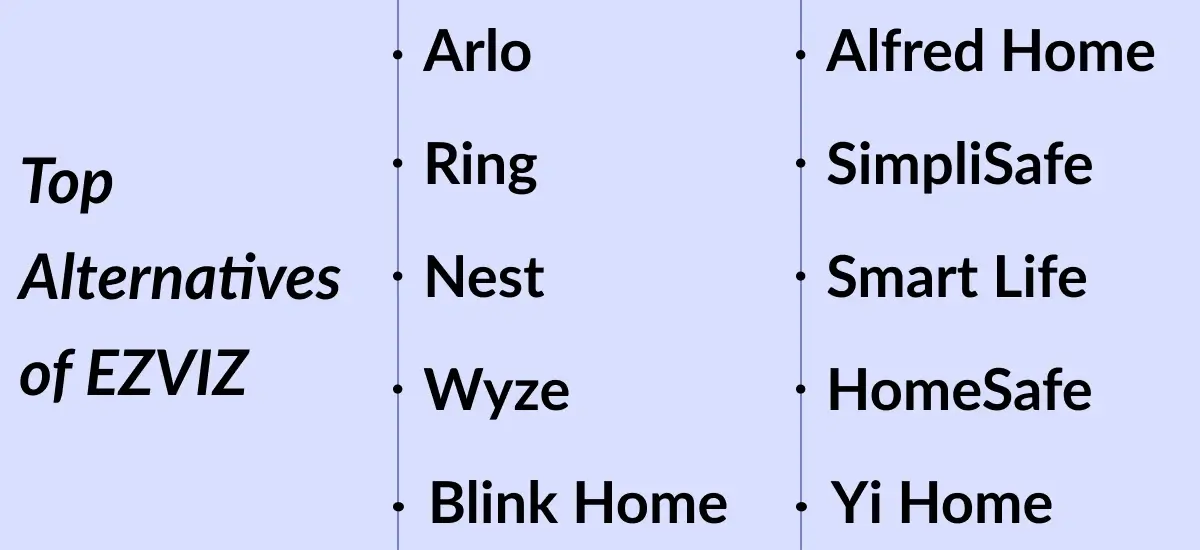
Top Alternatives of the EZVIZ App
Here are the top alternatives for the EZVIZ app:
Arlo
Arlo is a premium smart security platform offering wireless cameras, cloud recording, AI-based motion detection, and smart home integrations for home and business security.
Ring
Ring is a home security ecosystem focused on video doorbells and cameras, providing live video, motion alerts, two-way talk, and strong integration with smart home and alarm systems.
Nest
Nest (Google Nest) delivers smart home security cameras with intelligent alerts, facial recognition, cloud storage, and seamless integration with Google’s smart home ecosystem.
Wyze
Wyze is a budget-friendly smart camera platform offering basic surveillance features such as live view, motion detection, local storage, and optional cloud services.
Blink Home
Blink Home provides battery-powered security cameras designed for simple setup, long battery life, motion alerts, and cloud-based video storage.
Alfred Home
Alfred Home transforms old smartphones into security cameras, enabling live streaming, motion detection, cloud recording, and two-way communication.
SimpliSafe
SimpliSafe combines security cameras with professional monitoring services, offering intrusion detection, live video access, alerts, and full home security system integration.
Smart Life
Smart Life is a centralized IoT control app that manages a wide range of smart home devices, including cameras, lighting, and sensors from multiple manufacturers.
HomeSafe View
HomeSafe View is a surveillance app primarily used with certain IP cameras and DVRs, offering live viewing, playback, motion alerts, and basic remote management.
Yi Home
Yi Home supports YI-branded smart cameras, providing live streaming, motion detection, cloud storage, and AI-based alerts through a user-friendly interface.
| App Name | Downloads | Rating |
|---|---|---|
| EZVIZ | 50M+ | 4.5 |
| Arlo | 10M+ | 4.5 |
| Ring | 10M+ | 4.4 |
| Nest | 5M+ | 4.3 |
| Wyze | 10M+ | 4.6 |
| Blink Home | 5M+ | 4.2 |
| Alfred Home | 10M+ | 4.7 |
| SimpliSafe | 1M+ | 4.4 |
| Smart Life | 50M+ | 4.4 |
| HomeSafe View | 500K+ | 4.1 |
| Yi Home | 5M+ | 4.3 |
Tips & Best Practices for Successful Running of EZVIZ
To keep your EZVIZ devices running smoothly and reliably, it’s important to pay attention to network quality, correct physical installation, and proper app configuration.
1. Network and Connectivity Best Practices
A stable and reliable internet connection is essential for uninterrupted monitoring and cloud services.
Maintain a Strong Wi-Fi Signal:
Weak or unstable Wi-Fi can cause delayed uploads, missed alerts, or connection drops.
- Position cameras closer to your Wi-Fi router.
- Minimize interference from walls, metal objects, microwaves, or other wireless devices.
- Use the Wi-Fi signal test available in the app (Account > Settings > Device Network Tools) to confirm signal strength.
Check Router Configuration:
- Connect cameras to a 2.4 GHz Wi-Fi network if the model does not support 5 GHz.
- Ensure DHCP is enabled on the router.
- Disable restrictive firewall, blacklist, or whitelist rules that may block the device.
- For best performance, aim for an average upload speed of at least 2 Mbps per camera.
Limit Network Congestion:
If multiple devices share the same network, performance may suffer.
- Consider assigning EZVIZ cameras to a separate guest network.
- Reduce the number of active devices on the primary network when possible.
2. Physical Installation and Hardware Maintenance
Correct installation and regular checks help extend device life and maintain performance.
Avoid Harsh Conditions:
Install cameras away from extreme heat, moisture, salt exposure, or direct rain unless the model is rated for outdoor use.
Ensure Stable Power Supply
- Always use the original power adapter provided.
- Periodically inspect cables and power outlets for damage.
- For solar-powered models, mount the solar panel where it receives ample direct sunlight throughout the day.
Use the Right SD Card
- Choose a micro SD card rated Class 10 or UHS-I.
- Format cards as FAT32 (below 64 GB) or exFAT (64 GB and above).
- Initialize the SD card from within the app (Device Settings > Storage Status) after installation.
Complete Setup Near the Router
During initial configuration, keep the camera and your phone close to the router (around 1–1.5 meters). Once setup is complete, mount the camera in its final position.
3. Software and App Settings
Proper configuration within the EZVIZ app enhances performance, security, and usability.
Keep Software Updated
Regularly update both the camera firmware and the EZVIZ app to benefit from new features, security improvements, and bug fixes.
Customize Alerts
- Enable alarm notifications in device settings.
- Adjust detection zones, sensitivity levels, and notification schedules to reduce false alerts caused by pets, vehicles, or environmental movement.
Improve Battery Efficiency
For battery-operated cameras, lower PIR sensitivity, reduce recording frequency, or enable power-saving modes to extend battery life. Battery performance varies depending on usage and network stability.
Strengthen Privacy and Security
- Use strong passwords and enable multi-step authentication.
- Activate features such as sleep mode, privacy shutters, or no-record zones when needed.
- Always comply with local surveillance and privacy regulations.
Build a Smart, Secure & High-Performance Mobile App for Your Business
DXB APPS develops secure, scalable mobile apps for businesses, combining smart features, strong data protection, and seamless performance across Android, iOS, and cross-platform solutions.
Start Your Project NowStep-by-Step Guide to Build An App Like EZVIZ
Explore the key steps involved in building an app like EZVIZ, from shaping the initial concept and defining core features to collaborating with an experienced development team to create a reliable, innovative, and scalable security solution.
1. Define Your Requirements and Goals
The first step in building an app like EZVIZ is clearly outlining your objectives, core features, and target audience. Identify essential functionalities such as live video streaming, motion detection, cloud storage, smart home integration, and remote access. Having well-defined goals helps you communicate your vision effectively to the development team and ensures consistency throughout the development process.
2. Choose the Right Development Partner
Selecting an experienced mobile app development company is the second step in creating an app like EZVIZ. Look for a team with proven expertise in mobile app development, IoT solutions, and AI-powered features. Review their portfolio to confirm experience with similar security or surveillance applications. Discuss your requirements in detail and evaluate their technical skills, UI/UX capabilities, and commitment to delivering high-quality results.
3. Collaborate on Design and Prototyping
This third stage focuses on working closely with the development team to design detailed wireframes and interactive prototypes. The goal is to create a clean, intuitive user interface that is easy to navigate. Key features such as camera controls, privacy settings, real-time alerts, and two-way audio should be incorporated early. Prototyping allows you to visualize app functionality and make refinements before full-scale development begins.
4. Development and Testing
During this phase, the team builds the app by coding features, integrating third-party services, and ensuring compatibility across devices and platforms. Regular progress reviews help keep development aligned with your original vision. Comprehensive testing is critical to identify and resolve bugs, enhance performance, and ensure reliable operation in real-world conditions. Strong security measures must also be implemented to protect user data and privacy.
5. Launch and Ongoing Support
The final step in developing an app like EZVIZ involves deploying the application on platforms such as iOS and Android once testing is complete. Effective marketing strategies should be applied to attract users and drive adoption. Post-launch, ongoing maintenance, updates, and feature enhancements are essential to keep the app secure, competitive, and aligned with evolving technologies and user fee
Tech Stack Used to Build An App Like EZVIZ
Mobile Applications
- Android: Kotlin, Jetpack, ExoPlayer, WebRTC
- iOS: Swift, SwiftUI/UIKit, AVFoundation, WebRTC
- Flutter or React Native with native video modules
Device & IoT Layer
- Firmware: C/C++ on Linux-based IP cameras
- Protocols: RTSP, HTTPS, MQTT, ONVIF (optional)
- Provisioning: QR code, SoftAP, or BLE Wi-Fi setup
Video Streaming
- Low-latency live view: WebRTC
- Playback & scalability: HLS/DASH
- Media tools: NGINX (RTMP), FFmpeg
Backend & APIs
- Languages/Frameworks: Node.js (NestJS), Java (Spring Boot), Go, or Python (FastAPI)
- Communication: REST, WebSockets, gRPC
- Core services: Auth, device management, events, streaming sessions
Data & Storage
- Databases: PostgreSQL, Redis
- Video storage: Cloud object storage (S3-compatible) + CDN
- Local storage: microSD / NVR support
AI & Smart Detection (Optional)
- On-device: TensorFlow Lite / OpenVINO
- Cloud AI: PyTorch / TensorFlow (human, motion, vehicle detection)
Notifications & Security
- Push: FCM (Android), APNs (iOS)
- Security: OAuth2, JWT, TLS, encrypted cloud storage
Payments & Infrastructure
- Subscriptions: Apple IAP, Google Play Billing
- Cloud & DevOps: AWS/GCP/Azure, Docker, Kubernetes, CI/CD
- Monitoring: Prometheus, Grafana, Sentry
Cost to Build an App Like EZVIZ
1. Basic Version (MVP)
Estimated Cost: 40,000 - 80,000 USD
Timeline: 3 - 4 months
Best for: Startups, MVP validation, small-scale users
Includes:
- Android & iOS apps (core functionality)
- Live video streaming (RTSP / basic HLS)
- Motion detection (camera-based)
- Device pairing (QR code / Wi-Fi)
- Push notifications
- Basic user authentication
- Limited cloud or local SD playback
- Basic backend & admin panel
Limitations:
- No AI detection
- Higher video latency
- Limited scalability
- Basic security & analytics
2. Advanced Version
Estimated Cost: 100,000 - 180,000 USD
Timeline: 5 - 7 months
Best for: Growing businesses, commercial launch
Includes everything in Basic, plus:
- Low-latency live streaming (WebRTC)
- Cloud video storage & playback
- AI-based motion detection (human/vehicle)
- Two-way audio
- Multi-device & family sharing
- Smart alerts & detection zones
- Subscription & billing system
- Strong encryption & role-based access
- Scalable backend (microservices)
3. Enterprise / EZVIZ-Level Platform
Estimated Cost: 250,000 - 500,000+ USD
Timeline: 9 - 15 months
Best for: Large-scale platforms, global rollout
Includes everything in Advanced, plus:
- Millions of devices support
- Ultra-low latency streaming
- On-device + cloud AI analytics
- End-to-end encryption options
- Multi-region cloud deployment
- Advanced admin dashboards
- SLA-based uptime & monitoring
- Smart home integrations (Alexa, Google Home)
- White-label & multi-brand support
- Compliance (GDPR, SOC 2 readiness)
| Level | Cost Range | Users | Scalability |
|---|---|---|---|
| Basic | $40k–80k | Up to 10k | Low |
| Advanced | $100k–180k | 100k+ | Medium–High |
| Enterprise | $250k–500k+ | 1M+ | Very High |
How DXB APPS Builds the Best Mobile Apps in the UAE?
DXB APPS builds the best mobile apps in the UAE by combining deep local market understanding with a structured, strategy-first app development approach. Each mobile app development Dubai project begins with thorough requirement analysis, user research, and business alignment to ensure the app solves real problems for its target audience.
By focusing on user behavior, regional preferences, and compliance with UAE standards, DXB APPS designs intuitive, high-performing mobile application development Abu Dhabi solutions that resonate with both businesses and end users.
What sets DXB APPS apart is its end-to-end execution and commitment to quality. An experienced team of mobile app developers works collaboratively using modern technologies, scalable cloud infrastructure, and rigorous testing practices.
From clean UI/UX design to secure backend architecture and post-launch support, DXB APPS ensures every app is reliable, scalable, and future-ready. Choosing professional web development Dubai services by DXB APPS helps businesses strengthen their online presence and reach regional and global audiences.
Build a High-Quality Mobile App Backed by Expert Developers and Industry Best Practices
DXB APPS helps businesses transform ideas into secure, scalable, and high-performing mobile applications. Our experienced developers follow industry best practices to deliver apps for Android, iOS, and cross-platform platforms, ensuring strong security, seamless performance, and an intuitive user experience that aligns with your business goals.
Start Your Project NowConclusion
The EZVIZ app stands out as a powerful and user-friendly solution for managing smart security cameras and home monitoring devices. With features like real-time live streaming, motion detection alerts, cloud and local storage options, and intuitive device control, it offers a comprehensive toolkit for users of all experience levels. The app’s seamless setup process, clear interface, and reliable notifications make it easy to stay connected to your property from anywhere.
Real user experiences generally highlight the app’s strengths in ease of use and consistent performance, though some users note occasional connectivity or cloud-subscription concerns depending on network conditions.
FAQs (Frequently Asked Questions)
Is the EZVIZ App free?
Yes, the core EZVIZ app is completely free to download and use for managing your cameras, viewing live feeds, receiving alerts, and controlling devices remotely, though optional paid CloudPlay subscriptions are available for extended cloud storage.
How do I download the EZVIZ app?
You can download and install the official EZVIZ International app from the App Store (iOS) or Google Play Store (Android).
How many devices can be connected to the EZVIZ camera?
You can connect many devices to an EZVIZ account (around 1000 cameras), but for simultaneous viewing, up to 10 devices can log into the same account at once.