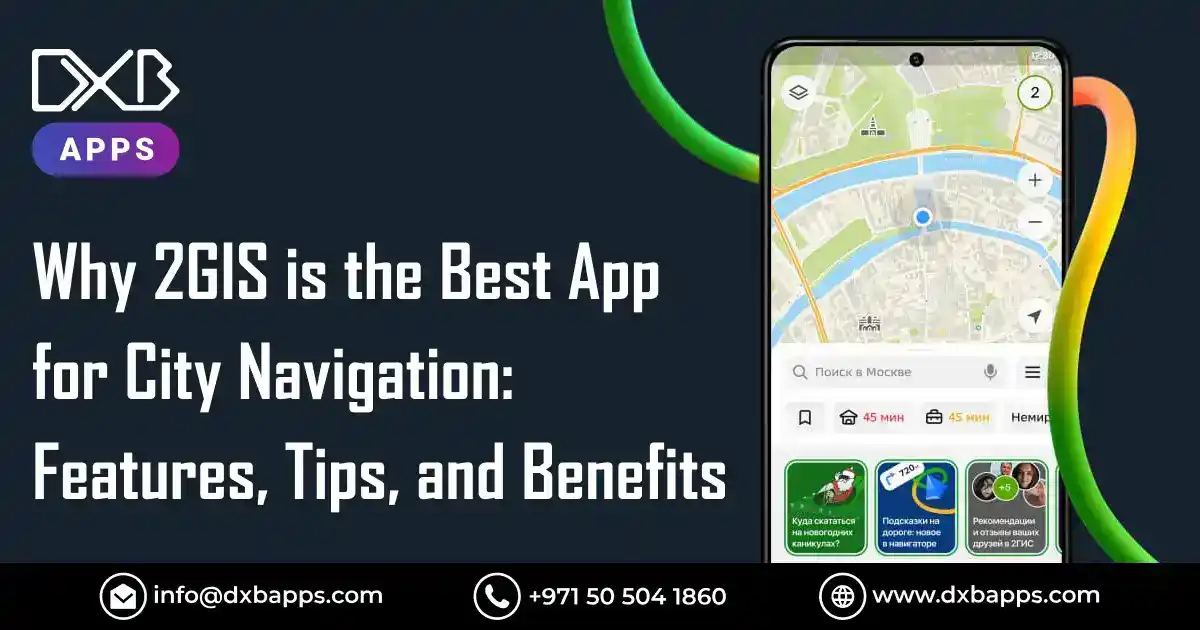
Navigating a busy city can be a total nightmare—especially when you’re completely clueless about where you are and stuck in unpredictable traffic. 2GIS is a city navigation app that provides detailed maps, real-time traffic updates, and a comprehensive business directory, making it a lifesaver for getting from point A to point B and discovering interesting places around you. 2GIS offers gps navigation with real-time traffic and precise route plotting. This guide is for city dwellers, travelers, and anyone seeking reliable navigation in urban environments. With its unique offline capabilities and detailed business directory, 2GIS is especially valuable in regions with limited connectivity or for users who need hyper-local information.
Whether you want to pop to the shops, try a new spot, or just find the quickest route, having a decent city navigation app at your fingertips is an absolute must-have. That’s where 2GIS comes in. Unlike your run-of-the-mill map app, it’s not just a generic mapping tool—it delivers a super-smooth user experience with detailed maps, real-time traffic updates, and a host of useful features that make city navigation a breeze. 2GIS also operates as a “Yellow Pages” integrated into a 3D city map, making it easy to find the exact location of businesses, bus stops, and gas stations. 2GIS includes sightseeing attractions and other useful services, and is accessible both online and offline.
In this blog, we’ll take a closer look at what makes 2GIS a solid choice for city navigation. We’ll explore its main features—offline maps, public transport routes, local business info, and more—and share handy tips to help you get the best out of the app.
What is 2GIS?
2GIS is a maps and navigation app that provides detailed information offline, making it a powerful tool for anyone navigating a city. Developed by a Russian local search company, 2GIS creates digital maps and guides for cities in various countries, including Russia, Kazakhstan, Italy, and the UAE.
2GIS is a specialized geoinformation system that combines detailed 3D maps, a massive business directory, and a variety of navigation options. It gives you a highly detailed view of what a city looks like, with accurate 3D maps and up-to-date info on businesses. Plus, it offers super-useful navigation options, all of which work offline—so you can still use it even when you don’t have a signal.
Now that you know what 2GIS is, let's take a look at its key features that make it stand out from the crowd.
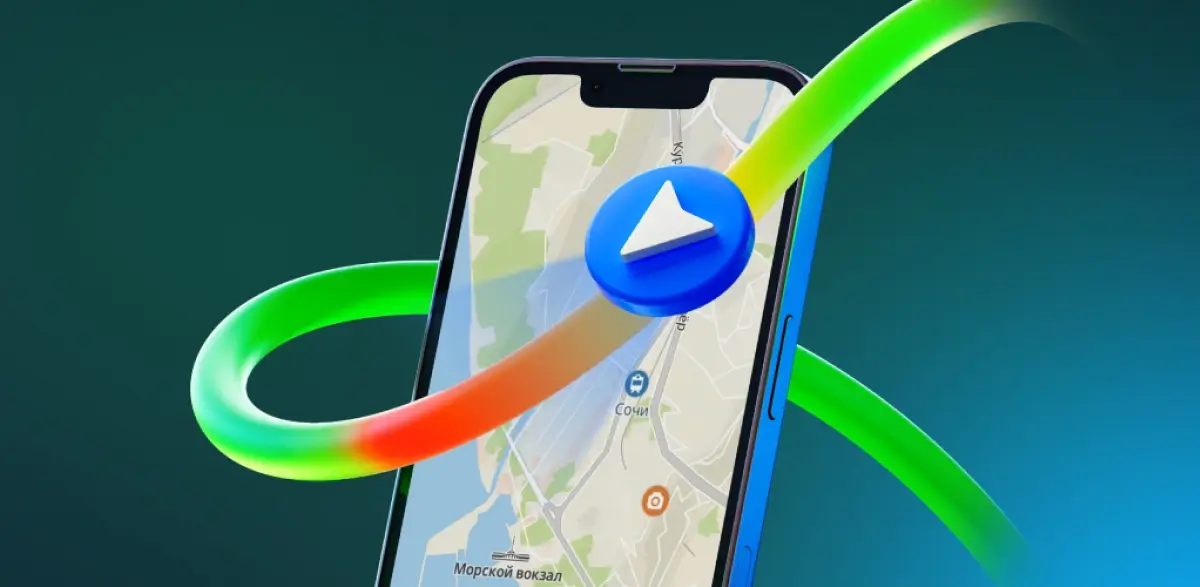
Key Features of 2GIS
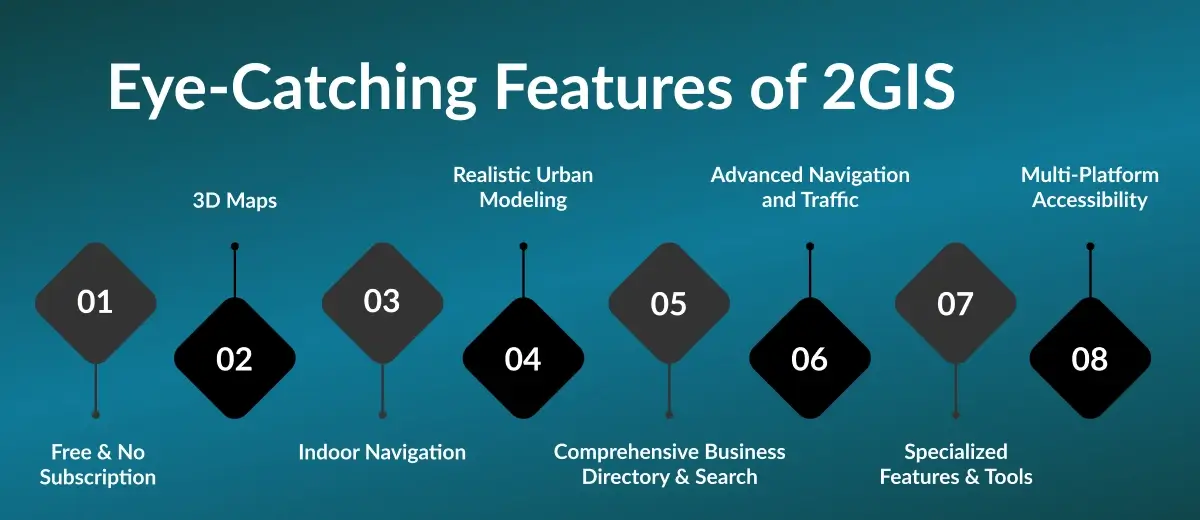
2GIS is a comprehensive, free-to-use digital mapping and city directory service that works across multiple platforms. Covering hundreds of cities worldwide, it offers a unique mix of accurate geographical data and a thoroughly verified business directory. With its maps maxed for extensive detail and coverage, 2GIS provides realistic models, indoor layouts, and additional layers to ensure users have access to the most comprehensive mapping data available. The main menu allows users to easily access maps, guides, and original selections curated to highlight unique and noteworthy places.
Below are the key features of 2GIS, organized for easy reference:
Offline Maps
- No Internet Needed: Download maps for offline use, so you can navigate, search, and use the directory even without a signal.
- Frequent Updates: Maps and directories are regularly updated to reflect new construction, road changes, and other updates.
3D Maps
- Super Detailed Maps: Offers highly detailed visualizations, including realistic 3D models of buildings, neighborhoods, roads, and even trees in parks.
- Landmarks in 3D: Major landmarks, such as the Burj Khalifa, are shown in 3D for an accurate and visually engaging experience.
Indoor Navigation
-
Complex Buildings: Provides detailed floor-by-floor layouts for multi-story buildings like malls, airports, and train stations, making it easy to navigate even the most complicated places.
Realistic Urban Modeling
-
Hyper-Local Details: Includes precise depictions of building entrances, individual kiosks, driveways, fences, and realistic models of neighborhoods and trees—offering a real-life, super-accurate mock-up of the city.
Comprehensive Business Directory & Search
- Yellow Pages in 3D: 2GIS operates as a “Yellow Pages” integrated into a 3D map, facilitating the discovery of local businesses and services, such as gas stations, restaurants, shops, and more.
- Accurate and Up-to-date: Provides up-to-date info on millions of organizations, including addresses, phone numbers, working hours, and more.
- Savvy Search Engine: Handles typos and incomplete queries—search by company name, business specialty, or colloquial names.
- Rich Listings: Each listing includes entrance locations, accepted payment methods, social media links, user reviews, restaurant menus, and pictures with prices.
- Advanced Filters: Filter companies by business hours, ratings, and operational status to find the best options available.
- Other Useful Services: The directory also includes other useful services such as pharmacies, ATMs, and more, making 2GIS a versatile tool for city navigation and local discovery.
Advanced Navigation and Traffic
- Multi-Modal Navigation: Acts as a GPS navigator for cars, public transport, walking, cycling, and scooters—all in one app. 2GIS supports scooter riders by building routes for scooters, taking into account inclines and bike lanes, as well as stairs for pedestrians and cyclists.
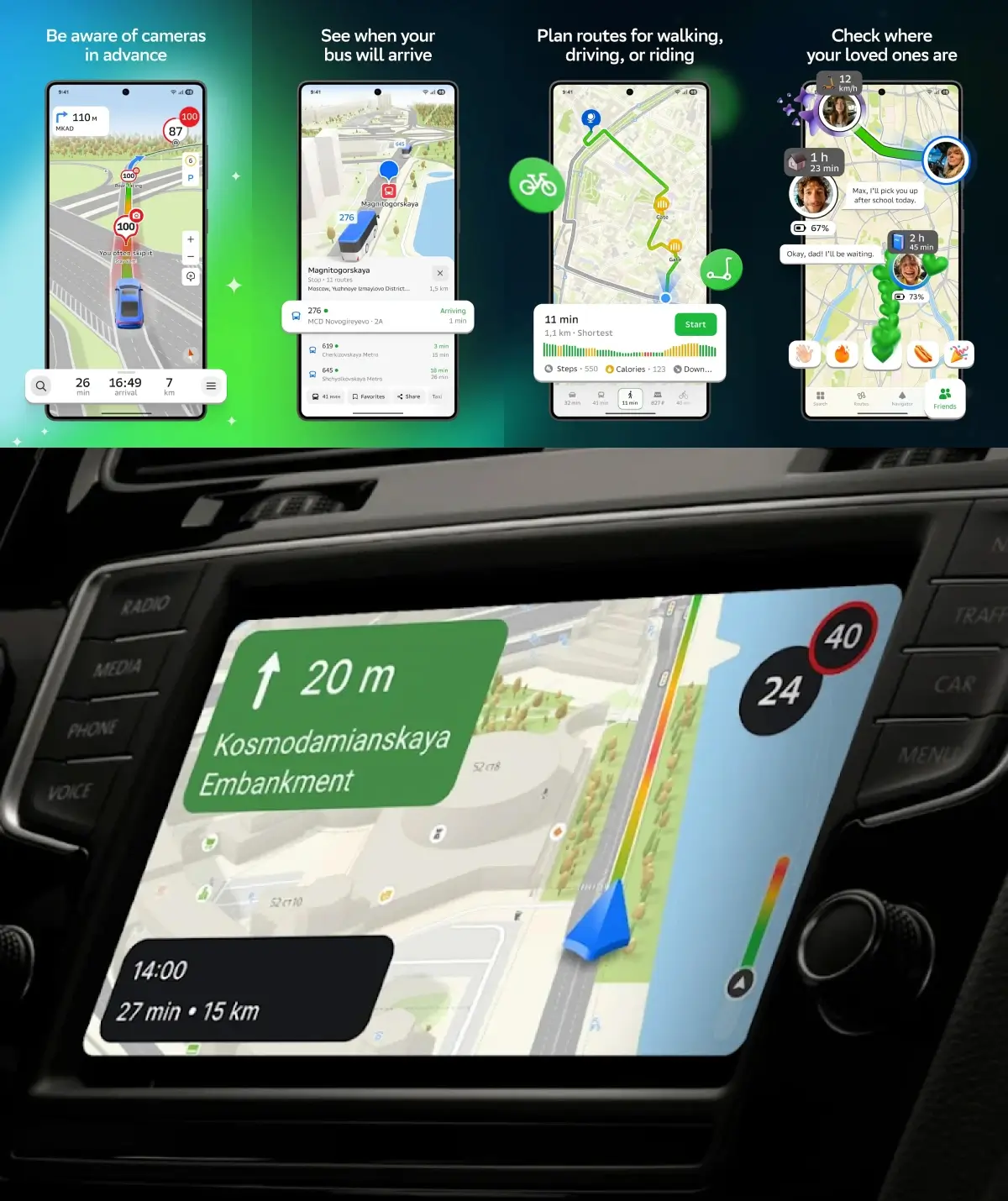
- Public Transport Routing: Build routes by bus, subway, tram, trolleybus, or commuter train, with real-time tracking and up-to-date schedules. View bus stops along your route, including their exact location and schedules, to plan your journey efficiently.
- Walking and Pedestrian Navigation: Provides pedestrian navigation and walking routes, considering stairs, bike lanes, and hills. Users can create routes that consider inclines, stairs, and bike lanes for cyclists and pedestrians.
- Traffic Updates: Real-time traffic information, including traffic jams, accidents, road closures, speed cameras, and roadworks, with alternative route suggestions. 2GIS displays road events such as traffic accidents, potholes, and speed cameras directly on the map.
- Transport Stops: Shows the exact location of transport stops and corresponding routes for easy journey planning, helping users pinpoint specific spots within the city or facility.
- Voice Guidance: Step-by-step turn-by-turn voice guidance for all transport modes, with clear, easy-to-follow instructions. 2GIS suggests alternative routes based on current traffic conditions.
- GPS Navigation: Comprehensive gps navigation with precise route plotting for different transportation modes, real-time traffic information, and offline capabilities to enhance route accuracy.
- Step-by-Step Instructions: 2GIS provides step-by-step navigation instructions for cars, public transport, bicycles, and walking.
- In-Car Compatibility: Compatible with Android Auto and Apple CarPlay for seamless in-car navigation.
- Cargo Navigator: Special mode for trucks and heavy cargo vehicles, considering size, weight, and road restrictions for accurate routing.
Specialized Features & Tools
- Parking Info: Highlights free and paid parking spots and integrates car sharing services.
- Friends on the Map & Location Sharing: Share your live location with friends and family in real time, add family members to your map, and create temporary travel groups for trips. This feature supports meeting planning, makes spontaneous meetings easy, and lets you start conversation directly within the app. It also helps coordinate when someone is running late by sharing real-time location updates.
- Audio Guides & Sightseeing: Discover interesting places and attractions in any city, with access to audio guides and sightseeing recommendations. 2GIS includes original selections and curated recommendations for sightseeing and local discoveries.
- Route Logging: Log your route for future reference, taking into account traveler preferences and vehicle types. 2GIS considers individual characteristics such as vehicle size, cargo, or personal preferences to optimize routes.
- Cargo Navigator: 2GIS includes a feature called "Cargo Navigator" designed for trucks, accounting for vehicle size and weight restrictions.
- CityLens (Drivers): Advanced navigation support for drivers, including lane guidance, real-time traffic updates, and parking suggestions.
- Floor Plans for Complex Buildings: Detailed floor plans for multi-storey buildings.
- Temporary Travel Groups: Manage location sharing with specific groups during trips for privacy and convenience.
- Integration with Sberbank Ecosystem: As part of the Sberbank ecosystem, 2GIS offers enhanced map and directory services, especially in Russia.
- Additional Services: 2GIS has launched various services and features over the years, including cargo navigator and real-time public transport tracking.
API and SDK
- Developer Tools: Offers API and SDK for integrating maps, search, and navigation features into your own websites and apps.
Multi-Platform Accessibility
- Mobile App: Available for iOS and Android, with support for Android Auto and Apple CarPlay, allowing you to use 2GIS in vehicles that support these platforms.
- Desktop & Web: PC application for Windows and an online browser-based web version, making 2GIS accessible online from any device.
- Free to Use: The app is free and available on all major platforms—revenue is generated through advertising.
Now that we’ve explored the main features, let’s look at how to install and use 2GIS.
How to Install and Use 2GIS?
Getting 2GIS up and running is straightforward. Follow these steps:
Step 1: Download 2GIS
- Go to the App Store (iOS) or Google Play (Android) and search for "2GIS".
- Tap "Get" or "Install" to download the app for free.
Step 2: Launch the App
- Open 2GIS after installation.
- Download the map for your current location when prompted—this enables offline use.
Step 3: Check System Requirements
- iOS: Requires iOS 8.0 or later.
- Android: Requires version 4.4 or later.
Step 4: Download City Maps
- Open the menu and select "Cities List".
- Find and download maps for cities you plan to visit for offline access.
Step 5: Plan Your Route
- Enter your destination address and select your preferred mode of transport (car, public transport, walking, etc.).
- Follow turn-by-turn directions and monitor real-time traffic updates.
Step 6: Explore and Search
- Use the search bar to find addresses, businesses, phone numbers, and opening times.
- Discover new places, listen to audio guides, and check out local attractions.
With 2GIS installed and set up, you’re ready to explore the city with confidence. Next, let’s look at some useful tips for getting the most out of 2GIS.

Tips for Using 2GIS Effectively
Download City Maps
- Get Maps: Use the "Cities List" menu to download maps for offline use.
- Update Regularly: Keep your offline maps updated for the latest road changes and business listings.
Advanced Route Planning
- Choose Transport Types: Select specific public transport modes for route planning.
- Identify Entrances: Use detailed visuals of building entrances for easier navigation.
- Customize Your Route: Manually adjust your route as needed.
- Real-Time Traffic: Use live traffic maps and forecasts to avoid congestion.
- Temporary Travel Groups: Create groups for location sharing during trips.
Detailed Search and Directory
- Find What You Need: Search for companies or locations to view opening hours, entrance photos, website links, and user reviews.
- Narrow Results: Use keywords like "coffee shop" or "parking lot" for focused results.
- Filters: Apply filters for ratings, business hours, and other criteria.
Specialized Features
- Track Your Route: Log your traveled route for future reference.
- CityLens (Drivers): Access advanced navigation support for drivers.
- 2GIS Pro: Unlock advanced features like custom map layers and data analysis.
- Change Language: Switch the app language in settings if available.
Urban Navigation Solutions (e.g., Dubai)
- Understand Road Names: Learn the road classification system in the UAE for easier navigation.
- Use for Precise Directions: Rely on 2GIS for navigating complex road networks.
With these tips, you can maximize your 2GIS experience and make the most of its features. Now, let’s explore the valuable benefits of using 2GIS.
Valuable Benefits of 2GIS
Offline Functionality
- Download the business directory and all associated data for use without an internet connection.
- Search for businesses and access directory info offline.
Detailed Mapping
- Navigate cities with high-resolution 3D visuals, including building entrances, indoor layouts, and 3D models of infrastructure.
- Realistic maps display trees, neighborhoods, and detailed city features.
Comprehensive Directory
- Access a massive, regularly updated business directory with millions of listings.
- Includes contact details, operating hours, services, and user reviews.
Navigation & Transit
- Enjoy precise navigation for all transport types, with real-time traffic updates.
- Access accurate public transit schedules and routes for easy journey planning.
Search Functionality
- Use a powerful search engine to find businesses by category, name, or specialty.
- Search with keywords and common names for quick results.
Now that you know the benefits, let’s see how 2GIS enhances user experience and support.
User Experience and Support
Intuitive Interface
- The app features a clean, user-friendly interface with all essential tools easily accessible.
- Build routes, check locations, and access maps with ease.
Customization and Accessibility
- Switch between transport modes: car, walking, public transport, scooter, or motorcycle.
- Use the mini-map feature for quick orientation in new areas.
Social and Community Features
- Share your location with friends and family using 'Friends on the Map'.
- Discover new places, hidden cafes, and sightseeing spots.
Support and Updates
- Access a help center, FAQs, and responsive customer support.
- Regular updates and user feedback integration ensure smooth operation.
With robust support and a seamless interface, 2GIS ensures a top-notch navigation experience. Next, let’s see how businesses and the community benefit from 2GIS.
Business Solutions and Community
Business Visibility
- List your business on 2GIS to appear on detailed city maps and in the business directory.
- Enhance your profile with up-to-date info, floor layouts, and realistic models.
Data-Driven Insights
- Analyze user behavior to tailor offerings to local demand.
- Use data to make informed business decisions.
Community Engagement
- Customers can leave reviews, rate businesses, and share experiences.
- Receive real-time feedback to build trust and engagement.
Integration and Tools
- Integrate 2GIS with your website and use APIs to embed maps and navigation features.
- Suitable for both small businesses and large organizations with multiple locations.
Now, let’s compare 2GIS with other top navigation apps.
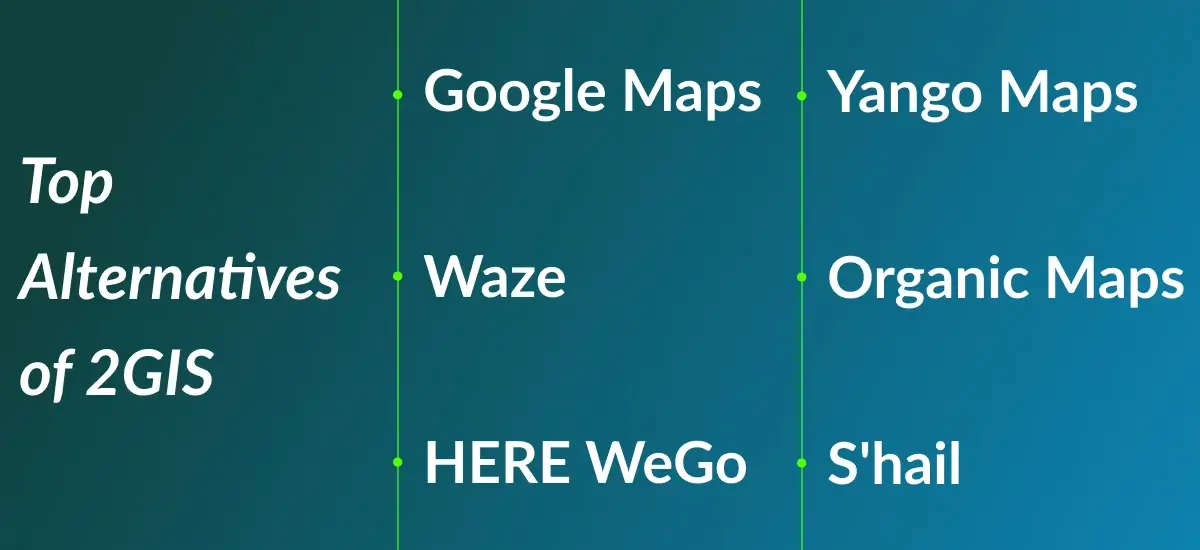
Top Alternatives of 2GIS
Google Maps
Google Maps is a widely-used navigation app for Dubai and UAE offering detailed maps, real-time traffic updates, and routing for driving, walking, biking, and public transport. It includes Street View for visualizing destinations, offline maps, and integration with Google services like Search and Assistant.
Waze
Waze app stands out for its community-driven approach, where users share real-time updates on traffic, road hazards, and police presence. It offers customizable routes, live traffic alerts, and social features for tracking friends’ trips.
HERE WeGo
HERE WeGo is a versatile app with offline functionality, providing GPS navigation for cars, public transport, and walking. It includes accurate public transport routes, speed limit alerts, and route customization based on transport preferences.
Yango Maps
Yango Maps is one of the top Dubai travel apps that combines navigation with ride-hailing services, offering real-time traffic updates and personalized recommendations. It’s especially strong in regions like Eastern Europe and the Middle East, making it convenient for users to book rides and get directions in one app.
Organic Maps
Organic Maps is an open-source app that prioritizes privacy and offline functionality. Built on OpenStreetMap data, it offers detailed maps and trail navigation, making it ideal for outdoor enthusiasts and users who value privacy.
S'hail
S'hail is a Dubai-specific app that integrates metro, bus, taxi, and water taxi services. It provides real-time transport schedules, route planning, and taxi booking, making it a must-have for navigating Dubai's public transport system.
Step-by-Step Guide to Build An App Like 2GIS
1. Define Core Features
Start by defining the key features for your app, such as 3D city maps, business directories, multi-modal navigation (car, walking, public transport), offline functionality, and search features. Determine whether users will also need personalized accounts for saving favorite places or routes.
2. Market Research
Research to understand the needs of your target audience and analyze competitors like Google Maps, Waze, and HERE WeGo. Identify gaps in the market and features that could make your app stand out.
3. Choose Technology Stack
Select technologies for the app:
-
Frontend: Use Flutter or React Native for cross-platform development (iOS and Android) or Swift and Kotlin for native development.
-
Backend: Use Node.js or Python with PostgreSQL for map data storage and WebSocket/Firebase for real-time data.
Mapping: Integrate OpenStreetMap or Mapbox for mapping and GraphHopper for routing.
4. Develop Map Functionality
Use tools like Mapbox for 3D maps and OpenLayers for indoor maps. Implement offline capabilities with local storage and allow users to download city maps for offline navigation.
5. Integrate Traffic and Navigation
Use Google Maps API or TomTom API for live traffic data and routing. Include features like turn-by-turn directions, real-time traffic, and multi-modal routing (driving, walking, public transport).
6. Create the Business Directory
Develop a verified business directory with features like business names, addresses, contact info, reviews, and working hours. Use Elasticsearch for efficient search functionality by category, name, or specialty.
7. User Accounts and Personalization
Implement OAuth or Firebase Authentication for user logins. Allow users to save favorite places, routes, and business information. Integrate push notifications for real-time updates.
8. Scalability
Ensure your app can handle large amounts of data by using cloud services (AWS or Google Cloud), microservices architecture, and caching (Redis or Memcached) for high performance and scalability.
9. Testing
Test the app thoroughly using unit, integration, and performance tests to ensure smooth functionality, especially for map rendering, search, and traffic data integration.
10. Launch and Marketing
Prepare for launch by optimizing your app for the App Store and Google Play Store. Use digital marketing strategies like SEO, paid ads, and influencer promotions to attract users.
11. Maintenance and Updates
Post-launch, regularly update the app to fix bugs, add new features, and update maps. Respond to user feedback and enhance the app with additional tools, such as weather or ride-hailing integrations.

Tech Stack for Building an App Like 2GIS
Creating an app like 2GIS, with its mapping, business directories, real-time traffic updates, and offline navigation, requires a powerful and scalable tech stack. Here's a breakdown of the key technologies you'd use:
1. Frontend (Mobile & Web)
Mobile Development:
- React Native or Flutter: For cross-platform apps (iOS and Android).
- Swift: For native iOS apps.
- Kotlin: For native Android apps.
Web Development:
- React.js or Vue.js: For dynamic web apps.
- Leaflet.js or Mapbox GL JS: For integrating maps into web apps.
2. Backend (Server-Side)
Programming Languages:
- Node.js with Express.js: For scalable APIs.
- Python (Django or Flask): For rapid geospatial feature integration.
- Java or Go: For high-performance back-end systems.
Database:
- PostgreSQL with PostGIS: For handling geospatial data (maps, routes).
- MongoDB: For unstructured data like business listings or user profiles.
Real-Time Data:
-
WebSockets or Firebase: For live traffic updates.
Apache Kafka: For managing real-time data streams.
Search:
-
Elasticsearch or Solr: For fast search and filtering.
3. Mapping & Navigation
Map Rendering:
- Mapbox or OpenStreetMap: For detailed maps and 3D views.
- Google Maps API: For extra geographical data and real-time features.
Routing & Navigation:
- GraphHopper or OSRM: For routing and turn-by-turn directions.
- TomTom Traffic API or Google Maps API: For real-time traffic data.
Offline Maps:
-
SQLite or IndexedDB: For storing maps and user data locally.
4. Cloud & Hosting
Cloud Providers:
- AWS or Google Cloud: For hosting backend and managing real-time data.
- Microsoft Azure: For scalable cloud infrastructure.
File Storage:
-
Amazon S3 or Google Cloud Storage: For storing large assets like maps and business data.
CDN:
-
Cloudflare or AWS CloudFront: For fast delivery of maps and assets.
5. Geospatial Data Processing
Geospatial Tools:
- GDAL: For processing geographic data.
- PostGIS: For spatial queries and map-related calculations.
Indoor Mapping:
- IndoorAtlas or Mapwize: For indoor navigation (e.g., malls, airports).
6. User Authentication & Management
Authentication:
- OAuth: For secure authentication.
- Firebase Authentication: For simplified logins with social media integration.
User Data Management:
- Firebase Firestore or MongoDB: For storing user profiles and preferences.
7. Analytics & Monitoring
Analytics:
- Google Analytics or Mixpanel: For tracking user behavior and engagement.
- Amplitude: For advanced analytics and user retention.
Crash Monitoring:
- Sentry or Crashlytics: For real-time crash reporting and performance monitoring.
8. Push Notifications
Push Notifications:
- Firebase Cloud Messaging (FCM): For real-time updates like traffic alerts.
- OneSignal or Pusher: For easy push notification integration.
9. Payment Integration (Optional)
Payment Gateways:
- Stripe or PayPal: For handling payments like subscriptions or business listings.
10. Testing & Deployment
Testing:
- JUnit or Mocha: For unit testing backend logic.
- Appium or Espresso: For mobile testing.
- Jest or Cypress: For frontend testing.
CI/CD:
- Jenkins or GitHub Actions: For automating builds and deployments.
- Docker: For containerizing the app.
11. Monitoring & Security
Monitoring:
-
New Relic or Datadog: For app performance and server health.
Security:
-
SSL/TLS Encryption: For secure communication.
Cost to Develop an App Like 2GIS
1. Basic Version (Entry-Level):
- Cost: $30,000 – $60,000
- Features: Basic maps, search, and navigation (without offline maps or real-time traffic).
2. Advanced Version (Mid-Range):
- Cost: $80,000 – $150,000+
- Features: Offline maps, detailed business listings, real-time traffic, multi-modal routing.
3. Enterprise Version (High-End):
- Cost: $200,000 – $400,000+
- Features: 3D maps, indoor navigation, multi-language support, advanced analytics.
Key Factors Influencing Costs
- Features & Complexity: Advanced features like offline maps, live traffic, and indoor navigation increase costs.
- Platform Choice: Developing separate iOS and Android apps is more expensive than cross-platform.
- Design & UI/UX: Custom design adds to the cost.
- Backend & APIs: Integrating third-party map and traffic data adds to the expenses.
- Testing & Maintenance: Ongoing testing, bug fixes, and hosting costs are part of the long-term investment.
DXB APPS: Leading App Developers in the UAE
DXB APPS stands out as one of the leading mobile app development company, known for creating high-quality, innovative, and user-friendly mobile applications.
With a deep understanding of the region's market needs and user preferences, we as the best mobile app development company in UAE, specialize in crafting apps that are tailored to meet the unique demands of businesses across various industries.
Whether it’s developing cutting-edge features for e-commerce, real estate, healthcare, or entertainment, DXB APPS is one of the best mobile app development agency in Dubai that combines the latest technology, seamless user experiences, and robust functionality to deliver exceptional mobile apps.
The expert mobile application development Abu Dhabi team is committed to ensuring that each app not only looks great but also performs optimally, providing businesses
with the tools they need to succeed in today’s competitive digital landscape. With a focus on security, scalability, and user engagement, DXB APPS continues to be the go-to partner for businesses looking to leverage mobile technology to enhance their services and customer experiences in the UAE.
Conclusion
2GIS is a powerful navigation app that stands out with its detailed maps, offline access, real-time traffic updates, and business listings. Its ability to function without an internet connection, integrate 3D city views, provide live traffic updates, and offer advanced search capabilities makes it a top choice for city navigation. Whether you are driving, walking, or using public transport, 2GIS helps you get where you need to go with confidence.

FAQs
Q. What makes 2GIS different from Google Maps?
2GIS offers offline functionality, 3D city maps, and a business directory, tailored for urban navigation.
Q. Is 2GIS free to use?
Yes, 2GIS is free, including maps, navigation, and business listings.
Q. How can I access 2GIS offline?
You can download city maps within the app for offline use.
Q. Does 2GIS offer real-time traffic updates?
Yes, it provides live traffic updates to help you avoid congestion and find the fastest routes.