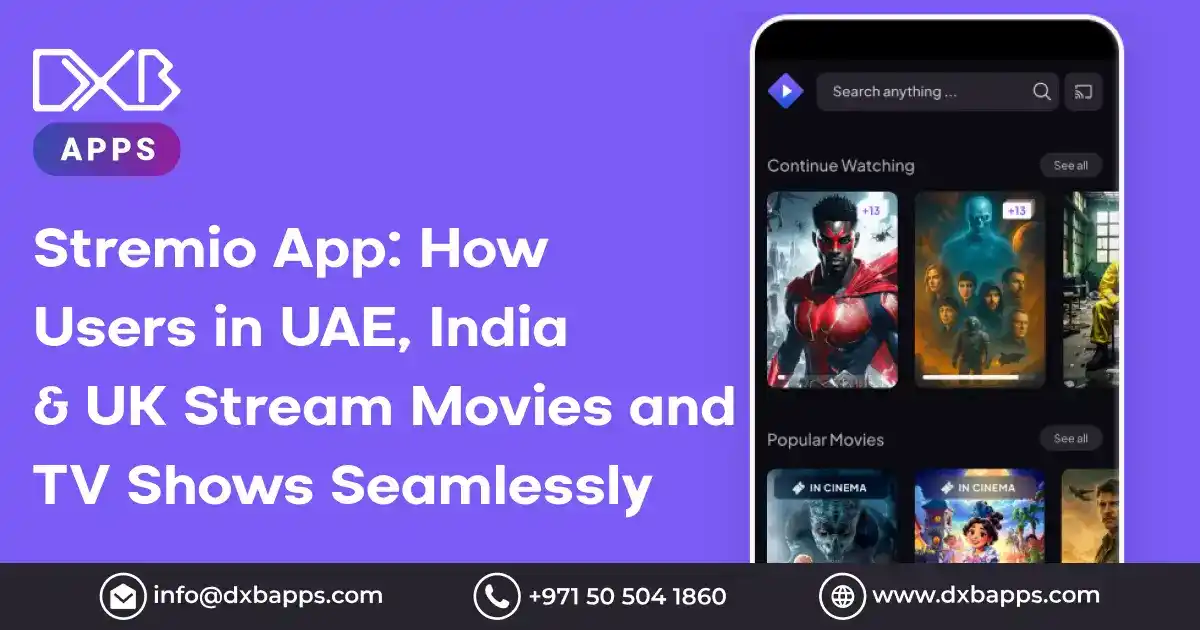
Imagine this: You are sitting at home and are about to relax after having had a good night of entertainment. The idea of subscribing to different streaming platforms only to change to another one to discover something worth watching is overwhelming. Having numerous choices of different movies and TV shows on the plethora of available platforms, the process of browsing across various applications can be both time-consuming and aggravating. This is where Stremio comes in to transform the streaming experience of the users in the UAE, India, and the UK.
Stremio has a loyal following of more than 20 million active users across the world. It is not an ordinary application, but a media hub that gathers content provided by various streaming services such as Netflix, Amazon Prime Video, YouTube and others all in a single application. In the UAE, India, or the UK, Stremio will provide a user-friendly and smooth experience that will help to avoid using several apps and subscriptions.
The unique feature of Stremio is the ability to customize their platform with add-ons so that users can customize their viewing experience by including streaming services that they are already subscribing to. It allows high-definition streaming and with very little buffering, the platform allows smooth playback even when the internet is slow. The recent added features have earned Stremio a reputation of providing a reliable, easy to use and quality streaming experience that customers in the UAE, India and the UK have come to depend on.
In this blog we will discuss what Stremio is, how it functions, and how it is revolutionizing streaming experience to users in the UAE, India and the UK by providing them with uninterrupted access to a vast amount of movies, television shows and live content all in a single platform.
What Is Stremio?
The Stremio is a state-of-the-art, all-encompassing, and streaming application, which enables users to access movies, television series and live TV through a single app, using various sources. The app was launched in 2015 and has quickly become popular because it is easy to use, it can aggregate content and stream without problems. Be it the content on the trendy sites like Netflix, Amazon Prime video, YouTube, or free streaming websites, all this is consolidated in Stremio, and it saves time and effort.
It has HD streaming, automatic content synchronization, and add-on services that enable users to personalize their viewing experience. Having more than 20 million active users around the world (as of 2026), Stremio has earned a firm reputation in providing consistent streaming and will require less buffering, even in regions with slower internet connections.
Stremio has been made available on various platforms among them windows, mac, linux, Android, and stremio IOS allowing consumers to stream their favourite content anywhere, anytime. It fosters a large number of languages and subtitles, serving the world market. When you use Stremio, you do not have to use only one app, but a media hub that will make life easier when it comes to streaming and finding stuff.
How Stremio Differs from Traditional Streaming Platforms?
Stremio streaming app also has a unique and more dynamic streaming experience in comparison with the established ones, such as Netflix, Hulu, and Amazon Prime. This is the way Stremio is better than its competitors in content access and functionality:
1. Content Aggregation Across Multiple Sources
As compared to traditional platforms where you are restricted to only one content library, Stremio pulls together all the content of different services such as Netflix, Amazon Prime, YouTube, HBO, and free streaming sites.
It enables users to find, explore and stream content across various sources through one platform, which saves them time in their effort to switch apps.
2. Geo-Restriction Bypass
Stremio has features that circumvent geo-restriction by enabling add-ons and use of VPNs that unrestrict access to a vast variety of content in foreign countries.
As the majority of more traditional services are limited by regions, Stremio has a more international content offering.
3. Customizable Content with Add-ons
The add-on platform of Stremio also allows the user to customize the streaming experience by adding numerous streaming services and sources of free content.
Stremio is very customizable to the individual viewing preferences of the users by allowing them to select what they prefer to watch on the platform, channel or even live television channels.
4. Free and Paid Content Integration
Whereas conventional applications have users paying to subscribe to premium accounts before they can access content, Stremio integrates both free and premium streaming platforms into one platform, giving users more options.
This allows users to enjoy more free streaming selections as well as their subscriptions.
5. Open-Source and Community-Driven
Stremio is an open-source platform and it is more user-centric due to the availability and presence of add-ons which are maintained by the community, this means that the users of this streaming can add their own contributions to it, besides making modifications and improving on their streaming.
This transparency and collaboration with the society of users will enable the app to gain credibility and trust among the other world.
Key Takeaway: Stremio’s content aggregation, ability to bypass geo-restrictions, and customizability make it a standout option for users looking for more than what traditional streaming platforms offer.

How Stremio Works for Streaming Movies and TV Shows?
Stremio is an innovative and productive way of watching stremio movies and TV shows by merging an alliance of sources and transmitting them to a single platform. The application enables one to discover, watch and manage their entertainment materials which are integrated easily across different streaming services so that having a smooth and customized streaming experience is easy.
What is the Role of Add-Ons in Stremio Streaming?
The feature that is putting it ahead of other platforms is the fact that Stremio has a strong add-on system that is important to the overall streaming experience. Add-ons are applications that enable users to combine and gain access to content on numerous streaming platforms and services. Add-ons do the following things in this way.
- Personalized Content Access: Add-ons enable users to choose specific streaming platforms e.g. Netflix, Amazon Prime, YouTube, and others directly in the Stremio interface. Users are able to select the platforms of their preference and access the content of various sources in a single place.
- Free Streaming Access: The add-ons have access to free streaming content of not as popular streaming services and websites, as well as community-created content. This gives it flexibility and access to a huge library of free films, television series and documentaries, which traditional streaming services might not have.
- Live television streaming: There are add-ons which allow access to live television channels, which offer a selection of programming worldwide. That will place Stremio on a competitive advantage against the older streaming services that might not offer live television content.
- Improved Discovery: Add-ons can also be used to showcase numerous subtitles and metadata so that users can find new things based on their watching history and interests. This simplifies the process of discovering programs and films that one would not have otherwise watched.
Content Sources and Playback Process
The fact that Stremio can pull content created by various sources allows it to be a wide-ranging streaming platform, giving the users an opportunity to stream without any inconvenience.
- Integrated Content Library: Stremio gathers both paid (ex: Netflix, YouTube) and free content, which is easily discovered in the user-friendly app interface.
- Add-On Content Integration: Once a user clicks a show or movie, Stremio will automatically find streaming options of a number of add-ons and it will display a list of links that a user can select.
- Playback Quality and Features: Stremio guarantees the provision of high quality playback of 60 frames per second with little buffering experience, optimizing the internet speed to give the user the most ideal streaming experience.
- Cross-Platform Streaming: Stremio also supports Windows, Mac, Android, and IOS, and your progress can be synchronized between all platforms, meaning that you can pause on one platform and pick up where you left off on another one.
- Automatic Updates and Syncing: Stremio maintains its content library with the latest releases and automatically synchronizes your account across devices so that you can experience an endless stream, regardless of your location.
What are the Key Features of the Stremio App?
Stremio app in UAE is a contemporary, open-source media center program that intends to gather video material of all types into one basic user-friendly framework. It is a giving place of films, television shows and web stations, and is available to stream in uninterrupted motion on any of the numerous devices, making it one of the most reliable streaming sites in the present day.
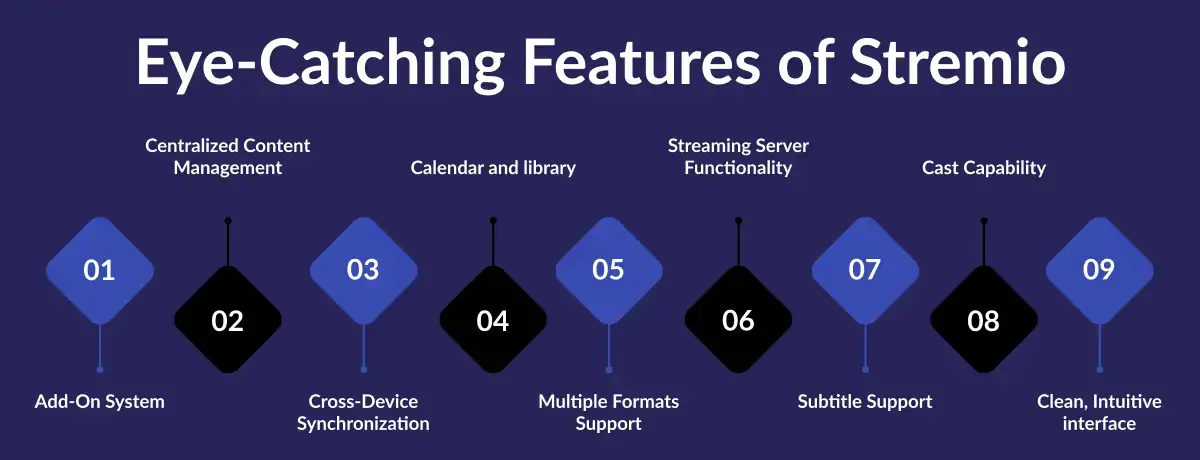
Key Features of the Stremio App Include:
- Add-On System: Stremio has a basic functionality of an add-on ecology that is flexible and community-driven to allow the user to stream content with various sources, such as torrents, YouTube or popular streaming applications like Netflix and Amazon Prime Video. This provides an extra customizability and improves content discovery.
- Centralized Content Management: Stremio is a streaming platform that has content management that is centralized to a single interface. This removes the inconvenience of having to move in and out of the various streaming applications in order to locate films or TV programs and offers a more convenient experience in watching shows.
- Cross-Device Synchronization: Under cloud synchronization, users can sign in to keep track of library, watchlist and continued watching progress on more than just one platform; Windows, Mac, Linux, Android, and Android TV. This aspect guarantees an uninterrupted streaming regardless of what device you are operating.
- Calendar and library: Stremio provides an inbuilt calendar which allows tracking of new shows and releases. This content organisation tool can assist users to follow their favourite shows and also keep their library tidy making it a handy way to watch their favourite series and movies.
- Multiple Formats Support: Stremio is compatible with high-resolution video playback with a 4K option, and users can watch movies and television shows in the best quality. It is also capable of locally playing files, so it is a more multifaceted application to stream all online content, as well as personal media files.
- Streaming Server Functionality: Stremio also has an inbuilt streaming server which enables users to stream content without necessarily downloading the entire file. This feature maximizes the streaming process, and less storage is required to store much content, as well as enhances content delivery.
- Subtitle Support: The app will automatically receive subtitles via community-created add-ons such as OpenSubtitles and make them more easily accessible, allowing users to listen to content in any language.
- Cast Capability: Stremio has Chromecast and other casting options, enabling users to cast content on their mobile devices or desktop to their smart TV to have a better viewing experience and thus it is a highly interactive platform.
- Clean, Intuitive interface: The simplicity of the interface is what makes Stremio the so-called customizable streaming hub: a Netflix with customizable design. The simplicity of navigation and simple setup can make even non-technical users enable them to be used in a short time, making Stremio a reliable application to watch movies and TV programs.
Why Stremio Is Trusted by Millions?
Stremio can boast the reputation of a trusted streaming provider and a smooth user experience, having more than 20 million active users across the globe. Its capability to integrate content with numerous different platforms, its community-based add-ons, and its advanced capabilities have made it be recognized as one of the highest-quality streaming platforms. Stremio has the tools and features that a casual viewer needs as well as a dedicated fan of TV shows to enjoy a high-quality experience in entertainment.
What are the Supported Devices and Platforms of the Stremio App?
Stremio for Android, Windows, Mac, and Linux
Stremio is an all-purpose streaming application that is compatible with many other platforms: Android, Windows, Mac, and Linux. You can watch your favorite movies and TV shows anywhere, anytime on your smartphone, tablet, PC, or laptop, and Stremio will make sure that it is always a high-quality experience.
- Android: The Android application of Stremio enables one to view their content library at any time. The app is mobile-friendly and responds to the touch on your smartphone or tablet. You can stream films and television shows, add films to your playlist, and carry on watching with all your devices.
- Windows/Mac: Stremio is compatible with Windows and Mac, which offers a desktop experience, with full screen mode, improved performance to stream high-quality videos, and a user-friendly interface. It has a smooth process of integrating the content of various sources and as such, there is easy access to the search and new shows as well as movies on your computer.
- Linux: Stremio works well and is stable on Linux users, allowing them to enjoy all its capabilities and be compatible with a wide range of Linux versions. This renders Stremio a good alternative to those users who use Linux as their preferred media streaming platform.
The Stremio APK for Android TV can be installed on the Android TV and enjoyed directly on the large screen streaming movies and TV shows.
Using Stremio on Smart TVs and Streaming Devices
Stremio brings its uninterrupted streaming services to Smart Television and other streaming devices such as Chromecast and Android TV, and you can comfortably watch what you like on a larger screen.
- Smart TVs: Stremio supports numerous Smart TVs, and its users will have an opportunity to stream their favorite content right in the application. The interface of the app is easy and simple to use, which makes it easy to navigate through your content library. You will have a vast selection of movies and TV programs, as well as live TV and all of that on your TV screen.
- Android TV: Stremio is optimized to work with Android TVs, which means that it has its own app. The app was designed with support of 4K video, easy navigation using a remote, and with the ecosystem of an Android TV, it provides you with complete control over what you want to watch with a few clicks.
- Chromecast: Stremio has Chromecast support and enables users to cast on their TVs both via their mobile devices or desktops. It is an ideal feature to the people who like streaming on their phones or computers only to have the bigger and more engaging experience on their TVs.
- Other Streaming Devices: Stremio is also compatible with other streaming devices such as the Amazon Fire TV, Roku, and Apple TV through the use of screen mirroring or casting so that many users can stream their content without interruption on the TV.
Stremio ensures that its users easily access their content on the largest screens in their living rooms by compatible devices like smart TVs, streaming devices, etc., and the ability to alternate between different devices does not compromise the quality of content provided by Stremio.
Stremio download for PC with the help of the official Stremio webpage, where you have to select the Windows version or Mac version, and thus, in a matter of minutes, you can install the app on your personal computer and begin watching movies and TV shows in high quality.

Is Stremio Free to Use?
Free Features vs Paid Add-Ons
Stremio has free capabilities as well as paid extensions, and a user has a choice of accessing and consuming content. Stremio's free version provides a powerful streaming platform, whereas add-ons are paid which enable more contents and features.
Free Features: The free version of Stremio offers broad access to numerous movies, TV shows and live TV through various sources. The user is able to browse, watchlist, and stream in HD. The calendar option to follow new episodes and the capacity to access files on the computer locally are also provided which makes it a complete functionality application to the majority of the users.
Paid Add-Ons: The paid add-ons of Stremio do provide access to premium content of widely used services such as Netflix, Amazon Prime Video, and other third-party services. The add-ons usually offer additional content options, such as original movies and TV shows that can be found in the free library. The features such as faster streaming with VPN built-in and premium subtitles can also be unlocked by the users.
The paid model of Stremio gives the user more value as he/she has the option to suit his/her experience to the add-ons and is not tied to a subscription of an all-inclusive application.
Any Hidden Costs or Limitations?
Although Stremio is free to use on its own, there are some considerations of importance:
Add-On Costs: The app is free; however, some content and features are paid with the help of certain add-ons. These charges are usually either a one-time fee or monthly subscription, depending on the add-on. By 2026, the premium add-ons cost will be between 5 and 10 dollars per month on average.
Geo-Restrictions: Some of the content can still be geo-restricted depending on your location. In other areas, users might require VPN in accessing some streaming services and this may imply extra expenses on the VPN service.
Few Official Content: The Stremio content library is mainly fueled by third-party add-ons because of this the content can be changed depending on the add-on that you are using. Stremio does not save the content in its own server, so the quality of streams and their presence is determined by the provider.
In general, Stremio provides a strong free experience, the user can add premium services and content by purchasing add-ons. No secret expenses are involved in using the app as such, however, certain services and features demand further purchases. This is a clear model which maintains that the users only pay what they want to see.
Is Stremio Legal and Safe to Use?
Legal Considerations for Streaming Apps
With streaming applications such as Stremio, one will want to know: Is Stremio legal?, and It should be noted that there is a legal issue of access to content, privacy and copyright risks. Although the application is not unlawful, the way people access the material can put them under the risk of legal liability.
Safety, Privacy, and Copyright Risks
Safety and Privacy
- Stremio also cares about the privacy of the users by not gathering personal information without any necessity. Nevertheless, following every streaming site, the user must be cautious with third-party add-ons. This may be an unofficial add-on that is potentially security threatening, like malware or data breach. To be on the safe side, it is advisable to install reputable add-ons and VPNs to encrypt the internet traffic.
- Stremio itself does not store any content, though some third-party add-ons may be tracking users or may need extra permissions. To ensure your online privacy, it is always important to read the permissions and privacy policies of the add-ons.
Copyright Risks
- Accessing pirated content and illegally accessing illegal sources through unofficial add-ons are a serious copyright threat. It is not a host and, although there are third-party add-ons, some may be connecting to pirated streams that may be subject to copyright lawsuits. To remain on the right side of the law, users should not use unofficial add-ons which will stream pirated content.
- Up to 2026, in some jurisdictions, streaming pirated material may result in a fine or even prosecution, particularly when the user is found redistributing or hosting copyrighted content without a licence. To avoid this risk, it is important to always stream copyrighted content or install official paid add-ons that are provided by content makers such as Netflix or Amazon Prime.
Geo-Restrictions
- Numerous streaming platforms use the concept of geo-blocking whereby they restrict access to content depending on the location. Although Stremio does not need to use VPNs to overcome some form of geo-restrictions, users must note that geo-restrictions are told to override the conditions of service of some platforms.
- In certain nations, it is prohibited by strict laws to get around geo-restrictions, hence accessing the content that is not offered in your region could open up to legal consequences by the streaming companies.
For users wanting to install directly on mobile devices, you can Stremio APK download for Android from the official Stremio website.
Is Stremio Legal in UAE, India, UK, and USA?
Stremio Usage Rules in UAE
The internet censorship law in the UAE makes the use of streaming applications such as Stremio very stringent. Although the application is not strictly prohibited, geo-restrictions would prevent access to specific content.
Also, it might be a criminal offense to stream pirated or unlicensed data through third-party add-ons. As a precaution, the users in the UAE are recommended to install licensed add-ons and can also consider using a VPN to conceal privacy and at the same time remain law-abiding.
Stremio Legal Status in India
Stremio has been legal in India though the user should be careful in accessing content. Copyright legislation is very strict and streaming pirated programs or downloading of unofficial add-ons that connect with the illegal streams may result in fines.
Although the official features of Stremio do not break the law, the third-party add-ons may make the users vulnerable to copyright violation. Also, the use of VPN to circumvent geo-restrictions is widespread and needs to be applied in a responsible manner.
Stremio UK and USA Regulations
In the UK and the USA, Stremio is considered legal and popular in the country with the right to stream the content of authorized services. Nonetheless, the potential users must know about the Digital Millennium Copyright Act (DMCA) and parallel acts in the UK that govern the copyright infringement.
Watching pirated music or videos or bypassing geo-blocking with the help of Stremio may lead to legal consequences because both nations have robust copy protection regulations. Only official add-ons are advised to ensure that one is in line with such regulations.
Do Users in UAE, India & UK Need a VPN for Stremio?
When VPN Usage Is Required
- To remove geo-restrictions placed on content providers by content providers, a VPN (Virtual Private Network) is frequently necessary to use Stremio. A lot of streaming services restrict the access to some content depending on where you are.
- VPN has the ability to hide your IP address and it may seem like you are accessing content in a new country and therefore you can stream content that cannot be accessed in your location.
- VPNs are also useful in keeping your privacy intact when using third-party add-ons so that no one can know your data and browsing activity. Besides, a VPN can also be used to bypass the service throttling by an ISP, which can happen when you are watching high-definition streaming and your internet provider limits your bandwidth.
Laws and security Concerns of Using VPN
Although the use of VPN is not restricted in the majority of countries, such as the UAE, India, the UK, or the USA, some significant legal and security aspects should be considered:
- Legal Implications: Some jurisdictions such as the UAE consider breaking content blocking laws with the assistance of a VPN a crime, especially in accessing pirated content. In the terms of service, the streaming service will normally state that the VPNs are not permitted to be used to bypass the geo-restrictions and, therefore, going around the geo-restrictions using the VPN can be a violation of the terms of service and, therefore, can result in account suspension or any other punishment.
- Security risks: The use of unreliable or free VPN services, such as data breach or malware infection may be a security risk to the user. The adequate consideration should be given to the choice of the credible VPN provider with the high level of encryption and the policy of no-logs to ensure that the privacy of the data is assured. Furthermore, free VPNs are able to spy on the users or sell the data on what the user is browsing, which is contrary to the utilization of the VPN in ensuring privacy.
Even though VPNs have tremendous advantages in regards to access of geo-restricted information and enhanced privacy overall, the legal policies of the countries of operation and the threat of cybercrime should be taken into consideration when selecting a VPN provider. When you have an opportunity, consider that you follow the guidelines of the content providers and use the VPN services of good quality and safety.
How to Download and Set Up Stremio?
Step-by-Step Stremio Installation Guide
Stremio app download and installation is a simple and straightforward process. Follow these easy steps to get the app up and running on your preferred device.
Download Stremio:
- Android: Go to the Google Play Store and search for Stremio. Click Install to download the app.
- Windows/Mac/Linux: Visit the official Stremio website and download the version compatible with your operating system.
- Android TV: Access the Google Play Store on your Android TV and search for Stremio.
Install the App:
- After downloading, follow the on-screen instructions to install Stremio. Once installed, launch the app to begin the setup process.
Sign Up or Log In:
- If you’re a new user, click on the Sign Up option and create an account using your email or social media accounts.
- If you already have an account, click Log In and enter your credentials to access your existing Stremio library.
Launch Stremio:
- Once logged in, you’ll be taken to the home screen, where you can start exploring the content library, watchlist, and settings.
Setting Up an Account and Add-Ons
To fully customize your Stremio experience, setting up an account and adding third-party add-ons is essential for accessing a wide range of streaming content.
Set Up an Account:
- Sign Up: If you haven’t already created an account, you can sign up directly within the app using your email or a Google account.
- Login: After signing up, log in to sync your library, watchlist, and preferences across devices.
Install Add-Ons:
- Access Add-Ons: In the Stremio app, go to the Add-ons tab to browse available add-ons. Here, you can choose from a variety of official and community-driven add-ons.
- Search for Add-Ons: Use the search bar to find specific services like Netflix, YouTube, or even free content sources like torrent streaming or live TV.
- Install Add-Ons: Simply click on the add-on you want to install and press the Install button. Stremio will automatically integrate the add-on into your app, allowing you to start streaming immediately.
Customize Add-Ons:
- Once your add-ons are installed, you can go to the Settings menu to manage and prioritize your installed add-ons. This way, you can tailor your Stremio experience based on your preferred streaming sources.
Stremio Web allows users to access and stream content directly from their browser, offering a convenient way to enjoy movies and TV shows without needing to install the app on a device.
What are the Best Stremio Add-Ons for Movies and TV Shows?
Popular and Trusted Add-Ons
Stremio addons provide access to a wide variety of content. Some of the most popular and trusted add-ons include:
- Netflix Add-On: Stream Netflix content directly within Stremio without switching apps.
- YouTube Add-On: Access all YouTube videos, channels, and playlists in one place.
- Plex Add-On: Integrates your Plex media library with Stremio for easy streaming.
- Tubi Add-On: Access a wide range of free, ad-supported movies and TV shows.
- OpenSubtitles Add-On: Automatically fetch subtitles in multiple languages for a more accessible experience.
- RARBG Add-On: A reliable torrent-based add-on for free movies and TV shows.
- FilmOn Add-On: Stream live TV channels, including news, sports, and entertainment.
These add-ons provide high-quality streaming from both paid and free sources.
How to Manage and Remove Add-Ons?
Manage Add-Ons
- Go to the Add-ons tab in Stremio to view installed add-ons.
- Reorder and prioritize add-ons to customize your content sources.
Remove Add-Ons
- Click on the three dots next to an add-on and select Uninstall to remove it.
- To fix issues, go to Settings and click Clear Cache for specific add-ons.
Reinstall Add-Ons
- If needed, search for the add-on in the Add-ons section and click Install to reinstall.
Managing and removing add-ons allows you to keep your Stremio experience tailored to your preferences.
Stremio vs Other Streaming Apps
Stremio vs Kodi
Stremio and Kodi are both popular media streaming platforms, but they differ in ease of use and functionality:
- User Interface: Stremio offers a clean, easy-to-use interface, ideal for beginners. Kodi is more customizable but requires more technical setup.
- Content Access: Stremio’s add-ons allow access to both paid (Netflix, YouTube) and free content (torrents). Kodi relies heavily on third-party add-ons, which may include pirated content.
- Device Compatibility: Stremio works across Windows, Mac, stremio Android, and Linux, with additional support for Android TV and Chromecast. Kodi supports more custom setups like smart TVs and set-top boxes.
- Streaming Quality: Stremio ensures smooth, HD streaming with 4K support. Kodi’s streaming quality depends on the add-ons used.
- Privacy & Security: Stremio supports VPNs natively for privacy, while Kodi requires additional tools for secure streaming.
In short, Stremio is better for users seeking a simple setup and access to various content, while Kodi is more suited for customization and control over the streaming experience.
Stremio vs Netflix, Prime Video, and Disney+
Here’s how Stremio compares to Netflix, Prime Video, and Disney+:
- Content Variety: Stremio aggregates content from multiple services, including Netflix, Prime Video, Disney+, and free sources, while the others limit you to their own libraries.
- Cost: Stremio is free, with some paid add-ons, while Netflix, Prime Video, and Disney+ charge monthly fees (ranging from $8.99 to $14.99).
- Flexibility: Stremio offers greater flexibility, allowing access to both paid and free content in one place. Netflix, Prime Video, and Disney+ restrict you to their own ecosystems.
- User Experience: While Netflix, Prime Video, and Disney+ offer curated content and polished interfaces, Stremio allows for customization through add-ons.
Stremio provides diverse content and flexibility at a lower cost, while Netflix, Prime Video, and Disney+ offer exclusive content and a more polished experience.
What are Common Stremio Issues and How to Fix Them?
Buffering and Playback Errors
Buffering and playback errors can disrupt your streaming experience on Stremio, but there are a few solutions to ensure smooth streaming:
- Slow Internet Connection: Buffering issues often occur due to a slow internet connection. Make sure you have a stable internet connection with a speed that supports HD or 4K streaming. Ideally, aim for a connection speed of at least 5 Mbps for HD and 25 Mbps for 4K.
- Clear Cache: Sometimes, cached data can interfere with playback. Go to Settings in Stremio and clear the cache for specific add-ons to fix playback issues.
- Reduce Streaming Quality: If your internet speed is not ideal, consider lowering the streaming quality within Stremio’s settings to reduce buffering.
- Restart the App: Close and reopen Stremio to resolve any temporary glitches or conflicts affecting playback.
- Use a VPN: If you're encountering buffering due to ISP throttling, try using a VPN to bypass restrictions and improve streaming performance.
Add-On Not Working Solutions
If a Stremio add-on is not working properly, follow these steps to troubleshoot:
- Check Add-On Settings: Ensure the add-on is correctly installed and configured. Some add-ons may require login or additional setup.
- Update Add-Ons: Go to the Add-ons tab and check if there’s an update available for the add-on. Outdated add-ons can cause compatibility issues.
- Reinstall the Add-On: If the add-on continues to malfunction, uninstall and reinstall it. This can often resolve issues related to corrupted files or configuration problems.
- Clear Cache: If the add-on is working but not showing recent content, clearing the cache can resolve issues with old data being used in the app.
- Check for Server Issues: Some add-ons may rely on external servers that can occasionally go down. Check online forums or Stremio's support channels to see if the issue is widespread or server-related.
By following these troubleshooting steps, you can often resolve buffering issues and get your Stremio add-ons working smoothly again.
What are the Pros and Cons of Using Stremio?
Advantages for Global Users
Stremio offers several key benefits for global users:
- Access to Global Content: Stream movies, TV shows, and documentaries from services like Netflix, Amazon Prime Video, YouTube, and free sources, all in one platform.
- Geo-Restriction Bypass: Use a VPN and third-party add-ons to unlock region-locked content, benefiting users in countries with limited access to certain platforms.
- Multi-Language Support: Enjoy content with subtitles and in multiple languages, making it accessible to a diverse audience.
- Cross-Platform Syncing: Sync your library and watchlist across devices, including Windows, Mac, Android, and iOS.
- Free to Use: Many add-ons offer free content, making it an attractive option for users who want affordable streaming.
Limitations You Should Know
Despite its advantages, Stremio has some limitations:
- Dependence on Add-Ons: Content quality and availability depend on third-party add-ons, some of which may link to pirated sources.
- Legal Risks: Using unofficial add-ons can expose users to copyright violations and legal issues.
- Add-On Maintenance: Some add-ons may become outdated or stop working, causing frustration.
- Geo-Restrictions: While Stremio helps bypass geo-blocking, not all content is available worldwide, and some add-ons may still be restricted.
- No Native Content: Stremio aggregates content from external sources, so you depend on those for streaming, leading to inconsistent quality.
Stremio offers global access, affordability, and flexibility, but it requires caution when using add-ons to avoid legal and content-related issues. To Stremio download, visit the official website and select the appropriate version for your device, whether it's Windows, Mac, Linux, or Android.
Who Should Use Stremio?
Best Use Cases by Country
Stremio offers different benefits depending on where you’re located, making it a versatile streaming option for users around the world.
- UAE: Due to strict geo-restrictions on streaming platforms, Stremio is a great choice for users in the UAE who want access to global content. Using a VPN and Stremio’s add-ons, users can unlock streaming services that may otherwise be unavailable in the region, ensuring access to diverse content.
- India: With its diverse entertainment preferences, India benefits from Stremio’s wide selection of regional and international content. From Bollywood films to Hollywood blockbusters, and free streaming options, Stremio offers an affordable and convenient solution for Indian users who want a comprehensive library of content.
- UK & USA: For users in the UK and USA, Stremio serves as an aggregator that brings together content from platforms like Netflix, Prime Video, and Disney+, making it easier to find and watch shows without jumping between multiple apps. It also provides access to free streaming options alongside premium services, offering great flexibility.
| Country | Benefits of Stremio | Key Features |
|---|---|---|
| UAE | Due to strict geo-restrictions, Stremio helps users in the UAE access global content. By using a VPN and Stremio add-ons, users can unlock streaming services otherwise unavailable. | Bypass geo-restrictions, access diverse global content, use VPN for extra security. |
| India | India benefits from Stremio’s wide selection of regional and international content, from Bollywood to Hollywood. It offers an affordable and convenient streaming solution. | Access to Bollywood and Hollywood movies, free streaming options, affordable content library. |
| UK & USA | In the UK and USA, Stremio aggregates content from services like Netflix, Prime Video, and Disney+, making it easy to find and watch shows without jumping between apps. | Content aggregation, access to both free and premium content, easy navigation. |
Is Stremio Right for You?
Stremio is a great choice if you want a flexible, all-in-one streaming solution. Here’s who should consider using it:
- Global Content Seekers: If you’re looking for access to diverse content from multiple platforms, including international and free sources, Stremio is a perfect fit.
- Budget-Conscious Users: If you want to stream without multiple subscriptions, Stremio offers free content through its add-ons, making it a budget-friendly option.
- Tech-Savvy Streamers: If you're comfortable using VPNs and add-ons, Stremio provides a customizable, powerful streaming experience.
- Regionally Restricted Users: If you live in a country with geo-restrictions, Stremio allows you to bypass these and unlock global streaming libraries.
However, if you prefer a simpler experience with curated content and don't want to manage add-ons, platforms like Netflix or Prime Video might be a better fit.
What are the Best Stremio Alternatives?
Top Stremio alternative for streaming and media management include:
Kodi
Kodi is a highly customizable, open-source media player that offers users a powerful platform for organizing and streaming content. It supports a wide range of add-ons, both official and third-party, which enable access to a diverse array of streaming services.
Kodi’s flexibility makes it the go-to "all-in-one" solution for users looking to stream movies, TV shows, live TV, and more, while also offering full customization for creating a personalized media center.
Plex
Plex is a robust media server solution that allows users to organize and stream their personal media libraries. Plex supports local content and can be used alongside services like Real-Debrid to enhance streaming performance.
Known for its superior remote access features, Plex lets you manage, access, and stream your media from anywhere, making it an excellent choice for users who want more control over their media collection and remote streaming.
Syncler+
Syncler+ is a user-friendly alternative for Android TV, widely regarded for its performance and simplicity. It is designed for users who prefer an easy setup and streamlined streaming experience without the need for complex configuration.
Syncler+ supports integration with popular services and is a top choice for Android TV users who want fast, reliable access to a broad selection of content.
Cloudstream
Cloudstream is an open-source Android app that simplifies access to a variety of streaming providers and sources. Unlike other streaming apps, Cloudstream does not require a complicated setup, making it ideal for users who want a quick and easy streaming solution.
Its clean interface and reliable performance make it a popular choice for Android users looking to access diverse content from multiple sources.
Weyd
Weyd is a dedicated Android TV application known for its reliability and sleek, easy-to-navigate interface. It provides a seamless streaming experience, making it a favorite among Android TV users who prioritize user experience and smooth operation.
Weyd’s streamlined design and performance have earned it a strong reputation as one of the most reliable media streaming apps for Android TV.
DebridStream/Debridio
These are specialized, fast streaming tools designed for users who seek the benefits of Real-Debrid. These tools enhance the streaming experience by providing higher-quality links and faster streaming speeds, particularly when accessing content from torrent sources.
DebridStream and Debridio are essential for those who want to optimize their streaming performance and access premium content with minimal buffering.
JustWatch
JustWatch is a top-rated streaming guide that helps users find where movies and TV shows are available across various streaming platforms. By aggregating information from a wide range of services, JustWatch makes it easy for users to track where their favorite content is streaming, saving time and effort.
It's an excellent tool for those who want to explore streaming options and keep track of where they can watch the latest releases.
| Platform | Description | Key Features |
|---|---|---|
| Kodi | A highly customizable, open-source media player, often used with third-party add-ons to stream, making it an all-in-one media solution. | Highly customizable, supports third-party add-ons, media player for various content types. |
| Plex | A robust media server that organizes and streams your personal content, offering better remote access than Stremio. | Personal media server, Real-Debrid support, remote streaming, excellent organization features. |
| Syncler+ | A user-friendly alternative tailored for Android TV, known for its performance and simplicity. | Easy setup, high performance, optimized for Android TV. |
| Cloudstream | An open-source Android app that provides access to various streaming providers without the need for complex setup. | Open-source, no complex setup, quick access to multiple sources. |
| Weyd | A dedicated Android TV app known for its reliability and smooth interface. | Sleek interface, reliable streaming, optimized for Android TV. |
| DebridStream / Debridio | Specialized tools for fast streaming with Real-Debrid, improving streaming quality and speed. | Fast streaming, Real-Debrid integration, high-quality links and faster streaming speeds. |
| JustWatch | A top-rated streaming guide that helps users find where movies and TV shows are available across streaming platforms. | Aggregates streaming availability, easy to track content across platforms. |
How DXB APPS Builds the Best Mobile Apps in UAE?
DXB APPS is widely recognized for building some of the best live streaming app development in UAE by focusing on a perfect blend of innovation, user-centric design, and advanced technology. Here's how DXB APPS ensures the creation of high-quality, reliable mobile apps:
- Customized Solutions: DXB APPS tailors each app to meet the unique business needs of clients in industries like e-commerce, healthcare, finance, and education.
- User-Centric Design: The team of mobile app developers prioritizes creating intuitive interfaces and smooth navigation, ensuring an exceptional user experience for both iOS and Android platforms.
- Cutting-Edge Technology: By leveraging the latest development frameworks, tools, and technologies, DXB APPS builds fast, reliable, and scalable mobile app development Dubai solutions that are built to grow with the business.
- Security & Compliance: Security is a top priority, ensuring data protection and compliance with local regulations for peace of mind.
- Agile Development Process: The team uses an agile methodology, allowing for flexibility in adapting to client feedback and ensuring a more iterative and efficient development cycle.
- Performance Optimization: Apps are optimized for high performance and reliability, minimizing downtime and ensuring a seamless user experience.
- Market Expertise: With a deep understanding of the UAE market, DXB APPS delivers app development Dubai solutions that cater to local business challenges and help clients stand out in a competitive landscape.
By combining innovation, customization, and cutting-edge technology, DXB APPS ensures that mobile application development Abu Dhabi solutions not only meets client expectations but also drives business growth and innovation. Web development in Dubai is thriving, with companies like DXB APPS offering innovative, custom-built solutions to help businesses create responsive, user-friendly websites that enhance their online presence.
Final Verdict – Is Stremio Worth Using?
Stremio provides a streaming platform that is easy to use in the UAE, India and the UK and can support the various entertainment needs of the different regions. In the UAE it is possible to go around and use VPNs and add-ons to view the global contents bypassing the geo-restrictions. Stremio also offers a broad range of local and international content to Indian users, and this makes it a relatively cheap and easy to use platform. Meanwhile, Stremio collects content of various streaming services in the UK and the USA making it easier to access both premium and free content under a single roof.
Wherever you go, the convenient interface, add-on customization, and cross-platform syncing of Stremio offers a flexible and all-encompassing streaming system. You are sure to find Hollywood blockbusters, Bollywood hits and the latest TV shows on Stremio, and now you can stream whatever you want, anytime and anywhere.
Frequently Asked Questions
What is Stremio and how does it work?
Stremio is a media streaming app that acts as a central hub for accessing movies, TV shows, and live TV from various streaming services. It uses an add-on system to integrate content from platforms like Netflix, Amazon Prime Video, YouTube, and free sources like torrents. Stremio provides a unified interface, making it easy to search, discover, and stream content from multiple services all in one place.
Does Stremio host movies or TV shows?
No, Stremio does not host any content itself. It aggregates content from third-party streaming services and provides access to them via add-ons. Stremio acts as a media center that pulls content from various sources, allowing users to stream movies and TV shows through integrated services but does not store or host any content directly.
Is Stremio free to use in 2026?
Yes, Stremio is free to use in 2026. The app itself is completely free to download and use, and many of its add-ons provide access to free streaming content. However, some add-ons that offer premium content or additional features may require a paid subscription or one-time payment. Still, the core functionality and access to a wide range of content remain free.
Is Stremio legal to use in UAE, India, and the UK?
Stremio itself is legal to use in the UAE, India, and the UK, but users should be cautious about the add-ons they install. Stremio does not host any content but relies on third-party add-ons, and some may link to pirated or unlicensed content. In countries with strict copyright laws, like the UAE, it's important to use legal add-ons to avoid potential legal issues. In India and the UK, as long as users are streaming licensed content or using legal add-ons, Stremio is perfectly legal.
Is Stremio safe to use without third-party add-ons?
Yes, Stremio is safe to use without third-party add-ons. The app itself is secure and allows users to stream content from official and legal add-ons like Netflix and YouTube. Third-party add-ons, however, can sometimes expose users to security risks, including malware or privacy concerns. To ensure safety, it’s recommended to only use trusted add-ons or stick to official services within Stremio.
Do users in UAE, India, and the UK need a VPN for Stremio?
In the UAE, a VPN is often needed to bypass geo-restrictions and access blocked content. In India, a VPN is typically unnecessary but can help with accessing region-locked content. In the UK, a VPN is not usually required for streaming, but it can be useful for accessing content from other regions or for enhanced privacy.