Imagine you’re on an important client call and trying to write down every detail. While taking notes, you miss something important. That can be frustrating. A call recording app solves this problem. It lets you focus on the conversation while recording the call so you can listen again later. This makes the call recorder app very useful for professionals like journalists, lawyers, transcriptionists, and customer service teams.
Today, there are many phone recording apps available. Some are free, while others offer advanced features. With so many options, choosing the best call recording app in 2026 can be confusing. Whether you need a call recording app for Android, a free call recorder app for iPhone, or a simple app to record phone calls, this guide will help you find the right one.
What is a Call Recording App?
Call recording apps are mobile applications that let users record and save phone conversations on their smartphones. These apps offer features such as automatic or manual call recording, playback, and easy management of recorded calls. Users can organize, archive, share, and review recordings whenever needed.
Call recordings are commonly used for business communication tracking, customer support, training, and legal documentation. Both Android and iOS devices support call recording apps, making them useful tools for individuals and organizations that need accurate call records for reference, transparency, and compliance.
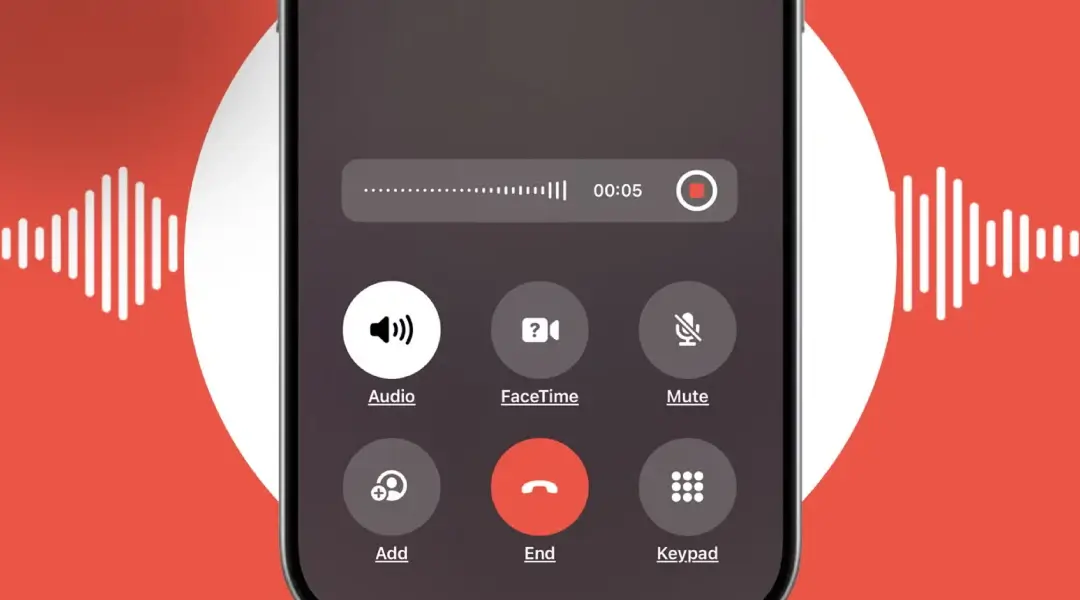
Why Should You Use An App to Record a Phone Call?
There are many reasons why you might choose to use an app to record phone calls. Call recording app help capture conversations accurately, ensuring important information is never lost or forgotten.
Professional and Personal Use Cases
Many iPhone and Android users rely on call recording apps to record interviews, work meetings, and other professional conversations.
These recordings may be used for personal reference, workplace decision-making, training purposes, or even as content for podcasts and other audio productions.
Recording calls allows users to revisit discussions and retain important details that might otherwise be missed. Many professionals use a WhatsApp call recorder to document interviews and business calls
Advantages of Purpose-Built Call Recording Apps
Using a dedicated call recording app offers several benefits. Standard recording apps or secondary devices often produce poor audio quality or fail to capture both sides of a conversation.
Purpose-built call recording apps are designed to overcome these issues by recording clear, high-quality, multi-channel audio. This ensures complete and reliable call recordings whenever you need them.
What to Consider When Choosing a Phone Call Recording App?
When choosing a phone call recording app, it is important to carefully evaluate the features the application offers. While some apps provide only basic recording capabilities, others include advanced features that enhance usability and support a wider range of purposes for recorded content.
Sound Quality
Sound quality should be a top priority when selecting call recording software. High-quality apps ensure clear audio capture, making even low-volume speech and subtle sound details easy to hear.
This is especially important if recordings will be used for professional review or shared as part of podcasts or other audio productions. Many apps allow recordings to be downloaded or exported in formats such as WAV, which preserves higher audio quality, or MP3, which offers smaller file sizes for easier sharing.
Multi-Channel Recording
Multi-channel recording is another key feature to consider. This functionality allows audio to be captured from multiple sources during a call.
While some apps record only one side of a conversation, more advanced apps can capture both sides or multiple participants. This results in a more complete and accurate recording of the conversation.
Video Compatibility
Video compatibility can be an important consideration, particularly when recording calls intended for public distribution on platforms such as podcasts or social media. Some call recording apps support video capture from FaceTime or other video conferencing tools, enhancing the completeness and versatility of the final recording. A reliable app for video call recording ensures high-quality audio and video playback.
Editing Features
Editing capabilities play a significant role in determining the usefulness of a call recording app. Basic apps may provide only unedited recordings, whereas advanced solutions offer built-in tools for trimming, cutting, and adjusting audio. These features allow users to refine recordings directly within the app, making it easier to extract relevant segments without using external software.
Storage Options
Storage is another critical factor when evaluating call recording apps. Some apps store recordings internally, while others allow exports to device storage or secure cloud platforms. A reliable recording app should offer flexible and secure storage options to protect important data and ensure easy access when needed.
Distribution and Sharing
Finally, efficient saving and sharing features are essential. Some recording apps limit export or sharing capabilities, while others provide user-friendly options for distributing recordings across devices or platforms.
A reliable call recorder makes it easy to record phone calls without missing important details.
Planning to Build a High-Quality Mobile App for Your Business?
DXB APPS is an leading mobile app development company in UAE delivering secure, scalable, and performance-driven solutions for Android, iOS, and cross-platform apps. Our expert developers works closely with you to align every app with your business objectives and industry standards.
Get a Free ConsultationWhat Makes a Great Call Recording App?
Before exploring the list, it’s important to understand what distinguishes a good call recording app from a truly great one. While individual requirements may differ, the following factors are essential when choosing the right solution:
- Ease of use: A simple and intuitive interface ensures you can record calls without distraction or confusion.
- Audio quality: Clear, high-quality recordings are essential, particularly for professional tasks such as transcription.
- Integration: Compatibility with cloud storage, transcription services, or productivity tools can significantly improve efficiency.
- Device compatibility: The app should function smoothly on your preferred platform, whether Android or iOS.
- Legal compliance: Many apps offer built-in notifications or consent prompts to help users comply with local call recording laws.
Best Recording Apps for iPhone
Recording apps for iPhone make it easy to capture clear audio for meetings, interviews, podcasts, and personal notes with just a tap. With advanced features like noise reduction, editing tools, and cloud sharing, they turn your iPhone into a powerful recording device. Below mentioned are some prominent call recording apps for iPhone:
1. TapeACall
Developer: Epic Enterprises
Price: $7.49/month
Rating: 3.8 stars
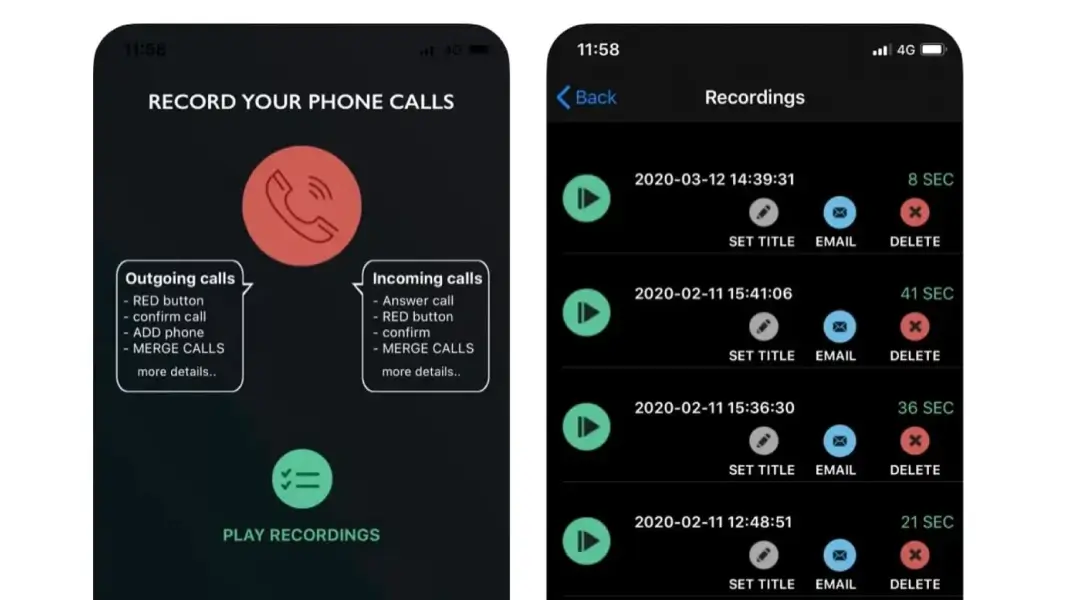
Using TapeACall, users can easily record, organize, and manage phone call recordings without interrupting their conversations. The app is designed for simplicity and reliability, making it suitable for professionals who need accurate call documentation. TapeACall delivers clear, high-quality audio recordings and also includes built-in transcription tools, allowing users to quickly convert calls into written text for review, sharing, or record-keeping. With a trusted call recorder iPhone, you can review calls anytime without missing details.
Key features:
- In-built transcription tools: Automatically convert recorded calls into text, saving time and making it easier to review important discussions or extract key points.
- Easy sharing options: Seamlessly share call recordings across multiple platforms, including email, cloud storage, or collaboration tools.
- Call and meeting scheduling: Schedule recordings in advance to ensure important calls and meetings are captured without manual setup.
This combination of recording, transcription, and organization tools makes TapeACall a practical solution for business professionals, journalists, and anyone who needs reliable call records.
2. Call Recorder iCall
Developer: Appitate LLC
Price: $22.99/month
Rating: 3.8 stars
The iCall app allows users to record both incoming and outgoing calls with ease, making it simple to capture unlimited conversations whenever needed. Designed with simplicity in mind, the app features an intuitive interface and reliable performance. It also offers flexible storage options, helping users securely save and organize their call recordings without hassle.
Key features:
- One-tap interface: Start recording calls instantly with a simple, user-friendly design that requires minimal effort.
- Unlimited call recordings: Capture and store as many incoming and outgoing calls as needed without restrictions.
- Customer support assistance: Dedicated customer service is available to help resolve technical issues and ensure a smooth user experience.
This makes Call Recorder iCall a convenient choice for users who want unlimited recording capabilities combined with ease of use and dependable support.
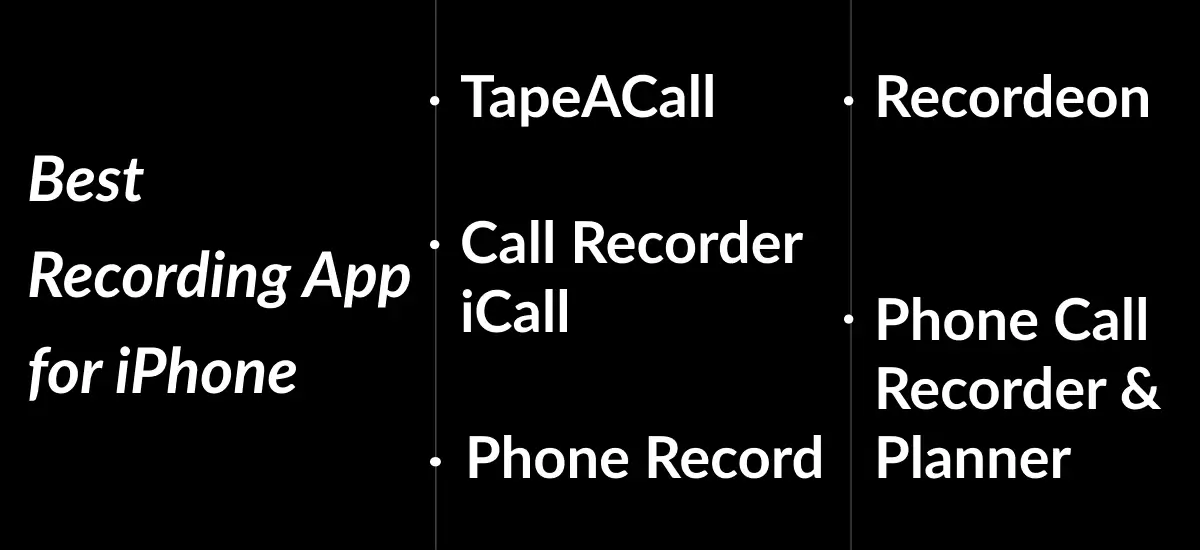
3. Phone Record
Developer: EverySun Ltd
Price: $24.49/month
Rating: 4.6 stars
With the Phone Record app, users can record a wide range of phone calls instantly with a single tap. The app is designed for convenience and productivity, offering high-quality call recordings along with powerful post-recording tools. Its built-in editing features and advanced speech-to-text technology make it especially useful for professionals who need accurate, well-organized call records.
Key features:
- Built-in editing and trimming tools: Easily cut, trim, and refine call recordings after they are captured, without needing external software.
- Secure cloud storage: Store recordings safely in the cloud, ensuring important conversations are backed up and accessible anytime.
- Advanced speech-to-text transcription: Automatically convert calls into text in over 50 languages, making it easy to review, search, and share conversations.
With its combination of recording, editing, cloud storage, and multilingual transcription, Call Recorder- Phone Record is a versatile solution for both personal and professional call management.
4. Recordeon
Developer: Smertrios
Price: $112.99
Rating: 4.5 stars
With a clean, user-friendly interface, Recordeon allows users to easily record audio from both incoming and outgoing phone calls. The app is built for reliability and performance, offering powerful recording tools that ensure clear audio capture. Recordeon also makes it simple to manage, organize, and share completed recordings, making it suitable for both personal and professional use.
Key features:
- Recording management tools: Easily organize, label, and manage recorded calls for quick access and efficient storage.
- Voice memo recording: Record voice notes and memos directly within the app for reminders, ideas, or additional documentation.
- Online support access: Get help through dedicated online support whenever technical assistance is needed.
With its combination of ease of use, strong recording performance, and flexible management options, Recordeon is a practical solution for users who need dependable call recording and audio organization tools.
5. Phone Call Recorder & Planner
Developer: Data & Limited
Price: $14.99/month
Rating: NA
Using the Phone Call Recorder & Planner app, one of the top voice call recorder, users can plan and organize call recordings in advance by setting reminders, ensuring important calls are never missed. The app also supports in-call note-taking, making it easier to capture key points during professional conversations. With simple storage and sharing options, managing recorded calls is both efficient and convenient.
Key features:
- Call reminder scheduling: Set reminders within the app to prepare for and record important calls on time.
- In-call note-taking: Add notes during live calls for better documentation and professional use.
- Recording management tools: Organize, store, and share call recordings effortlessly.
This phone call recorder app is ideal for users who need structured call planning, note-taking, and reliable recording management in one place.
| No. | App Name | Developer | Price | Rating | Key Features |
|---|---|---|---|---|---|
| 1 | TapeACall | Epic Enterprises | $7.49/month | 3.8 | In-built audio transcription Easy sharing across platforms Call & meeting scheduling |
| 2 | Call Recorder iCall | Appitate LLC | $22.99/month | 3.8 | One-tap recording interface Unlimited call recordings Dedicated customer support |
| 3 | Phone Record | EverySun Ltd | $24.49/month | 4.6 | Editing & trimming tools Secure cloud storage Speech-to-text (50+ languages) |
| 4 | Recordeon | Smertrios | $112.99 (one-time) | 4.5 | Recording management tools Voice memo recording Online support access |
| 5 | Phone Call Recorder & Planner | Data & Limited | $14.99/month | NA | Call reminder scheduling In-call note-taking Recording management |
Best Recording App for Android
Choosing the right call recorder Android ensures clear audio quality and secure storage. If you’re an Android user, these are 5 of the best apps for recording phone calls directly on your device.
1. Cube ACR
Developer: Cube Apps Ltd
Price: Free (+ paid extra features)
Rating: 4.1 stars
Using the Cube ACR app, one of the best call recording app, users can easily record phone calls on Android devices with reliable performance and clarity. The app supports automatic recording features and flexible storage options, making it simple to manage and save important conversations. Cube ACR also allows users to share recordings across various platforms, including selected social media channels.
Key features:
- High-quality audio recording: Capture clear and detailed call recordings for accurate playback and review.
- User-friendly interface: Navigate the app effortlessly with a clean and intuitive design.
- Social media integration: Share recorded calls easily across supported platforms when needed.
This makes Call Recorder – Cube ACR a convenient choice for Android users looking for quality recording, automation, and easy sharing options.
2. Call Recorder
Developer: Lucky Mobile Apps
Price: $5.99/month
Rating: 4.3 stars
Using the Call Recorder app, users can automatically capture high-quality audio from phone calls without manual setup. The app makes it easy to play back recordings and share them across different platforms and devices. To enhance privacy and data protection, it also includes PIN-code security, ensuring all stored call recordings remain safe and confidential.
Key features:
- Automatic call recording: Record calls seamlessly in the background with no manual action required.
- PIN-code security: Protect recorded calls with secure access controls for added privacy.
- Multi-language support: Use the app comfortably with language options designed for a global user base.
This app is well-suited for users who need reliable automatic recording combined with strong security and ease of use.
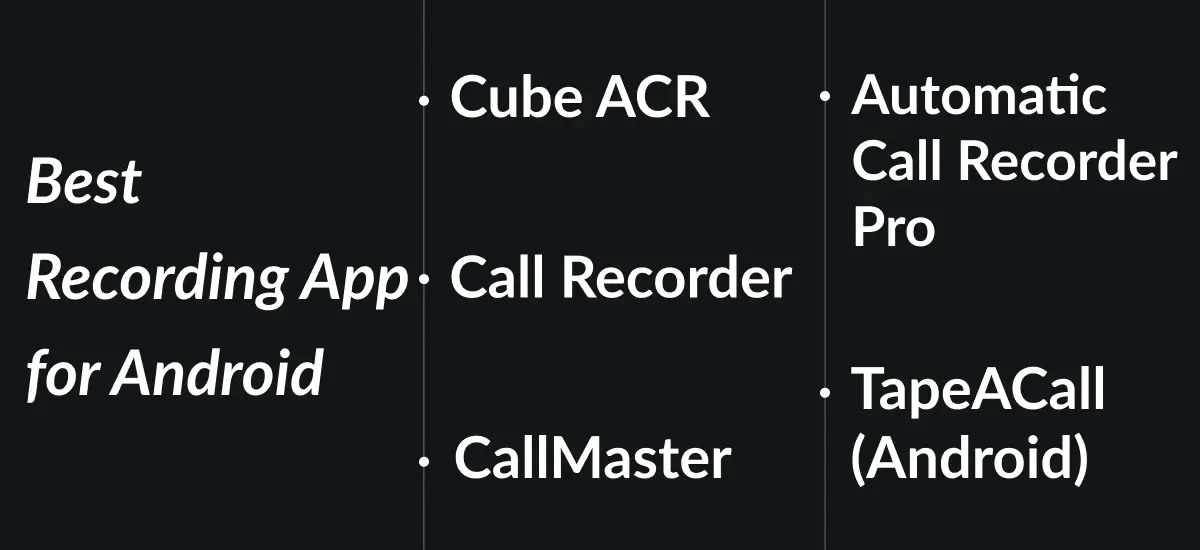
3. Automatic Call Recorder Pro
Developer: SMSROBOT LTD
Price: $5.49/month
Rating: 3.8 stars
With the Automatic Call Recorder Pro app, one of the best call recorder app Android , users can record phone calls in real time and quickly access playback and sharing options. The app gives you full control over your recording data, making it easy to organize, manage, and store audio files efficiently for personal or professional use.
Key features:
- Easy recording management: Organize and manage call recordings effortlessly for quick access and review.
- Multiple audio format support: Choose from several audio formats to suit your storage or sharing needs.
- Social sharing options: Share recorded calls across supported platforms for easy distribution.
Automatic Call Recorder Pro is a practical choice for users who want flexible recording controls, multiple file format options, and convenient sharing features in one app.
4. TapeACall
Developer: Teltech Systems Inc.
Price: $4.79/month
Rating: 2.6 stars
Using the TapeACall Android app, the best automatic call recorder, users can record an unlimited number of phone calls while maintaining consistently high audio quality. Designed for both personal and professional use, the app ensures conversations are captured clearly and stored securely. In addition to reliable recording, TapeACall Android includes built-in transcription capabilities, making it easier to convert call audio into text for review, documentation, or sharing.
Key features:
- Built-in audio transcription: Automatically transcribe recorded calls to save time and simplify note-taking or record-keeping.
- Unlimited call recording: Capture as many incoming and outgoing calls as needed without usage limits.
- Flexible transfer and storage options: Easily store recordings within the app, export them to your device, or transfer data securely to other platforms.
With its combination of unlimited recording, transcription tools, and efficient storage management, TapeACall Android is a strong solution for users who require dependable call recording with advanced productivity features.
5. CallMaster
Developer: Glad Apps Technology
Price: $4.29/month
Rating: 4.4 stars
The CallMaster app is one of the top voice call recorders and is designed to provide complete call management in one convenient platform. It allows users to efficiently handle incoming and outgoing calls while maintaining full control over their communication. In addition to reliable call recording capabilities, the app includes powerful tools for blocking unwanted numbers and organizing contacts, making everyday call management simpler and more secure.
Key features:
- Call blocking and recording: Block unwanted or spam numbers while recording important calls for future reference.
- Intuitive navigation: A clean and user-friendly interface ensures smooth app navigation and easy access to essential features.
- Contact management tools: Organize, manage, and access contact information directly within the app for better communication control.
CallMaster is ideal for users who want an all-in-one solution for call recording, contact organization, and call control.
| No. | App Name | Developer | Price | Rating | Key Features |
|---|---|---|---|---|---|
| 1 | Cube ACR | Cube Apps Ltd | Free (with paid features) | 4.1 | High-quality audio recording User-friendly interface Social media sharing |
| 2 | Call Recorder | Lucky Mobile Apps | $5.99/month | 4.3 | Automatic call recording PIN-code security Multi-language support |
| 3 | Automatic Call Recorder Pro | SMSROBOT LTD | $5.49/month | 3.8 | Easy recording management Multiple audio formats Social sharing options |
| 4 | TapeACall (Android) | Teltech Systems Inc. | $4.79/month | 2.6 | Built-in transcription Unlimited recordings Flexible storage & transfer |
| 5 | CallMaster | Glad Apps Technology | $4.29/month | 4.4 | Call blocking & recording Intuitive navigation Contact management tools |
Free vs. Premium Call Recorder Apps
Choosing between a free or premium call recorder app largely depends on how often you record calls and the features you require. Both options have their advantages, and understanding the differences can help you make the right decision.
When to choose a free call recorder app
Free call recording apps are ideal for users who only need to record calls occasionally and do not require advanced tools.
- These apps typically offer basic recording and playback features, which are sufficient for simple tasks such as saving a few important conversations for reference.
- Options like Call Recorder for iPhone or Automatic Call Recorder are good choices if your needs are minimal and you want a no-cost solution.
- A secure call recording app download ensures recordings are stored safely and privately.
When to choose a premium call recorder app
Premium call recording apps are better suited for professionals or frequent users who depend on reliable, high-quality recordings.
- These apps often include advanced features such as clearer audio quality, VoIP call support, cloud storage, transcription integration, and enhanced privacy controls.
- If call recording is a regular part of your workflow, investing in apps like TapeACall Pro or Cube ACR can provide better performance, efficiency, and long-term value.
How to Legally Record Calls?
Notify Call Participants: Use automated pre-call announcements for inbound customer service lines, such as “This call may be recorded for quality and training purposes,” to clearly inform participants before recording begins.
Obtain Consent Where Required: In two-party consent jurisdictions, actively request verbal or written permission before continuing with the recording. A common and effective approach is to ask, “Do I have your permission to record this call for quality and training purposes?” Ensure that consent is properly logged, either within the recording itself or documented in a CRM or record-management system.
Define a Valid Purpose: Clearly establish and document the reason for recording calls. For businesses, this purpose should be outlined in a publicly accessible privacy policy so users understand how and why their data is being collected.
Securely Store and Manage Data: Store recorded calls in secure systems with restricted access. To meet GDPR and similar regulatory requirements, implement strong data protection measures such as encryption, access controls, and clear data retention and deletion policies.
Build a Secure & Powerful Call Recording App with DXB APPS
We specialize in developing reliable, high-performance call recording apps tailored for businesses, call centers, and professionals. From automatic call recording and cloud storage to compliance-ready security, analytics, and CRM integration, we deliver solutions that ensure clarity, control, and efficiency.
Start Your Project NowWhy Your Call Recorder Might Not Be Working?
It can be frustrating to rely on a call recorder only to discover that it failed to capture an important conversation. This issue is especially common on Android devices, and there are several reasons why a call recording app may not work as expected:
- Android version restrictions: Newer Android versions have introduced stricter limitations on call recording, which can prevent apps from accessing required audio sources.
- App conflicts: Another app may be using the microphone or interfering with the call recording process.
- Battery optimization settings: Aggressive battery-saving features may stop the call recorder from running properly in the background.
- Incorrect app settings: The recorder may not be configured correctly, or required permissions may not have been granted.
- Device-specific limitations: Some phone manufacturers apply custom software restrictions that can interfere with third-party call recording apps.
Troubleshooting checklist
- Check permissions: Ensure the app has all required permissions, including microphone, storage, and phone access.
- Disable battery optimization: Exclude the call recording app from your device’s battery optimization settings.
- Update the app: Confirm that you are using the most recent version of the app.
- Adjust recording settings: Try different audio sources or recording modes available within the app.
- Reinstall the app: A fresh installation can sometimes resolve persistent issues.
Following these steps can help restore functionality and improve the reliability of your call recording app.
How to Develop a Call Recording App?
Developing a call recording app requires careful planning, especially because call recording is heavily regulated by operating system policies and privacy laws. Success depends not only on technical implementation but also on legal compliance, user trust, and platform restrictions.
Understand Legal and Privacy Requirements First
Before writing any code, clearly define how your app will handle user consent and data privacy. Many regions require one-party or two-party consent before recording calls. Your app should notify all call participants that recording is taking place and, where required, actively request permission. For business use, the purpose of recording must be clearly stated in a publicly accessible privacy policy. Recorded data should be securely stored, encrypted, and retained only for a defined period.
Choose the Right Recording Approach
The method you choose to record calls will determine whether your app is viable on Android or iOS.
On Android, newer versions of the operating system restrict access to call audio. Traditional recording methods may not work consistently across all devices. Reliable approaches include becoming a default dialer, focusing on in-app VoIP calling where audio streams are fully controlled, or targeting enterprise-managed devices.
On iOS, third-party access to cellular call audio is limited. Most successful apps use call-bridging systems or record calls made through in-app VoIP services. These approaches require clear consent prompts and transparent user communication.
Define Core Features for the MVP
A strong minimum viable product should focus on reliability and trust. Core features typically include manual or automatic recording, clear consent notifications, a searchable recording library, secure storage, playback controls, and easy sharing or exporting. Optional features such as transcription, tagging, and basic editing can be added later once stability is proven.
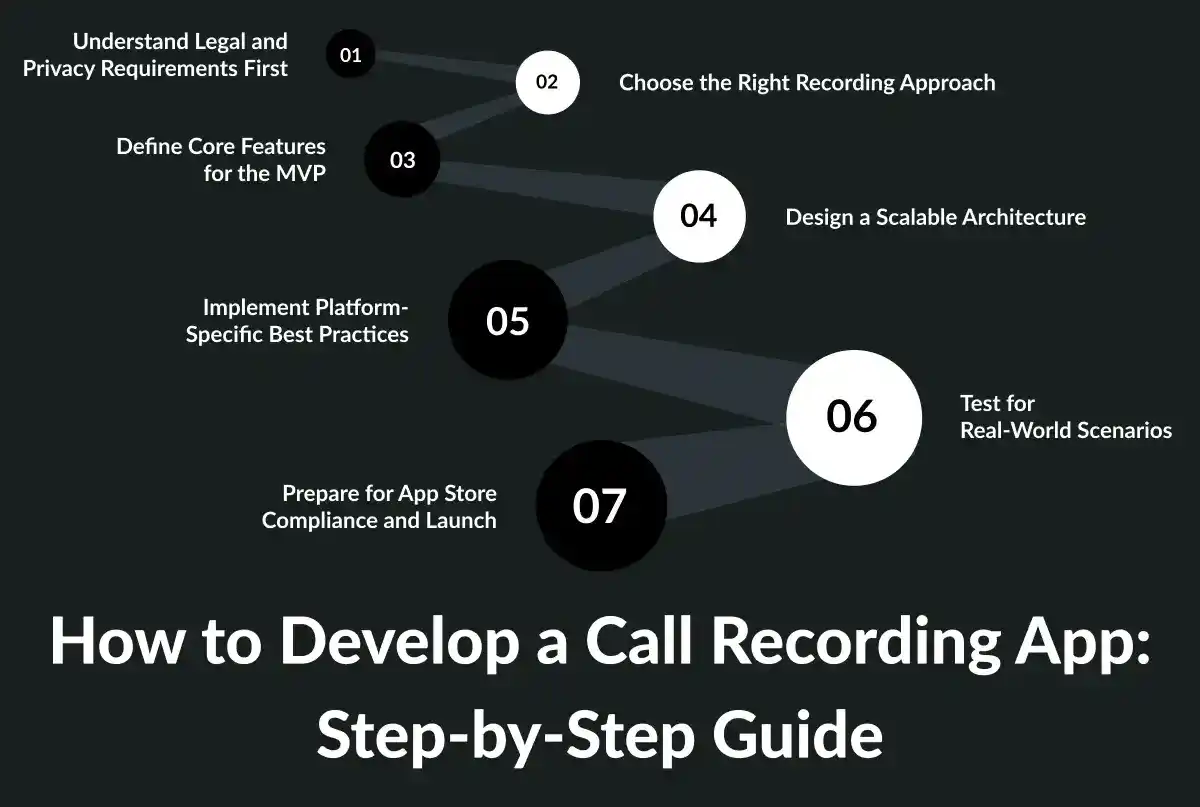
Design a Scalable Architecture
A well-structured architecture ensures performance and data security as your user base grows. The mobile app should handle recording controls, metadata capture, and optional local encryption. A backend system should manage authentication, secure file uploads, storage, transcription processing, and audit logs. All data transfers must be encrypted, and access should be strictly controlled.
Implement Platform-Specific Best Practices
On Android, careful permission handling is critical. The app must request only necessary permissions and guide users through battery optimization settings to prevent recordings from stopping unexpectedly. Extensive testing is needed across different manufacturers, as device behavior varies.
On iOS, the user experience must clearly communicate the recording status and consent. If using server-side recording or VoIP, ensure call routing is reliable and recordings are securely stored without affecting call quality.
Test for Real-World Scenarios
Call recording apps often fail due to edge cases. Thorough testing should cover incoming and outgoing calls, Bluetooth and speaker usage, network interruptions, storage limits, and permission changes. Consent logging must be tested to ensure it is always captured correctly.
Prepare for App Store Compliance and Launch
Both Android and iOS platforms enforce strict policies around call recording. Your app must follow platform guidelines, provide clear disclosures, and avoid restricted workarounds. Building user trust through transparency, easy data control, and clear privacy messaging is essential for long-term success.
Tech Stack for a Call Recording App
The “right” tech stack depends on how you record calls. A cellular call recorder (PSTN), an in-app VoIP recorder, and an enterprise/call-center recorder can look like totally different products under the hood. Below is a practical stack you can use in 2026, with options based on your approach.
1) Mobile App Stack
Android
For an Android-first product, you’ll typically build in Kotlin (best native performance and OS integration). If you’re going cross-platform, Flutter or React Native can handle UI well, but call/audio integrations often still require native modules.
Key Android components you’ll likely use:
- Kotlin + Jetpack (Compose UI, ViewModel, WorkManager)
- Foreground Services (for reliability when capturing/processing audio)
- Room database (store call metadata locally)
- Encrypted storage (Android Keystore + encrypted file storage)
iOS
On iOS, go native with Swift (SwiftUI or UIKit). If you’re using VoIP, you’ll also use Apple’s calling frameworks for proper call behavior.
Common iOS components:
- Swift + SwiftUI
- CallKit (VoIP call UI/UX integration)
- AVFoundation (audio session + recording for VoIP)
- Keychain (secrets, tokens) + file encryption
2) Recording Method Stack
Option A: In-app VoIP calling (Most controllable, most scalable)
If your app includes VoIP calls (like WhatsApp-style calling), you control the audio streams and can record reliably.
Typical VoIP stack:
- WebRTC (real-time audio/video engine)
- STUN/TURN servers (connectivity; usually Coturn for TURN)
- SFU (Selective Forwarding Unit) for group calls (e.g., mediasoup/Janus/LiveKit-style architecture
- Server-side recording via media pipeline (record mixed audio or per-participant tracks)
Option B: PSTN bridge/conference recording (Common for “phone call” recording on iOS)
For cellular calls, many systems use a telephony bridge: the user calls a number, the system merges/bridges, and the server records.
Typical PSTN stack:
- Telephony provider (SIP trunking/programmable voice)
- SIP infrastructure (Asterisk or FreeSWITCH if you self-host)
- Recording on server (store audio, manage consent prompts)
Option C: Enterprise/call-center recording
For businesses, recording often happens at the PBX/contact-center layer.
Typical enterprise stack:
- PBX: Asterisk / FreeSWITCH or cloud contact center
- Stream call audio to backend + enforce retention, access control, audit logs
3) Backend Stack
API + Core Services
A modern, scalable backend usually looks like:
- Node.js (NestJS) or Python (FastAPI), or Java (Spring Boot)
- PostgreSQL (users, metadata, consent logs, billing)
- Redis (sessions, queues, caching)
- Object storage (S3-compatible) for recordings
Background Jobs
Audio processing and transcription should be async:
- Queue: RabbitMQ or Kafka (or managed queues)
- Workers: Python/Node workers for processing jobs
- Job orchestration: simple worker queues or workflow engines if needed
4) Audio Processing + Transcription Stack
Audio Processing
For cutting, trimming, normalizing, and converting formats:
- FFmpeg (industry standard)
- Optional: audio cleanup/normalization pipeline (noise reduction, leveling)
Transcription (Speech-to-text)
Two common approaches:
- Cloud STT APIs (fast to ship, scalable)
- Self-hosted models (more control, potentially lower cost at scale)
Add-ons:
- Speaker diarization (who spoke when)
- Search indexing for transcripts (OpenSearch/Elasticsearch)
5) Storage, Security, and Compliance Stack
Security is a first-class feature for call recording apps:
- Encryption in transit (TLS everywhere)
- Encryption at rest (object storage encryption + DB encryption)
- KMS (key management service) or managed key vault
- Role-based access control (RBAC) + audit logs
- Retention policies (auto-delete after X days, legal holds for enterprise)
6) Cloud Infrastructure Stack
A typical production setup:
- Docker containers
- Kubernetes (or simpler managed container services for MVP)
- CDN for download links if sharing recordings
- Monitoring: Prometheus/Grafana (infra) + app monitoring (error tracking)
- Logging: centralized logs (ELK/OpenSearch)
7) Payments, Analytics, and Product Ops
To run it as a business:
- Payments: Apple/Google in-app purchases for mobile subscriptions
- Analytics: event tracking (onboarding, recording success rate, churn signals)
- Crash reporting: mobile crash analytics
- Customer support: in-app help + ticketing integration
What is The Average Cost To Develop a Call Recording App?
The cost to develop a voice recording app can vary depending on features, application support and maintenance services, platform compatibility, and complexity.
A basic call recording application for one platform (iOS or Android) can cost between $8,000 and $30,000. If you want a feature-richer app that supports both platforms, it can cost to develop a call recording app anywhere from $8,000 up to $25,000.
| Component | Cost Range |
|---|---|
| Basic App Development | $1,000 – $3,000 |
| Cross-Platform Support | $2,000 – $5,000 |
| Cloud Integration | $3,000 – $6,000 |
| Advanced Features | $2,000 – $5,000 |
| Testing and QA | $3,000 – $6,000 |
| Design and UX/UI | $4,000 – $6,000 |
| Total | $8,000 – $25,000+ |
How DXB APPS Builds the Best Mobile Apps in Saudi Arabia and the UAE?
DXB APPS is one of the best ondemand app development companies that stands out in Saudi Arabia and the UAE by combining deep regional insight with world-class app development practices.
The mobile app developers understand local market expectations, such as language support, cultural UX preferences, compliance requirements, and scalability for high-growth users, while delivering products that meet global quality standards. This balance ensures apps are not only visually polished but also reliable, secure, and ready to scale across diverse user bases.
DXB APPS is one of the top Mobile App Development Dubai company that follows a performance-first app approach throughout the development lifecycle. From discovery and UI/UX design to backend architecture, testing, and post-launch optimization, every mobile application development Abu Dhabi is built around measurable outcomes.
By leveraging modern tech stacks, agile workflows, and continuous QA, DXB APPS ensures faster time-to-market without compromising quality, resulting in apps that perform consistently under real-world conditions.
What Sets Our App Execution Apart?
- Agile app development with transparent milestones and iterations
- Modern app tech stacks for speed, security, and scalability
- End-to-end QA and post-app launch support to ensure long-term success
Together, these strengths enable DXB APPS to deliver high-impact mobile applications trusted by startups, enterprises, and government-backed initiatives across Saudi Arabia and the UAE.
Build a Professional Call Recording App for Your Business
DXB APPS, a trusted UAE mobile app development company, specializes in creating secure and scalable call recording apps for businesses. Our solutions include cloud storage, call analytics, and CRM integration, helping organizations improve customer service and compliance.
Get a Free ConsultationConclusion
In 2026, the landscape of call recorder apps continues to evolve with stronger privacy protections, clearer audio quality, and more versatile features than ever before. Whether you’re an Android user seeking seamless background recording or an iOS user who needs transcription and cloud integration, there’s a solution tailored to your needs. The apps featured in this list represent the best balance of reliability, ease of use, security, and advanced functionality, from straightforward automatic recording to powerful tools for professionals and businesses.
Frequently Asked Questions(FAQs)
1. Is it legal to record calls on Android and iOS devices in 2026?
Recording calls is subject to local laws; some require all parties’ consent, others only one. Always inform and get permission before recording.
2. What features should I look for in a call recording app?
Look for high audio quality, automatic recording, cloud backup, easy sharing, and compliance with legal standards.
3. Do call recording apps work on both incoming and outgoing calls?
Most apps record both incoming and outgoing calls, but performance may vary by device, especially on iOS, due to restrictions.